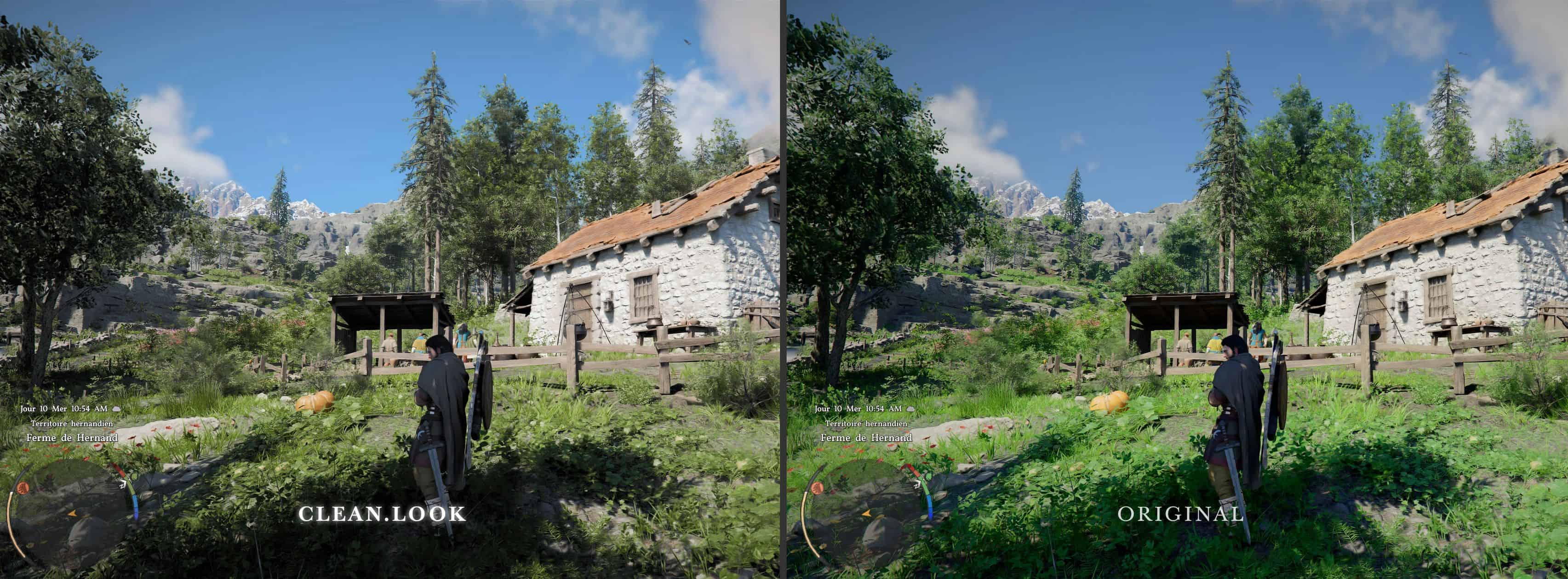
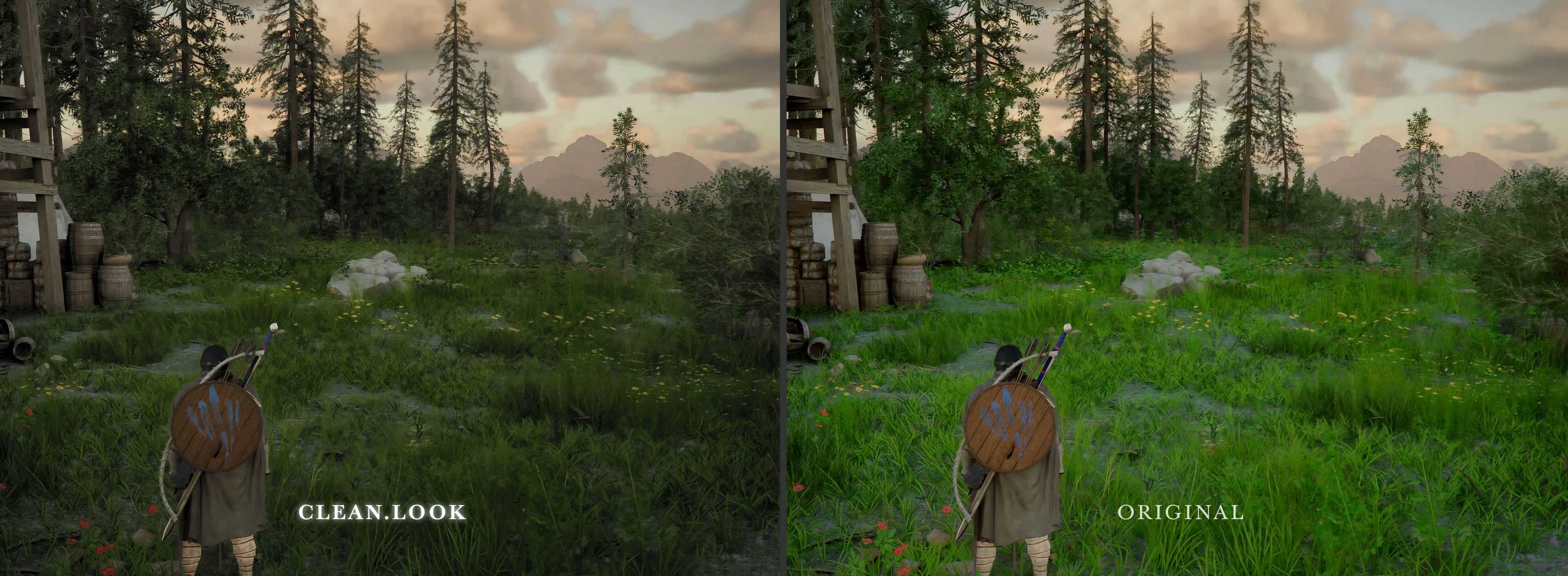
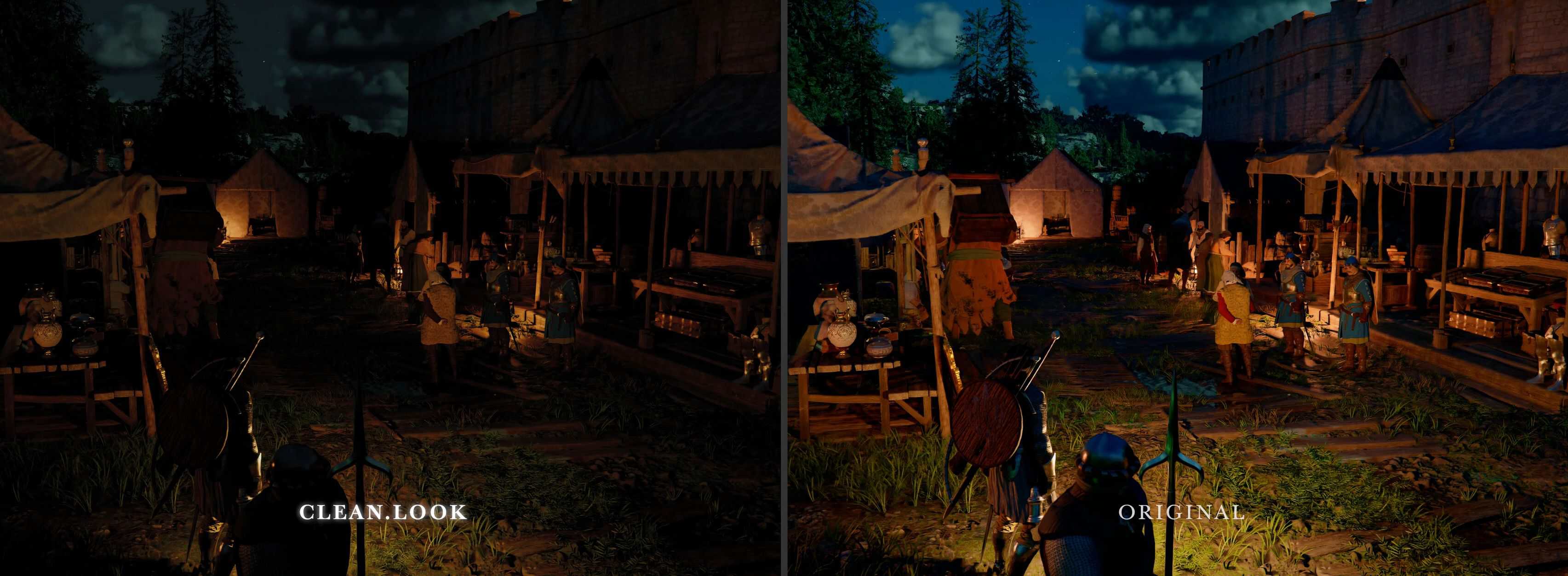
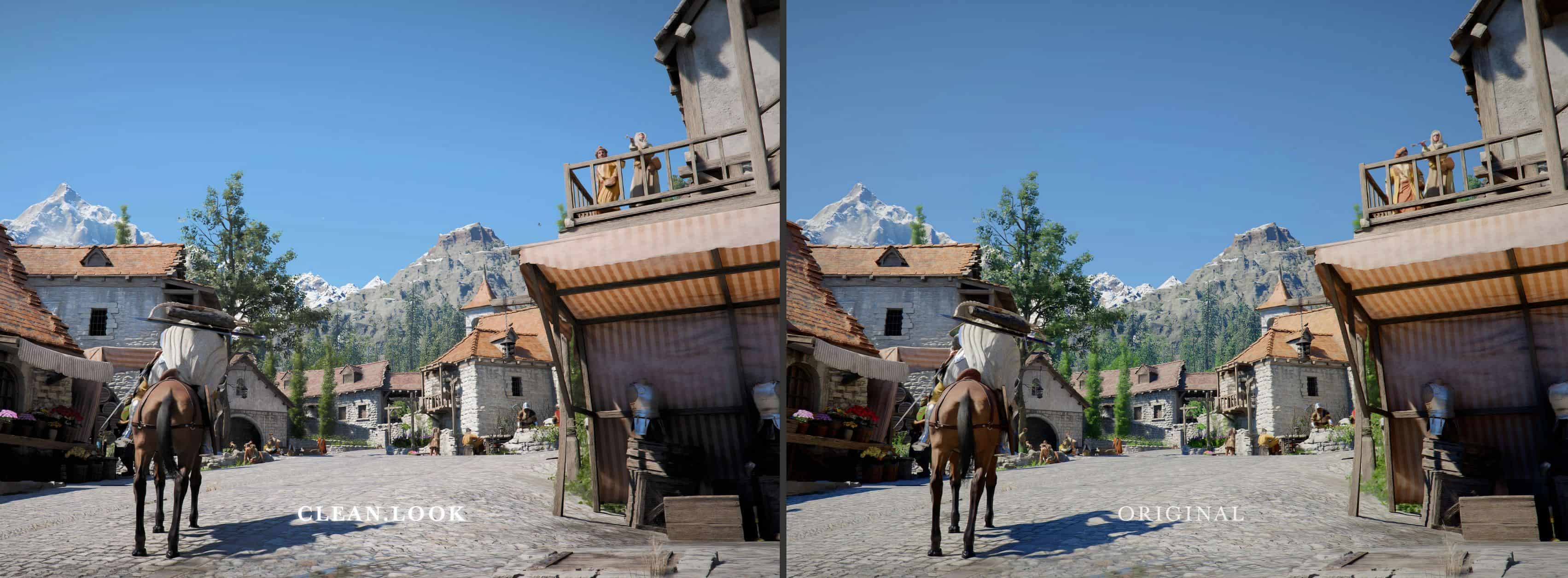
Lightweight custom-made shader specifically created to fix Crimson Desert colors and lighting. CLEAN LOOK is a unique custom shader that corrects very specific, targeted visual elements in Crimson Desert while remaining true to the original artistic direction. This is a simplified and modified excerpt from: RELOOK CRIMSON DESERT SPONSORS PACK.
FEATURES:
– Highly precise and targeted color corrections using luminosity masks
– Day and night separation with dedicated corrections for each
– Green problem fixed while preserving the intensity of subsurface scattering
– Reharmonization of all colors to their natural wavelength
– No crushed blacks and whites or excessive saturation
– More details in the shadows while maintaining contrast
– Color luminance and oversaturation restored to a more natural setting
– Better sense of depth and proper skies / landmass relationship
– Neutral sunlight, with no overall color cast and a fixed white point
– Very little to none FPS loss with a very user-friendly interface that lets you choose your preferred level of changes
…Ultimately resulting in a more natural and detailed environment and lighting and a less cartoonish feel.
CLEAN LOOK also adds darker nights and interiors, with overly saturated light sources adjusted and recreated Purkinje shift. A cinematic color option is also available to add an extra touch to the overall look.
INSTALLATION:
– Exctract the content inside the .zip into the bin64 folder of the game.
– Open ReShade with “END” key, toggle ReShade with “HOME” key.
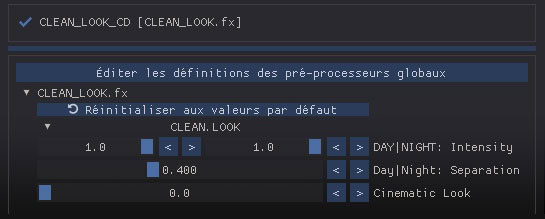
CLEAN LOOK comes with a stand alone preset, but it can also be added to any other ReShade; Simply look up for the “CLEAN_LOOK_CD” Technique:
Each setting has a built-in tooltip to help you know what it does:
– DAY|NIGHT Intensity: let you set how much change you want for day and night time, 0 being vanilla You can disable change during the day to keep only the darker nighttime settings, or vice versa. If it’s too dark at night, you can simply lower the nighttime setting.
– Day|Night Separation: allows you to set the brightness level used by the shader to distinguish between day and night. A low value separation means night settings is less likely to happen unless original scene is very dark. The shader then ensures a smooth transition and blends the changes in intensity between day and night based on this separation parameter.
– Cinematic Look: Adjust the blend strength of an additional cinematic color correction to further enhance the visual look, 0 disables the option.
CLEAN LOOK is compatible with RenoDx and shaderToggler addons.