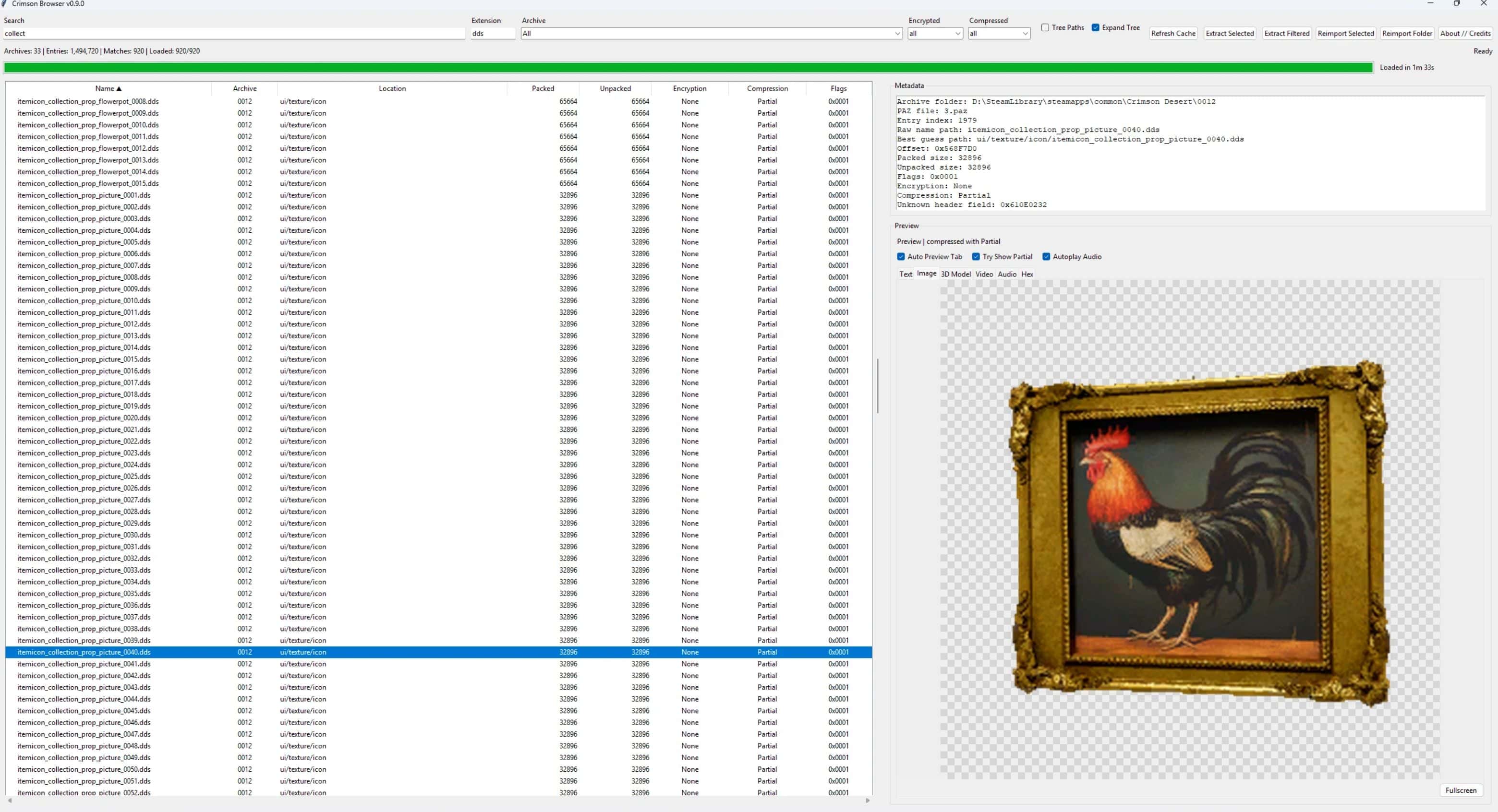
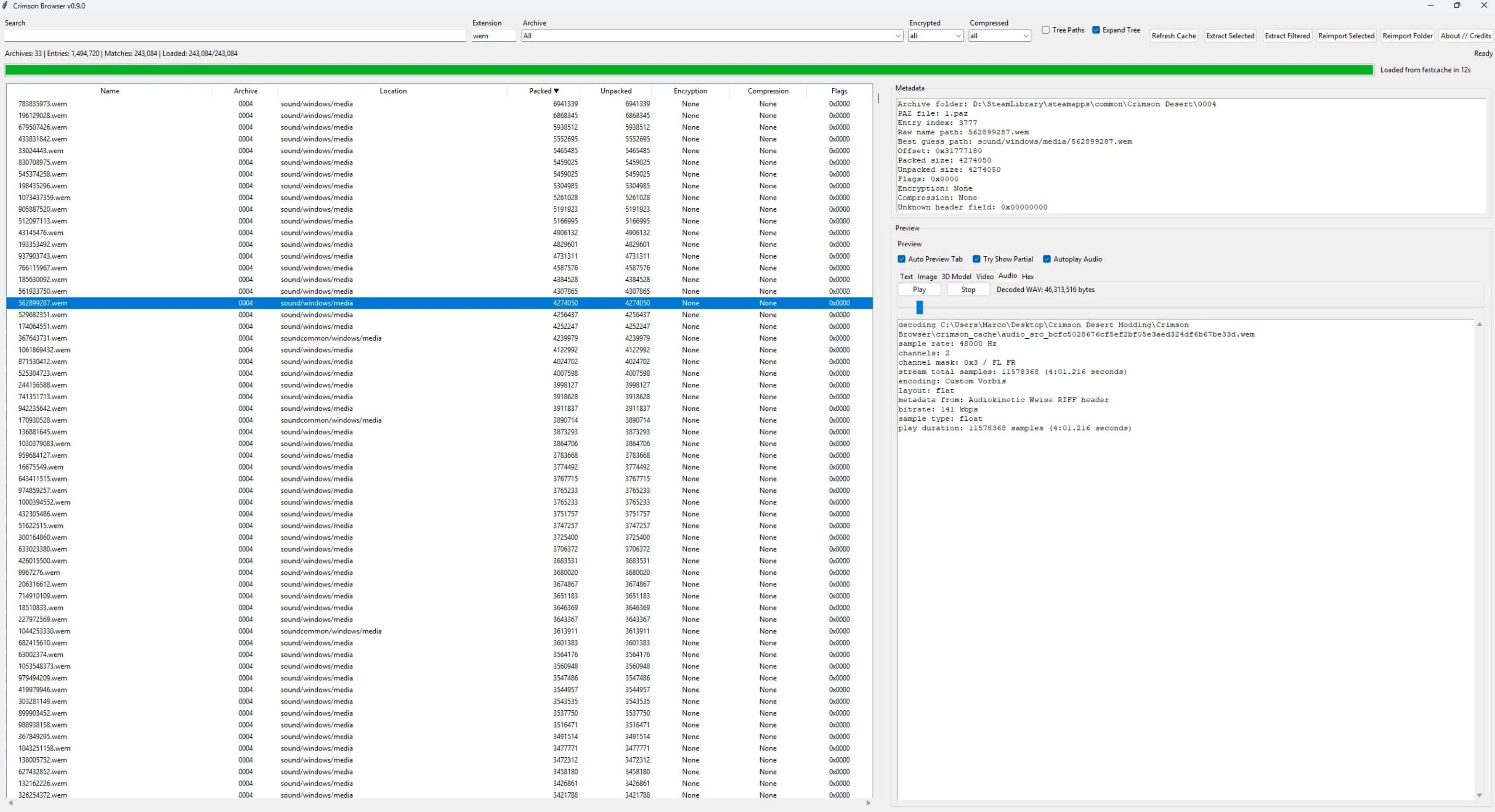
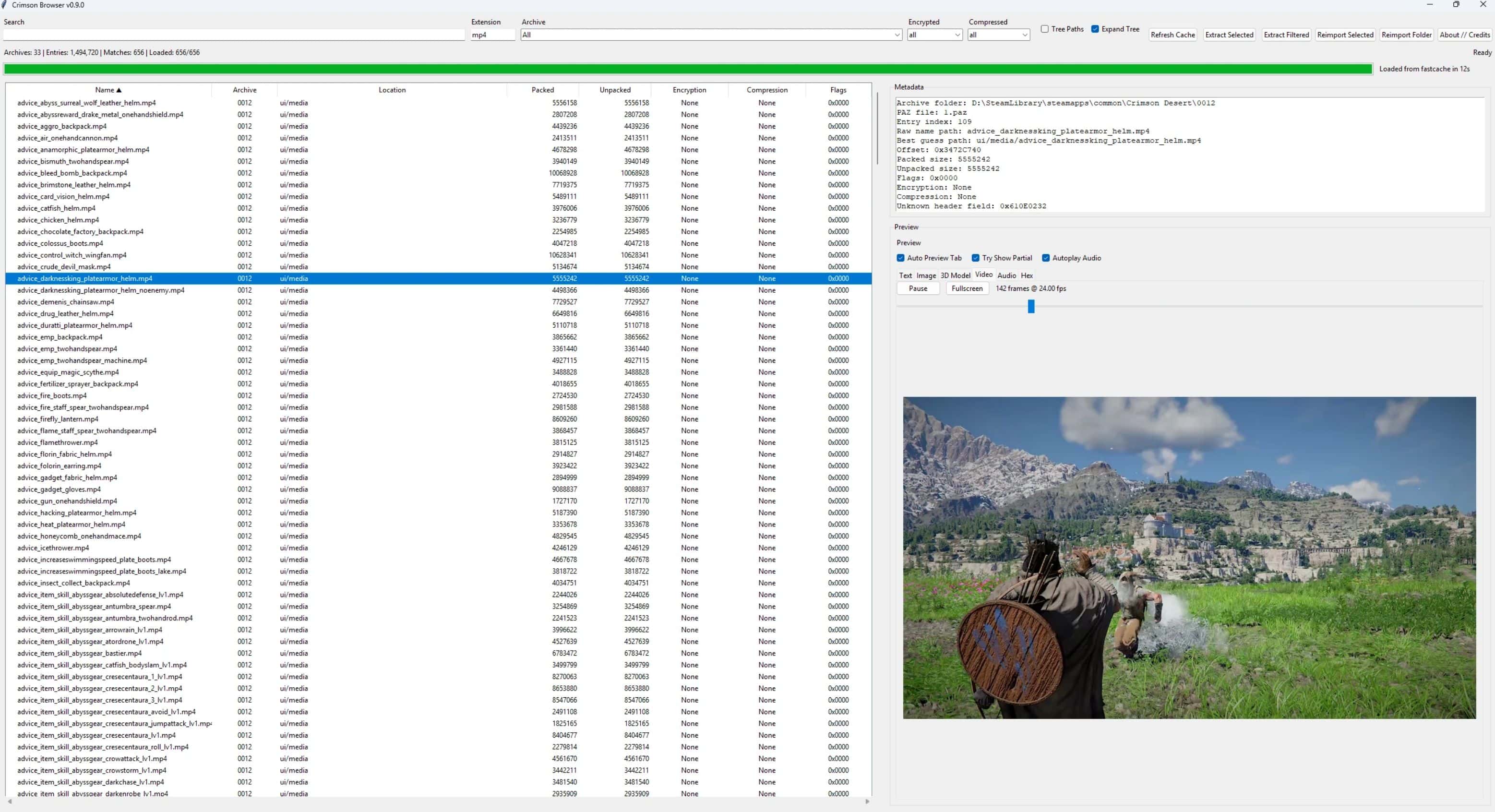
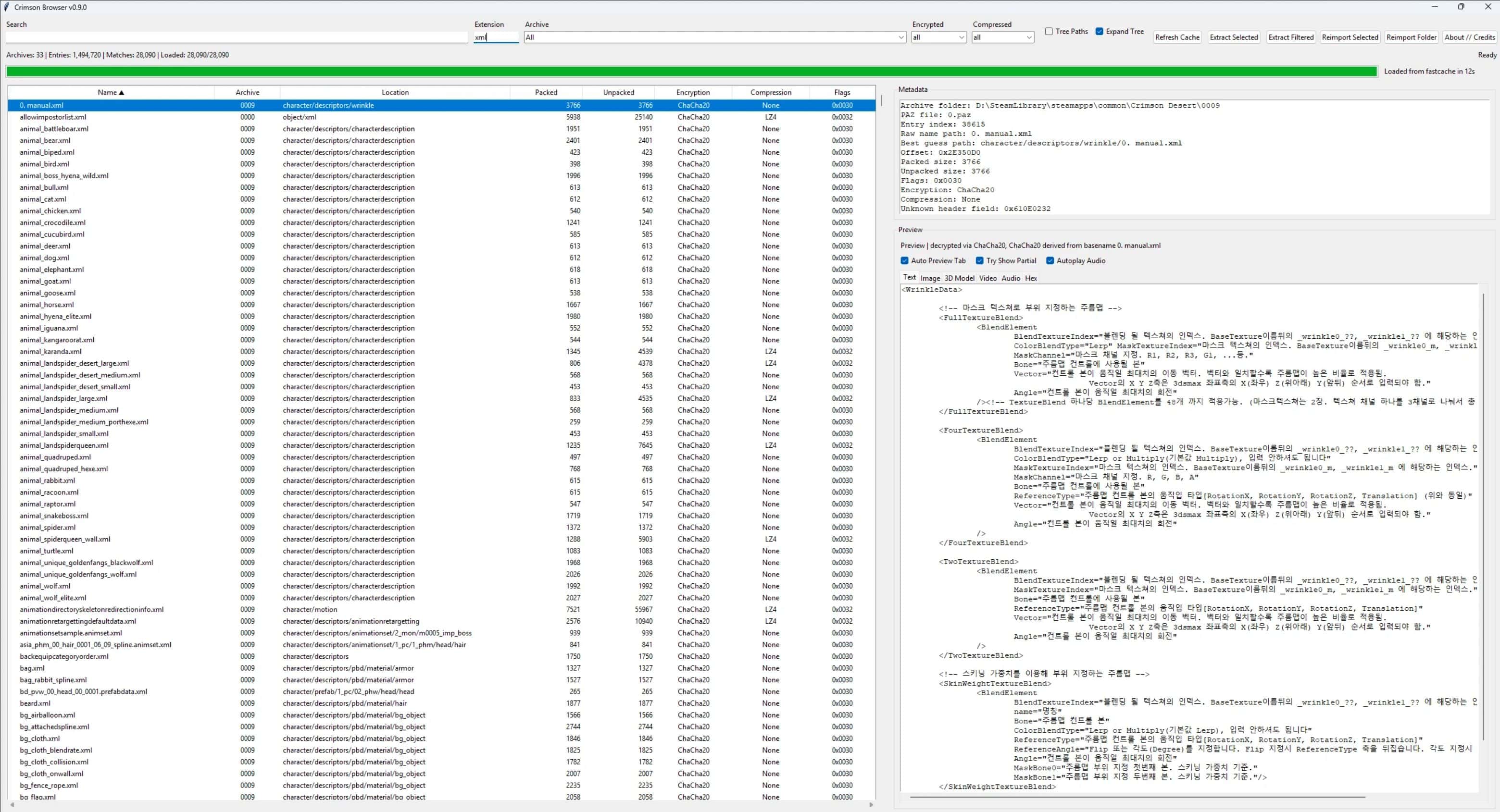
Crimson Browser is a standalone archive browser and modding helper for Crimson Desert. It reads 0.pamt metadata, browses .paz contents, previews common asset types, extracts files, and builds supported in-place mod-folder replacements without touching the original archives.
IMPORTANT: Use this mostly for browsing etc. right now, injecting of files is highly experimental and will probably break your archives.
Requirements
– Windows
– Python 3.10 or newer
– A Python installation with Tkinter included
– The Python packages listed in requirements.txt
– vgmstream if you want WEM audio previews
Install / run
– Install Python 3.10+
– Open a terminal in the Crimson Browser folder
– Run:
– pip install -r requirements.txt
– Make sure
– tools/vgmstream-win64/vgmstream-cli.exeexists if you want WEM preview support
– Edit
– config.txtand set your game path, for example:
– archives_path=D:\Path\To\Crimson Desert
– Run:
– python crimson_browser.py
First launch
– The first launch parses archive metadata and builds the fast cache.
– Later launches reuse that cache unless you hit Refresh Cache.
Current feature set
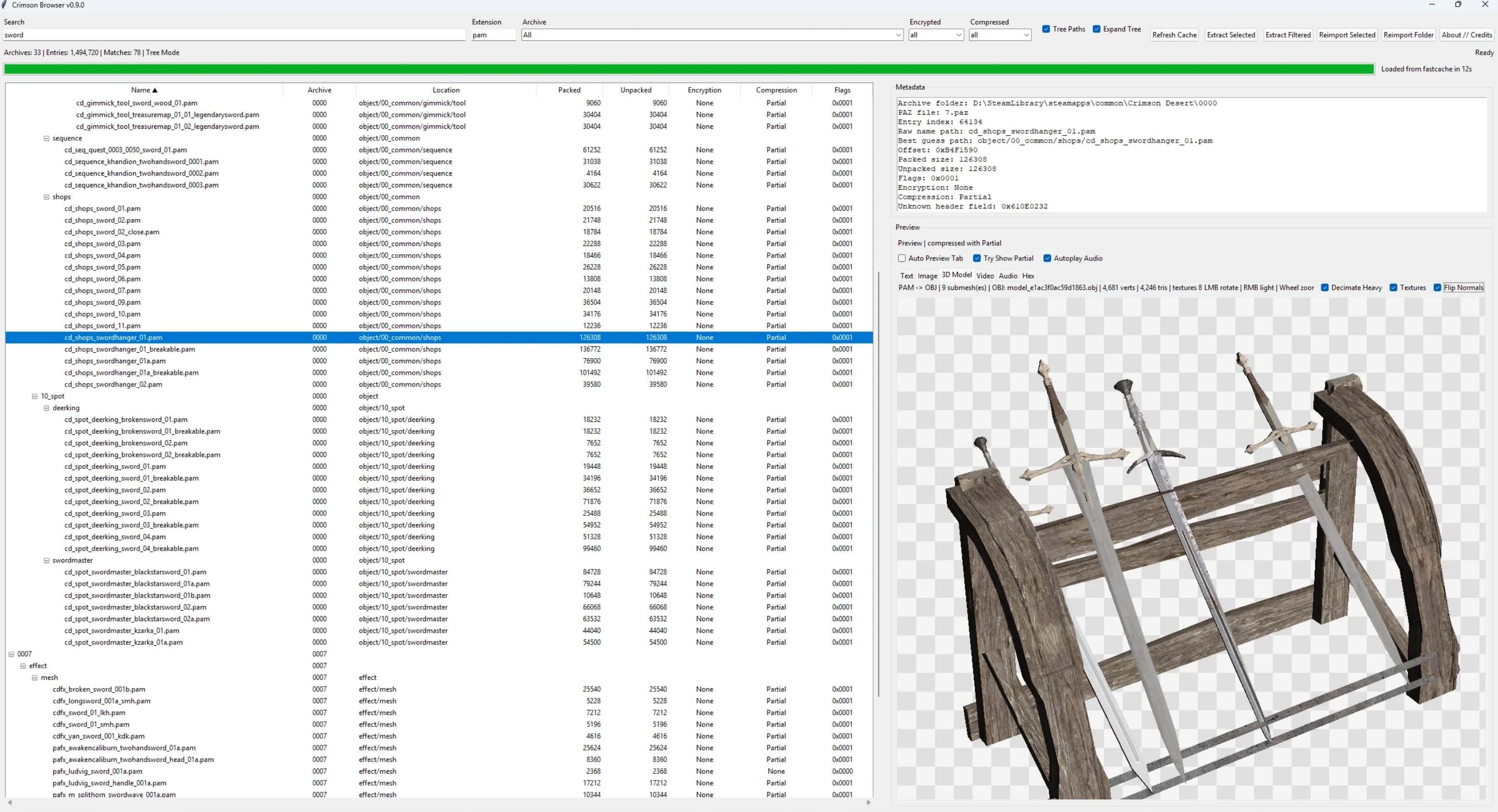
– Browse archive contents with search, filters, sorting, and optional tree paths
– Persistent fast cache so archive parsing only has to happen once unless you refresh it
– Preview tabs for text, images, 3D models, video, audio, and hex
– Extract selected files or all filtered files with progress and ETA
– PAM / PAMLOD extraction also exports OBJ assets automatically
– .paloc preview, JSON sidecar export, and JSON reimport support
– Single-file reimport into mod_folder
– Batch folder reimport from an arbitrary loose folder tree
– ChaCha20 decrypt / re-encrypt support for supported entries
– Exact-size LZ4 repack support for supported entries
3D model viewer
– Embedded PAM / PAMLOD parsing
– OBJ export path built directly into the main tool
– Auto-fit on load
– Mouse wheel zoom
– Left mouse drag rotates the model
– Right mouse drag moves the front light direction
– Texture toggle
– Heavy-mesh decimation toggle
– Flip Normals toggle
– Referenced textures are resolved from loaded archives when found
IMPORTANT: IT’S BASIC AND SUPER SLOW! USE WITH CAUTION.
Audio / video / image preview
– WEM audio preview through vgmstream
– MP4 preview with embedded playback, seek, and fullscreen
– Image preview with zoom, pan, and checkerboard transparency background
Extraction notes
– LZ4 files are extracted decompressed
– If a file cannot currently be decrypted or decompressed, the raw data is written instead
– PAM / PAMLOD extraction also writes OBJ beside the extracted source file
– Matching textures are exported beside the OBJ when found
Reimport notes
– Original archives are never modified
– Output is written into the mod_folder archive copies
– Supports raw entries, LZ4 entries, clear entries, and ChaCha20-encrypted entries
– Does not currently support Partial, Zlib, or QuickLZ recompression
– Does not currently support non-ChaCha20 encrypted reimport
Fast cache
– The tool stores archive metadata and entry lists in:
– crimson_cache/archive_index_cache.pkl
– Use the Refresh Cache button if you want to force a full rebuild.
Known limitations
– Writing a modified 0.pamt is currently avoided
– Some exact-size LZ4 retunes for non-text files may require unsafe byte noise
– Partial, Zlib, and QuickLZ recompression are still unresolved
Credits
– Version: 0.9.0
– Crimson Browser created by Ize
– All smart people at ResHax, especially MrIkso and NoName
– Lazorr for cracking the ChaCha20 encryption / decryption and his tools
– Lathiel for model conversion scripts and related groundwork
– Uses vgmstream for WEM audio previews
Basic usage
– Install dependencies with
– pip install -r requirements.txt
– Set your game path in
– config.txt
– Run
– python crimson_browser.py or start run.bat
– Let the first launch build the fast cache
– Browse, preview, extract, or reimport supported files