A lightweight, standalone mod manager for Crimson Desert built with C++. This manager works alongside Crimson Browser and Mod Manager to deploy your mods safely and efficiently.
There are already too many mod managers for Crimson Desert,The source code has been made public for anyone to use freely. so this project is being retired.
We recommend using CD JSON Mod Manager instead:
https://crimsondesertmods.com/json-mod-manager-v1-0/
Please note: You’ll need CD JSON Mod Manager V6 or higher.
– Added support for both compiled folder mods and loose/decompiled folder mods.
– Improved compatibility between folder mods and JSON mods.
Description
IMPORTANT: This manager requires mod authors to package their mods specifically for this tool.
QT_ModManager (Quick-Tinker) is a lightweight and high-speed mod management solution for Crimson Desert. Unlike traditional managers that patch or modify your original game archives, this tool uses an Overlay/Registry PAPGT approach.
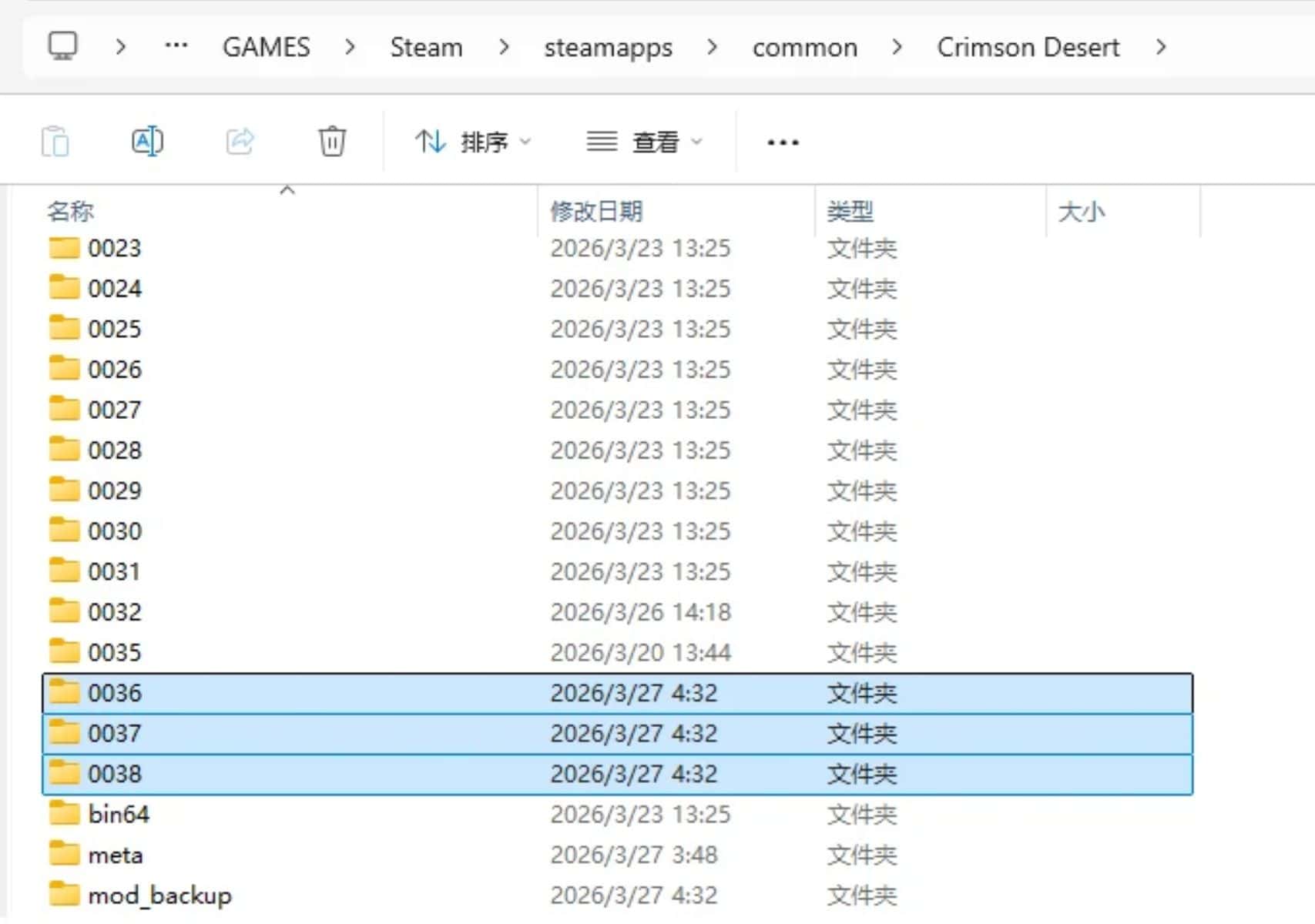
It does not touch or modify your base game archives (0000-0035). Instead, it dynamically assigns mods to new numbered packs (0036, 0037, etc.) and registers them in the game’s PAPGT registry. This ensures your vanilla data remains 100% intact and modding remains safe and reversible.
How it works:
The manager utilizes the game’s internal archive priority system. By inserting new packs at the top of the 0.papgt registry, the game engine is forced to prioritize modded assets over vanilla ones without ever altering the original 800mb+ archive files.
Main Features
Safe & Non-Destructive Deployment
– Creates standalone mod packs (0036+) in your game directory.
– Original game archives (0000-0035) remain completely untouched.
– Safe to use with “Steam Verify Integrity” at any time.
– Automatic backup of the original meta/0.papgt before any changes.
– One-click “Restore to Vanilla” functionality.
Advanced Backend Logic
– Instant Deployment: Uses Hardlinks to deploy mods near-instantly.
– CRC Auto-Fix: Automatically calculates and fixes Checksum errors in 0.pamt files to prevent game crashes.
– Dynamic ID Assignment: Automatically manages pack numbering (00XX) to prevent conflicts between different mods.
For Mod Authors
To make your mod compatible with QT_ModManager, please follow this structure:
– Use Crimson Browser and Mod Manager to modify and “Build Active Mods”.
– Collect the generated 0.pamt and 0.paz files.
– Include a modinfo.json file with your metadata (Name, Author, Version, Description).
– The manager will handle the folder naming (0036, etc.) and registry patching automatically.
*Please refer to the included Example_Mod folder for a complete template.
Installation instructions
– Download and extract QT_ModManager.exe to a folder of your choice.
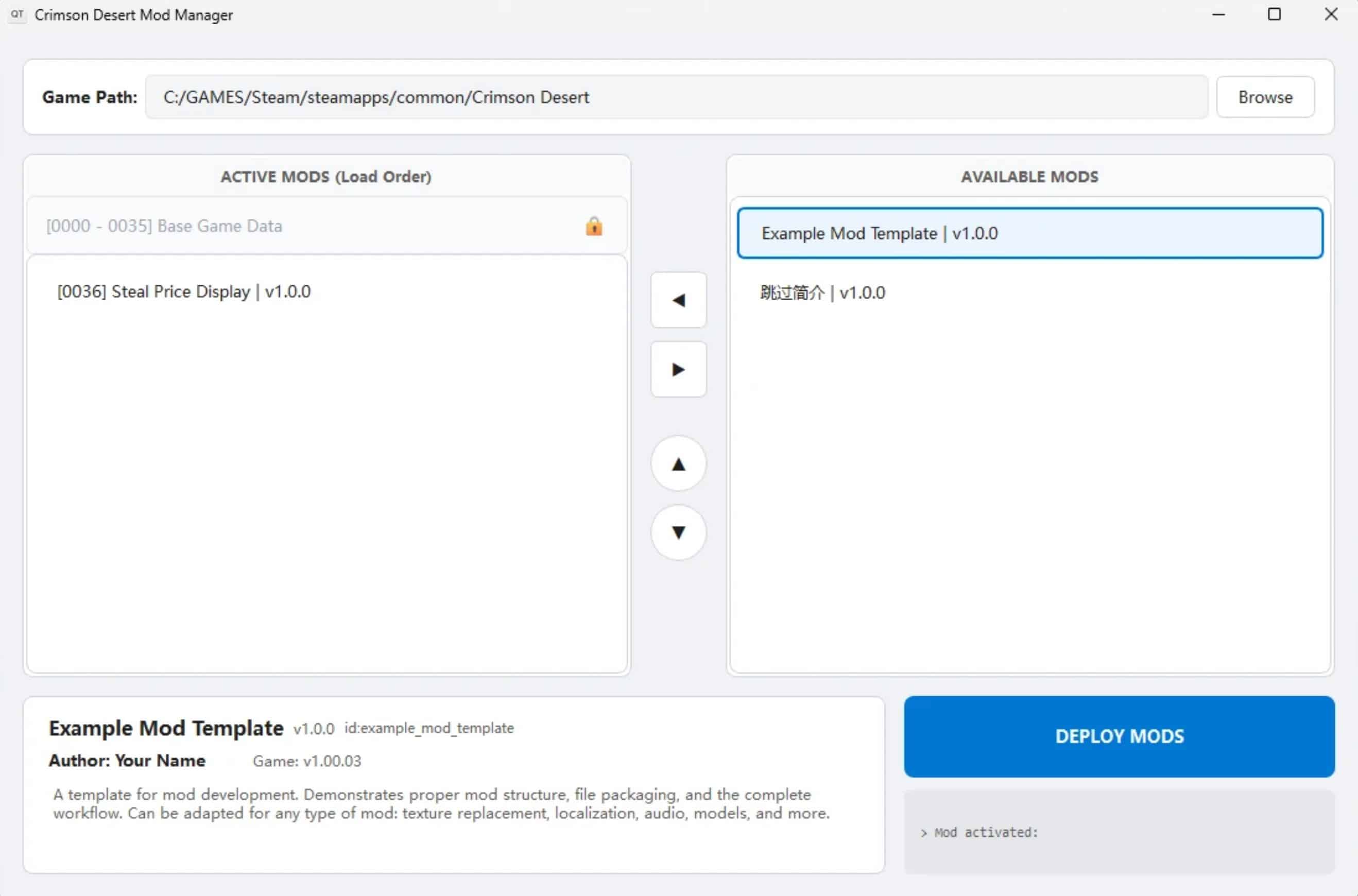
– Launch the manager and select your Crimson Desert game directory.
– Place your mod folders into the mods directory within the manager’s folder.
– Move your desired mods to the “Active” list, and click Deploy Mods.
Requirements
– Windows 10 / 11 x64
– Crimson Desert
– Mods must be packaged in the required .pamt/.paz format.