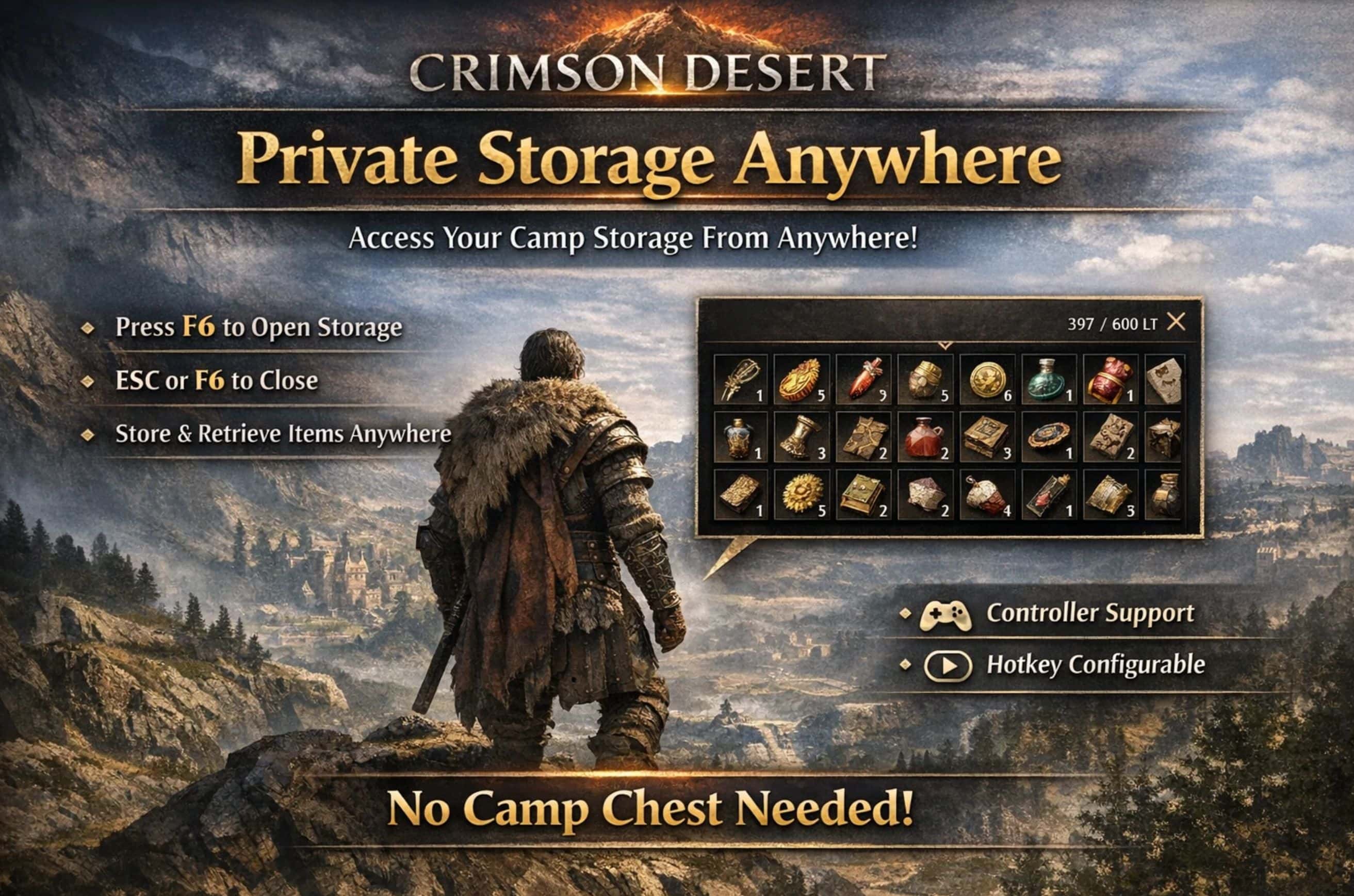
Open your Private Storage from anywhere with a single hotkey or controller button (default F6). No need to walk back to your camp chest. Uses the game’s native UI with full item interaction. Supports keyboard modifiers (e.g. Shift+I), XInput controllers, INI hot-reload, and pattern scanning for update compatibility.
Features
– F6 to open Private Storage from anywhere on the map
– ESC to close (or F6 again)
– Native UI: Uses the game’s built-in warehouse interface — no custom overlay
– Full interaction: Move items in and out of storage, same as at the chest
– No chest visit required: Works immediately after game start
– Update-proof: Uses automatic pattern scanning to locate internal game functions instead of relying on hardcoded offsets
– Safety system: Hotkey is automatically blocked during cutscenes, minigames, and other unsafe states
– Configurable: Hotkey can be changed via INI file
– Keyboard modifiers: Optional modifier key support (e.g. Shift+I to open storage while plain I opens inventory)
– Controller support: Assign a controller button via XInput. Supports an optional modifier button (e.g. hold LB + press D-Pad). Works with Xbox controllers natively and all other controllers through Steam Input.
– INI hot-reload: Press F11 to reload all settings without restarting the game
Known Limitations
The panel title and icon may show “Camp Provisions” instead of “Private Storage”. This is a cosmetic issue — your Private Storage items and full functionality are available regardless of the displayed title.
Requirements
Ultimate ASI Loader (ThirteenAG) — place version.dll in the game’s bin64 folder. If you already use other ASI mods, the loader is probably already installed.
Installation
– Make sure Ultimate ASI Loader (version.dll) is in:
– [Steam]\steamapps\common\Crimson Desert\bin64\
– Copy PrivateStorageAnywhere.asi and PrivateStorageAnywhere.ini into the same bin64 folder.
– Launch the game. Press F6 to open Private Storage from anywhere.
Configuration
Edit PrivateStorageAnywhere.ini:
[Settings]
Enabled=1 ; Master switch (0=off, 1=on)
DebugLog=0 ; Create log file for troubleshooting (0=off, 1=on)
Hotkey=75 ; Keyboard hotkey in hex (default: 75 = F6)
ModifierKey=00 ; Hold this key + Hotkey (00 = no modifier)
ReloadKey=7A ; Press to reload INI (default: 7A = F11, 00 = disabled)
ControllerEnabled=0 ; Controller support (0=off, 1=on)
ControllerButton=0000 ; Controller button (0000 = disabled)
ControllerModifier=0000 ; Hold this button first (0000 = no modifier)
Key codes use Windows Virtual Key Codes in hex format. A full reference table covering letters, numbers, F1-F24, numpad, navigation, modifiers, punctuation, mouse buttons, and media keys is included at the bottom of the INI file.
Controller Setup
To use a controller button, enable controller support and assign a button:
[Settings]
ControllerEnabled=1
ControllerModifier=0100 ; Hold LB before pressing the button
ControllerButton=0001 ; D-Pad Up
In this example, LB + D-Pad Up opens Private Storage.
Controller button values: DPAD_UP=0001, DPAD_DOWN=0002, DPAD_LEFT=0004, DPAD_RIGHT=0008, START/MENU=0010, BACK/VIEW=0020, LEFT_STICK=0040, RIGHT_STICK=0080, LB=0100, RB=0200, A=1000, B=2000, X=4000, Y=8000
Non-Xbox controllers: PlayStation, Switch, and other controllers are supported through Steam Input, which is enabled by default in Steam. The mod uses XInput, and Steam automatically translates all controller types to XInput.
Inventory Expander Mods
This mod has not been tested with any inventory slot expansion or Private Storage expansion mods. If conflicts arise with those mods, compatibility support will not be added.
Antivirus Notice
Some antivirus programs may flag this mod because it relies on low-level hooking to access the game’s internal panel functions directly. Crimson Desert does not provide an official mod API for this functionality, so the mod has to locate and call internal game functions in memory. That kind of behavior can look suspicious to antivirus software even when the mod itself is not malicious.
Uninstall
Delete PrivateStorageAnywhere.asi and PrivateStorageAnywhere.ini from the game’s bin64 folder. Optionally delete PrivateStorageAnywhere.log if present.
Changelog
v1.0.0
– Initial release
– Open Private Storage from anywhere with F6
– ESC or F6 to close
– Auto-capture via panel ID — no chest visit required
– Pattern-scan based function detection (update-proof)
– Safety system: blocked during cutscenes, minigames, and interactions
– Controller support via XInput with optional modifier button
– Keyboard modifier support (e.g. Shift+I)
– INI hot-reload with F11
– Configurable hotkey via INI file