IMPORTANT
• Build OptiScaler_0.9.0-pre12 (20260324)_RC5
• Update the latest driver and delete (if you want) NVIDIA Shader Cache files for a fresh start
• Already fixed for use Reshade
• No manual setup, everything is already configured
• HUD Flickering/Ghosting fixed as possible
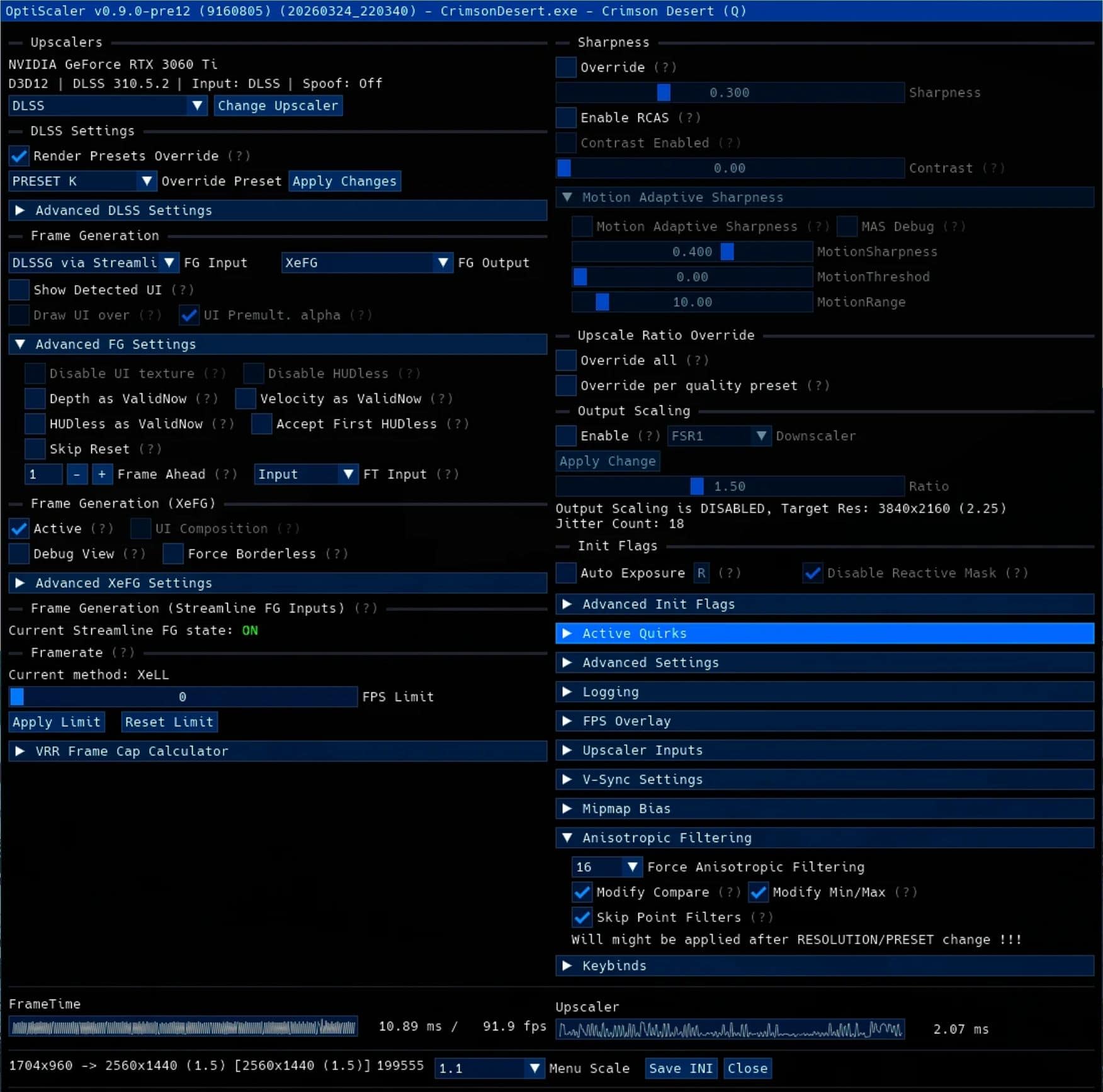
• OptiScaler DLSS Preset Override: PRESET K (You can choice other Presets in the OptiScaler)
• DONT ENABLE FRAMEGEN IN GAME SETTINGS, ONLY IN THE OPTISCALER
⚠️🔧For those who have trouble launching the game, download the optional file “dxgi”, delete “winmm.dll” and put the file “dxgi.dll” inside🔧⚠️
INSTALLATION GUIDE
– Download the mod, go in our path game \SteamLibrary\steamapps\common\Crimson Desert\bin64 and put all the files mod there.
– (Try first to put inside only the OptiScaler.ini and winmm.dll to be safe)
– Copy and overwrite.
– Launch the game, enable DLSS 4.0 or 4.5, set Fullscreen, enable NVIDIA Reflex.
– Set all the video settings however you like, press “INS” on keyboard (insert key) and check if FG is enabled. Check the image