I updated this mod out of personal interest — I wanted to play with it myself. If it saved you some time and you feel like supporting the work, I would be genuinely grateful. Entirely optional.
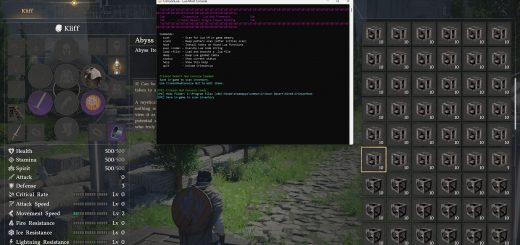
Automatic looting: ground pickup, herb gathering, ore mining, insect catching and carcass skinning.
This is a new mod written from scratch, not a patch of an older one. It finds what it needs by code signatures instead of hard-coded addresses, so a game update does not automatically break it.
Keys
– F10 — auto-loot on / off
– F11 — grab one burst right now
Both show a short banner and play the usual notification sound. Set BurstNotify=0 in the ini for silence. Nothing else is bound.
What it collects
– Items lying on the ground
– Plants, ore and stone — including ore veins you would normally have to stand on top of before the game lets you mine them
– Insects, fish and other small creatures
– Skins from animal carcasses — each carcass exactly once
Every kind has its own radius and its own switch in the ini.
What it refuses to touch, on purpose
An auto-looter that quietly swallows a quest item can cost you a playthrough. The mod reads the game’s own item names and steps around whole families of objects:
– Quest items, artifacts and sealed objects — by hand only. Some artifacts sit behind puzzles, and taking one automatically can break the quest that owns it.
– Puzzle and mechanism parts — tokamak fragments, abyss cores and the like. Found the hard way: the mod was about to gather one.
– Recipe books — one-off items; picking one up by accident is worse than missing it.
– Other people’s property — the mod asks the game’s own oracle, the same one that decides whether the prompt says “Take” or “Steal”, and walks past anything that would put a bounty on you. Set LootOwned=1 if you disagree.
– Furniture, crates and decor — behind LootFurniture, off by default.
Installation
– Remove any other auto-loot mod first — the original Loot Everything (AutoLoot) included. Delete its .asi and its .ini from bin64. Two auto-looters hook the same game functions and will fight over them; whichever loads first wins, and the other one silently does nothing.
– Drop CDLoot.asi and CDLoot.ini into …\Crimson Desert\bin64\ — next to the loader.
– Launch the game.
Recommended: install with DMM — it puts the files where they belong and keeps the ASI loader in order. The steps above are the manual route if you prefer to do it by hand.
Requires: Ultimate ASI Loader (winmm.dll) in bin64.
To verify: a CDLoot.log appears next to the files. Press F10 and a banner should say Auto-Loot: ON. If the mod cannot hook the game, it says so on screen half a minute after loading, and the log explains what failed.
Uninstall: delete CDLoot.asi and CDLoot.ini. No game files are modified and nothing is written to your save.
Configuration
Everything lives in CDLoot.ini. Every setting is documented in the file itself, in English and Russian side by side. Language=EN or RU chooses the language of the on-screen banner.
Worth knowing:
– MaxLootsPerSec and PerTick control the pace. PerTick=0 means “everything allowed, immediately”.
– ArmRange limits how far the mod may make an interaction available by itself. This is the most intrusive thing it does, and it does not know about walls — keep it short unless you want it reaching into the next room.
– LootOwned, LootFurniture and the per-kind switches are named as in the original AutoLoot.
Known limits
– Chests and storage boxes are not looted. The game opens those through a window instead of handing over an item. Small decorative chests that are ordinary items do get picked up.
– No line-of-sight check. The mod knows distances, not walls. A short ArmRange keeps this in check, but an item behind a thin wall can still be collected.
– Pickpocketing is not implemented.
– Human corpses are not “searched” — a killed human drops ordinary loot on the ground, and that is picked up normally.
Possible problems — please report
This is an early build, tested by one person on one character. Please read this before installing.
– Only tested on one character. A second one is not unlocked in my save yet, so anything depending on class, progress or unlocked content is untested.
– Looting has triggered a visione point. While collecting, the mod set off one of those vision spots. Not destructive as far as I can tell, but it should not happen.
– The filter list is incomplete by definition. I built it by walking around and inspecting what I found. I have not seen every kind of object in the game, so things may be collected that should not be.
– Quest items and recipe books may still slip through. The protection works by item name, and a family I have not met is a family I have not blocked.
If you hit any of that, report it — it is the fastest way this gets fixed:
– What was picked up — the item name in your inventory
– Where you were — area, building, quest
– What you expected instead
Any disagreement between the filter and reality is worth reporting, in both directions: something taken that should have been left alone, and something skipped that should have been taken.
Two questions for you
1. Is the burst key (F11) needed at all? With auto-loot running it already takes everything the rules allow, as fast as your machine manages, so a separate “grab one burst” key may be pointless. I kept it because the original mod had one. If you actually use it — or never touch it — say so in the comments. If nobody needs it, it goes.
2. What else should it do? Suggestions for new features are welcome in the comments. Things already on my own list: pickpocketing, opening storage boxes and chests, and a real line-of-sight check. If something else would make a bigger difference to how you play, tell me and it moves up the list.
Safety
The mod sends the game the same events it sends itself when you press the interact key, and reads memory only to decide what to send. Animal carcasses are searched once per session by design: searching an empty carcass a second time once produced duplicate items, and duplicates are how saves get corrupted.
Debug=1 in the ini writes the full story to the log — be warned, it also unlocks about fifteen developer keys that flood the log and poke at the game’s memory. They are left in for development, not for play.
Credits
This mod was put together piece by piece, and several other mods pointed the way. Their pointer chains and signatures saved weeks of blind searching, and that deserves saying out loud:
– Trinity — the inventory holder chain and the whole habit of finding things by signature instead of address.
– Crimson Desert ESP — the pointer chain to the camera and its world-to-screen maths, which is what finally made aiming work.
– Loot Everything (AutoLoot) — the original auto-looter. Its settings and feature set are the target this mod aims at, and its event-sending code confirmed the event format byte for byte.
No code was copied from any of them. What was borrowed is knowledge — where to look and what shape the answer has.