YOU NEED: Definitive Mod Manager (DMM) (Required)
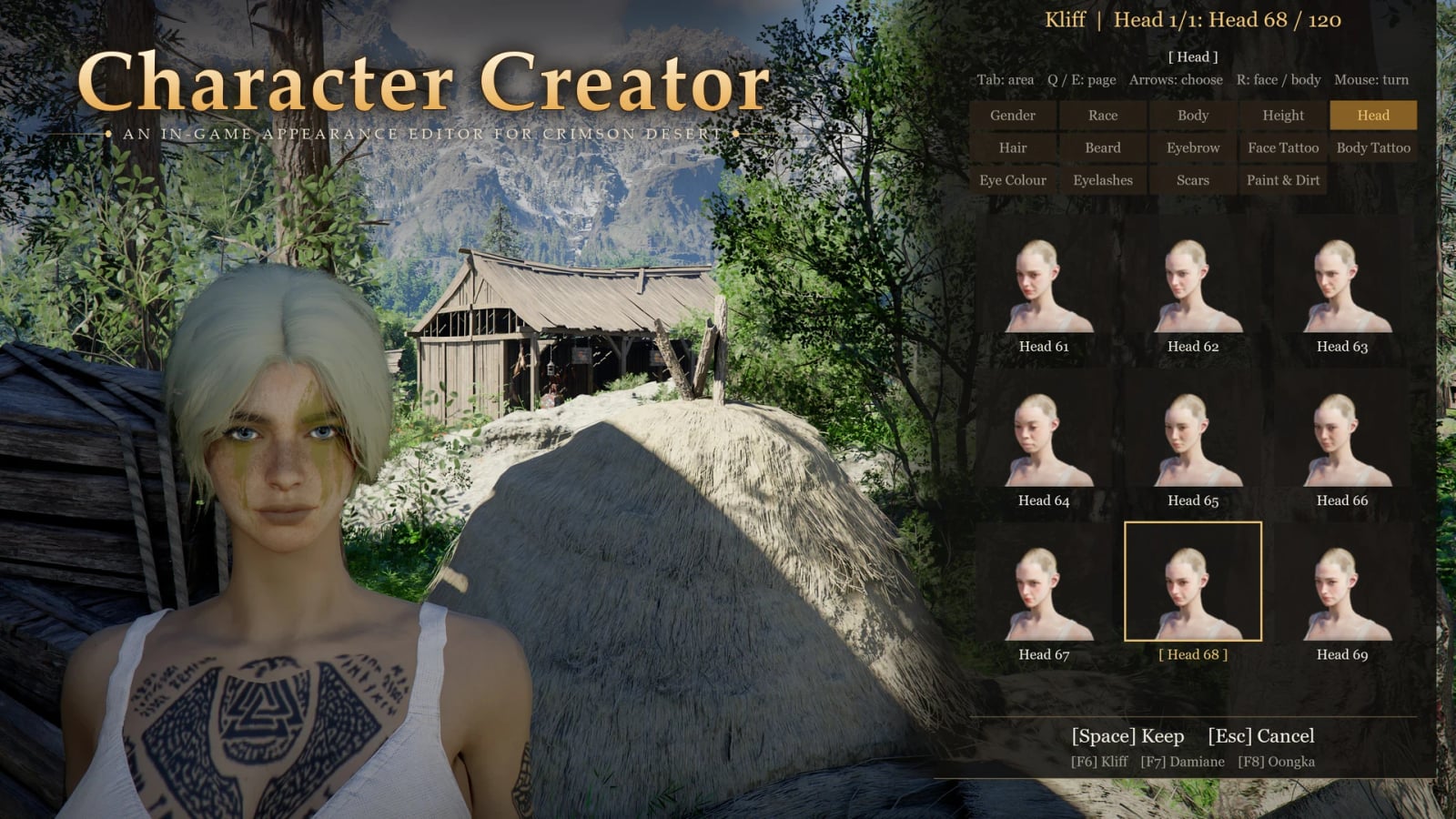
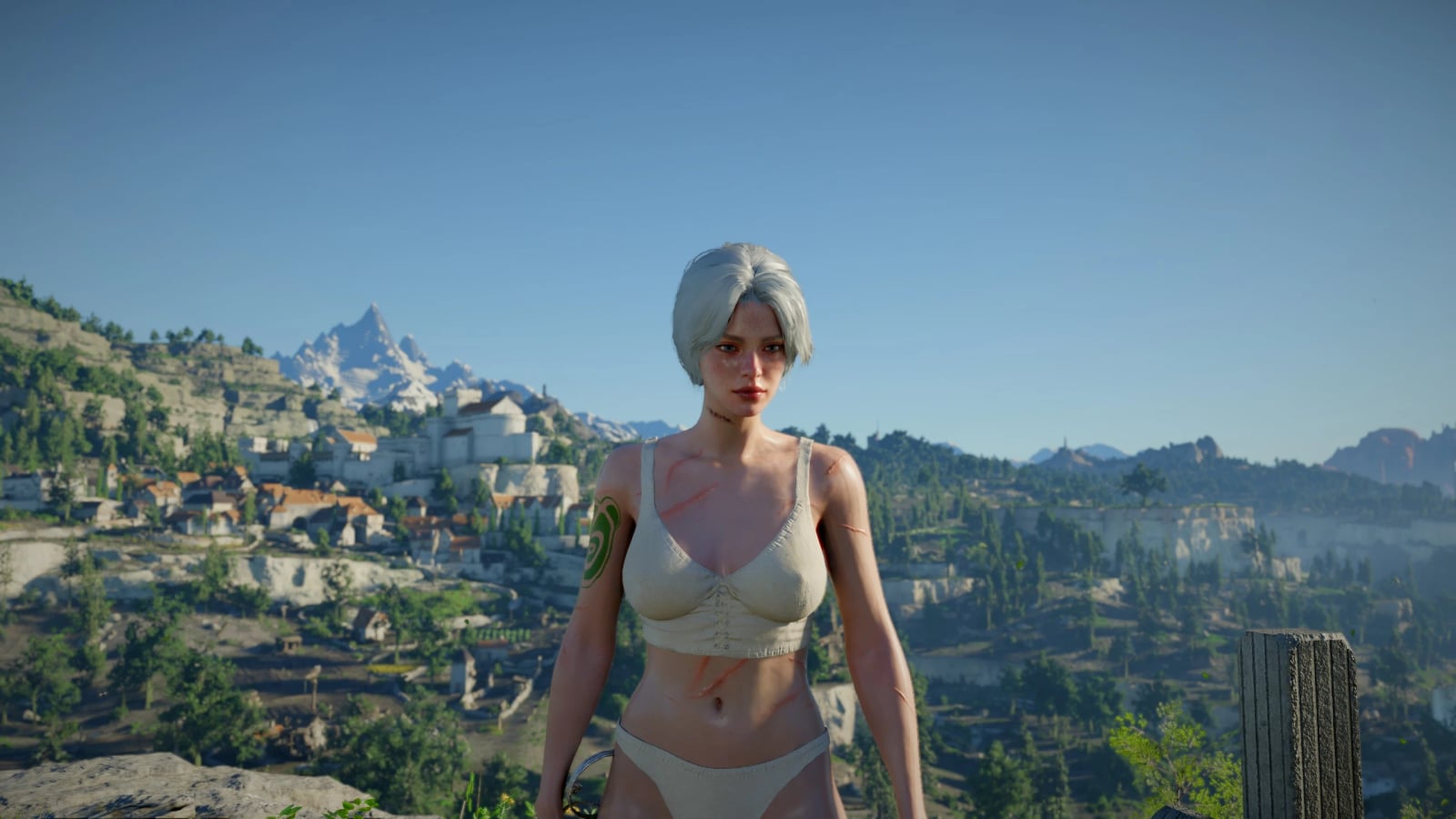
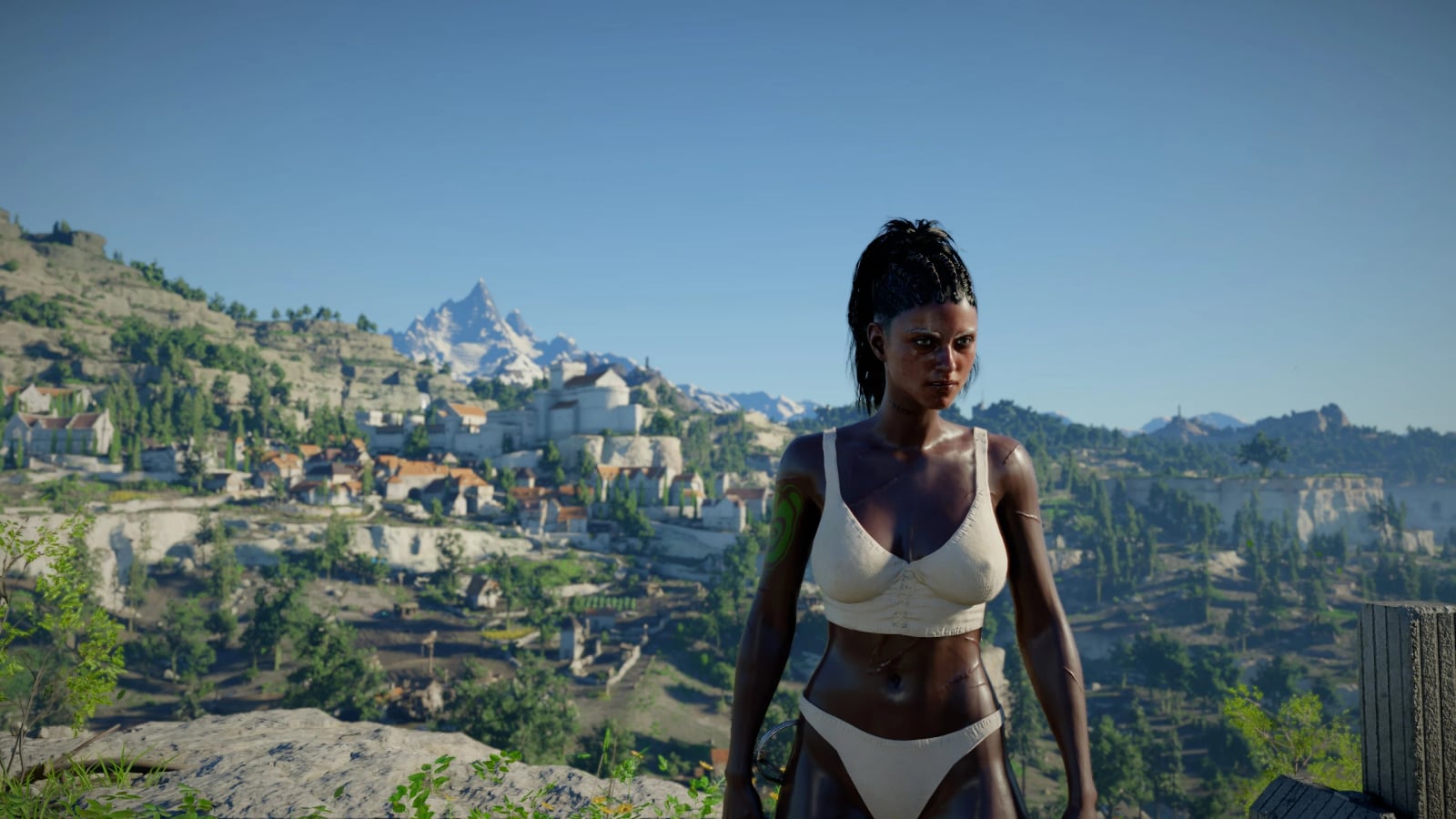
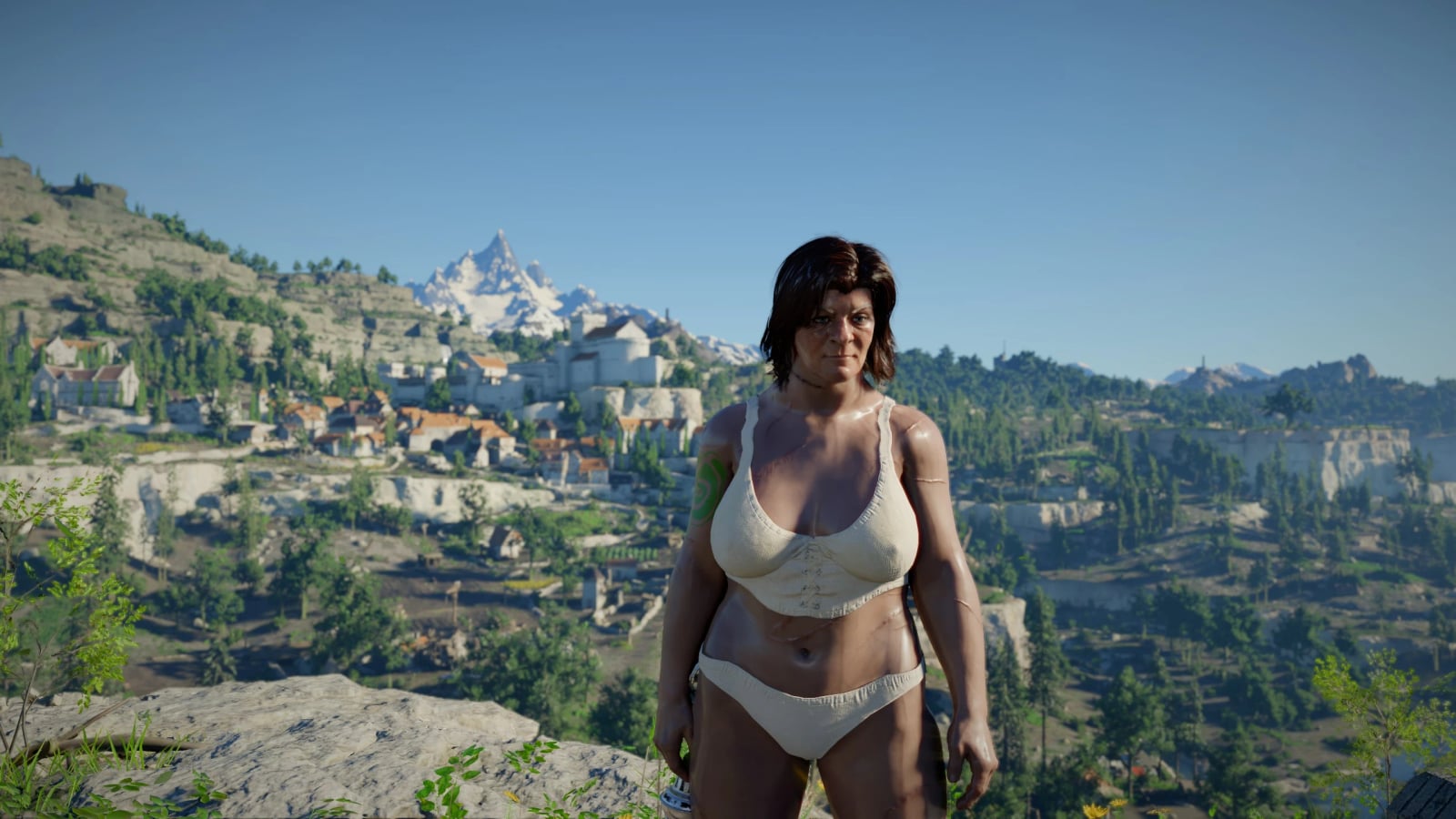
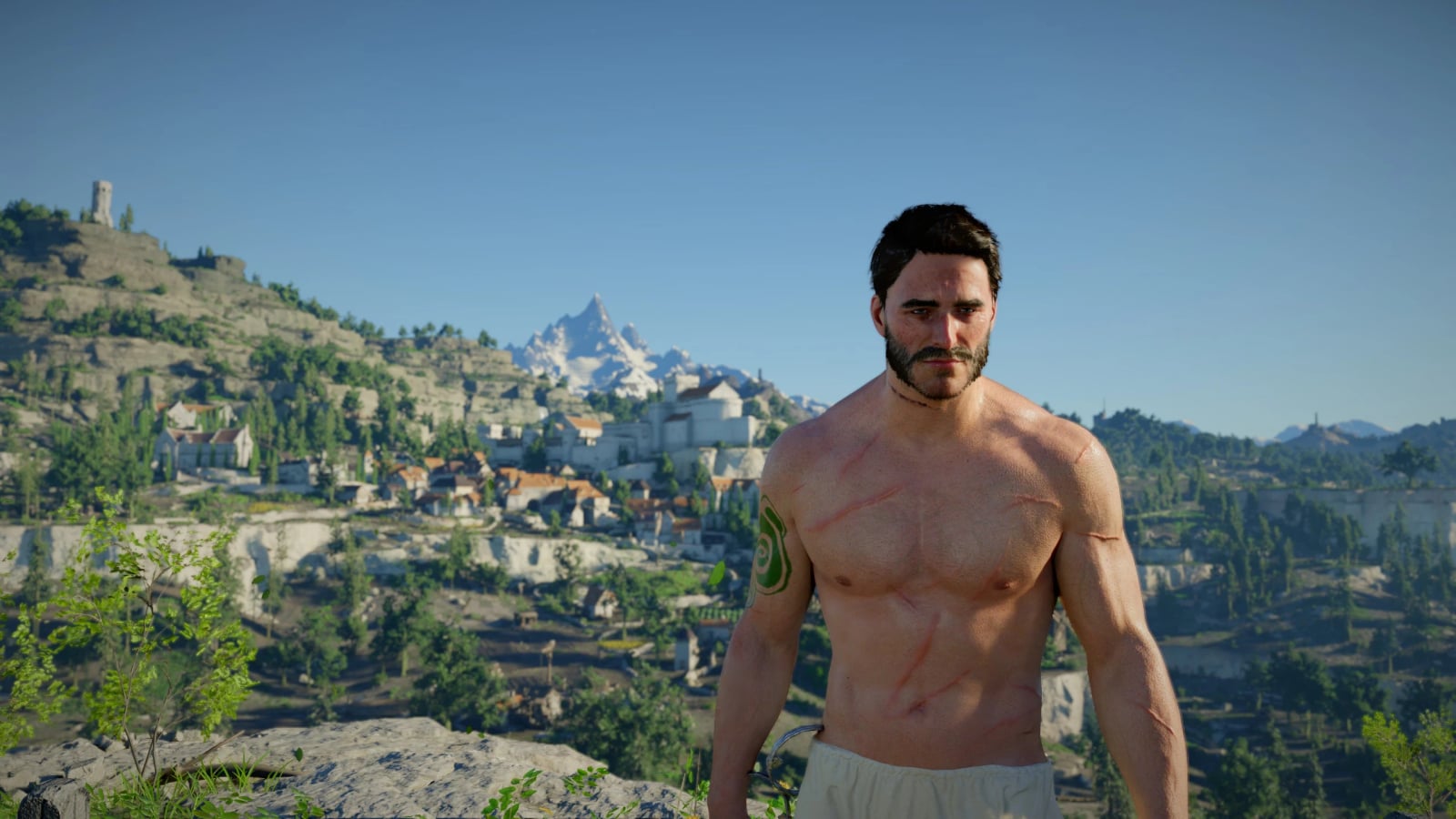
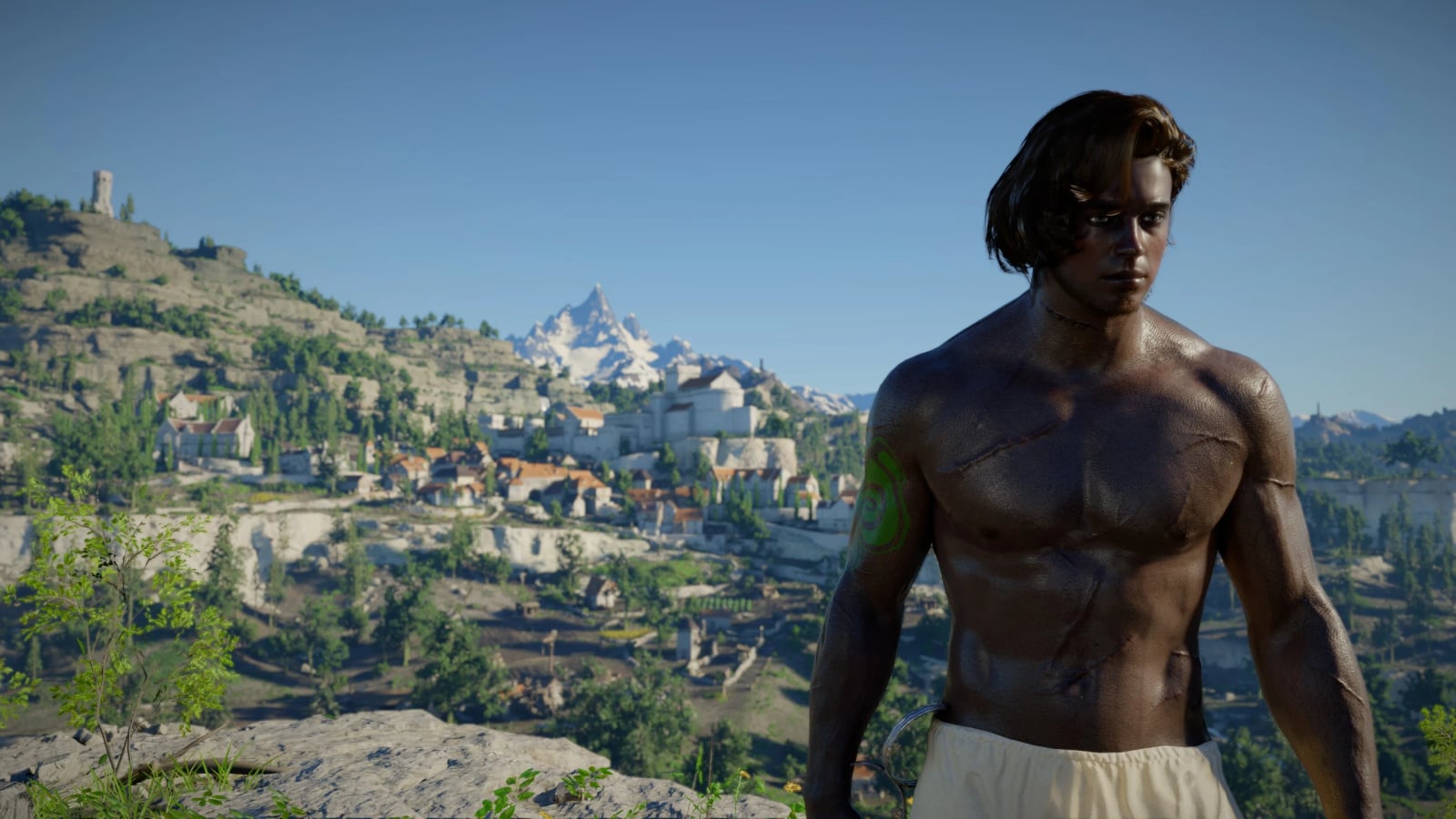
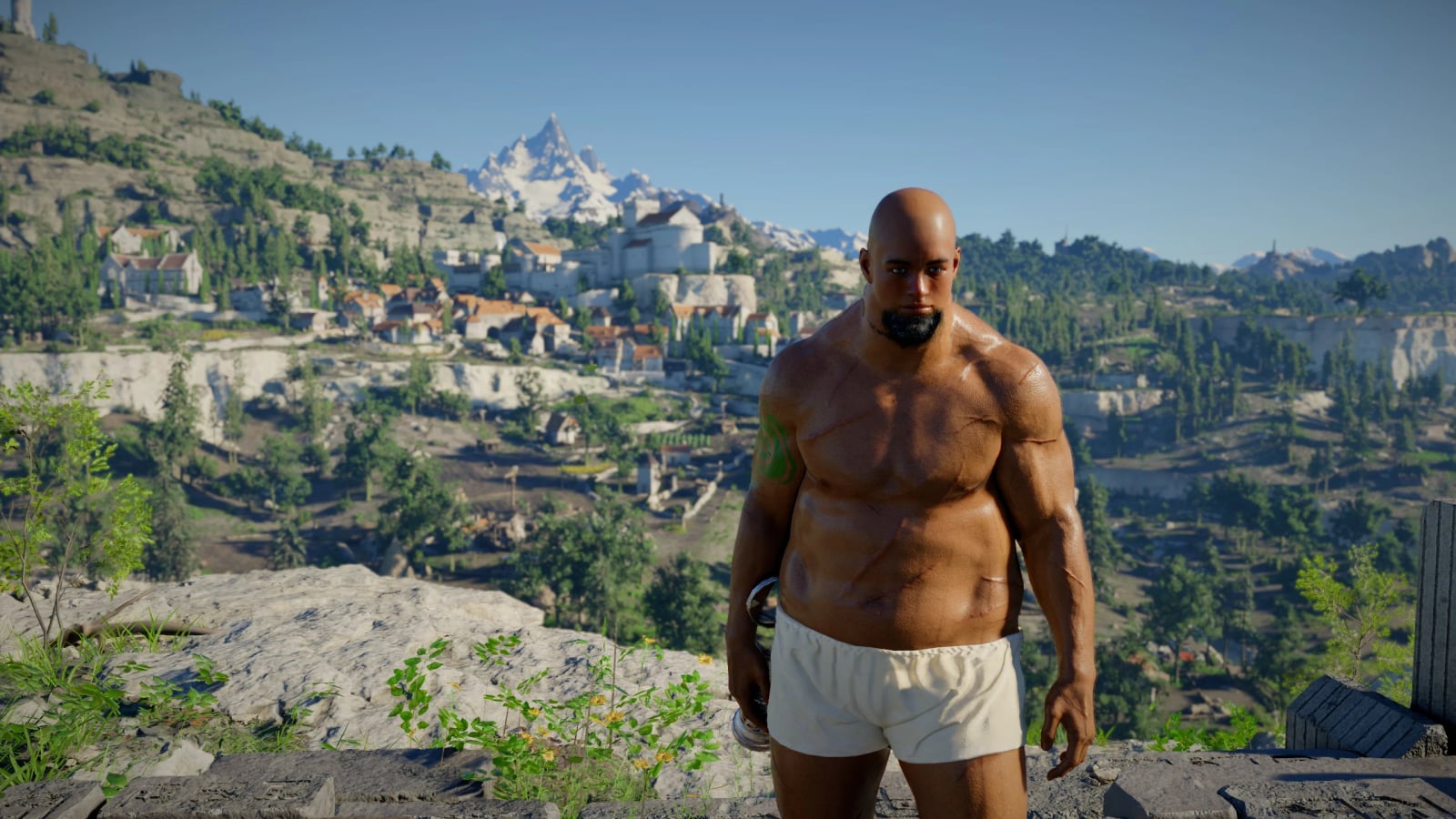
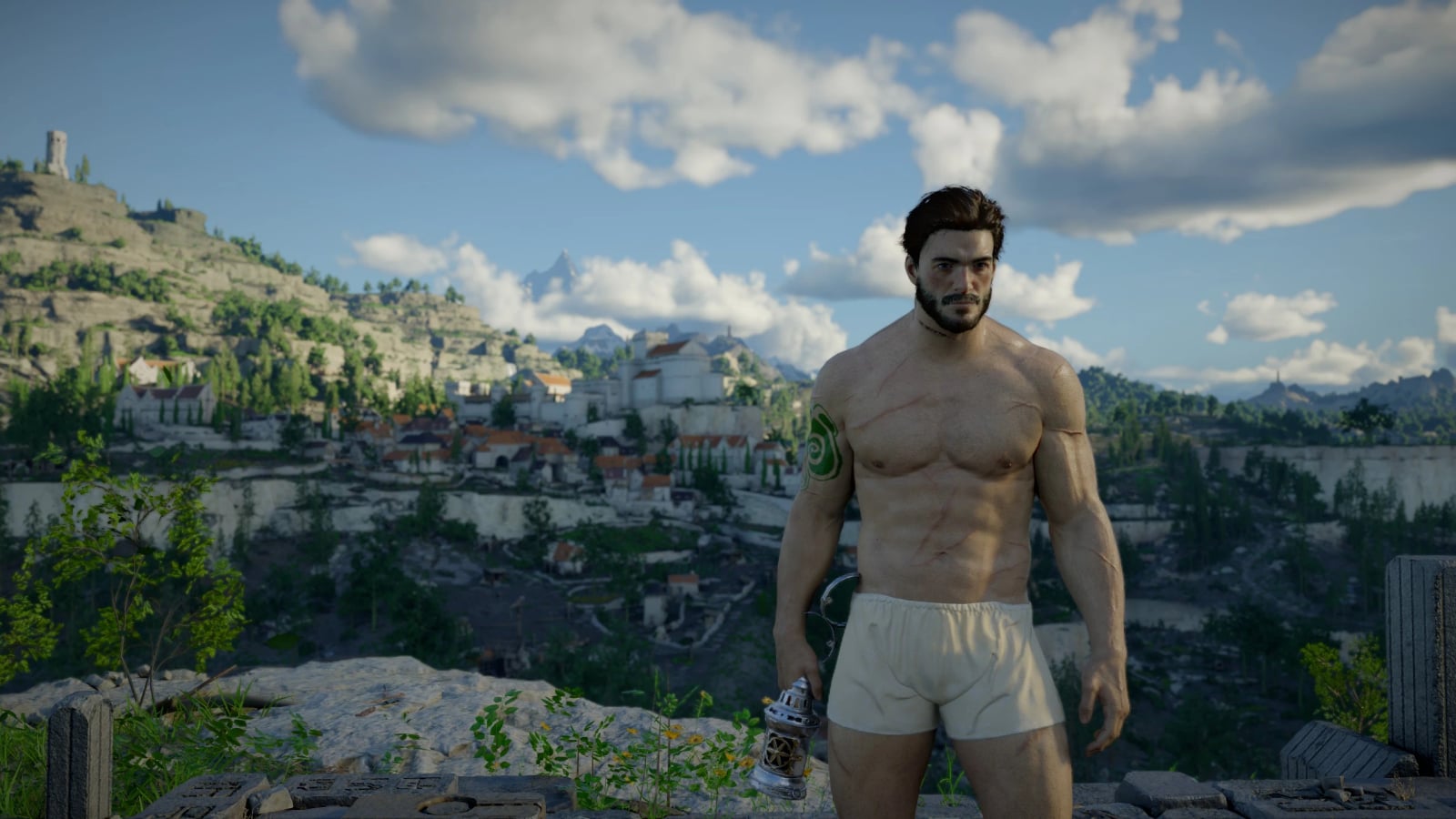
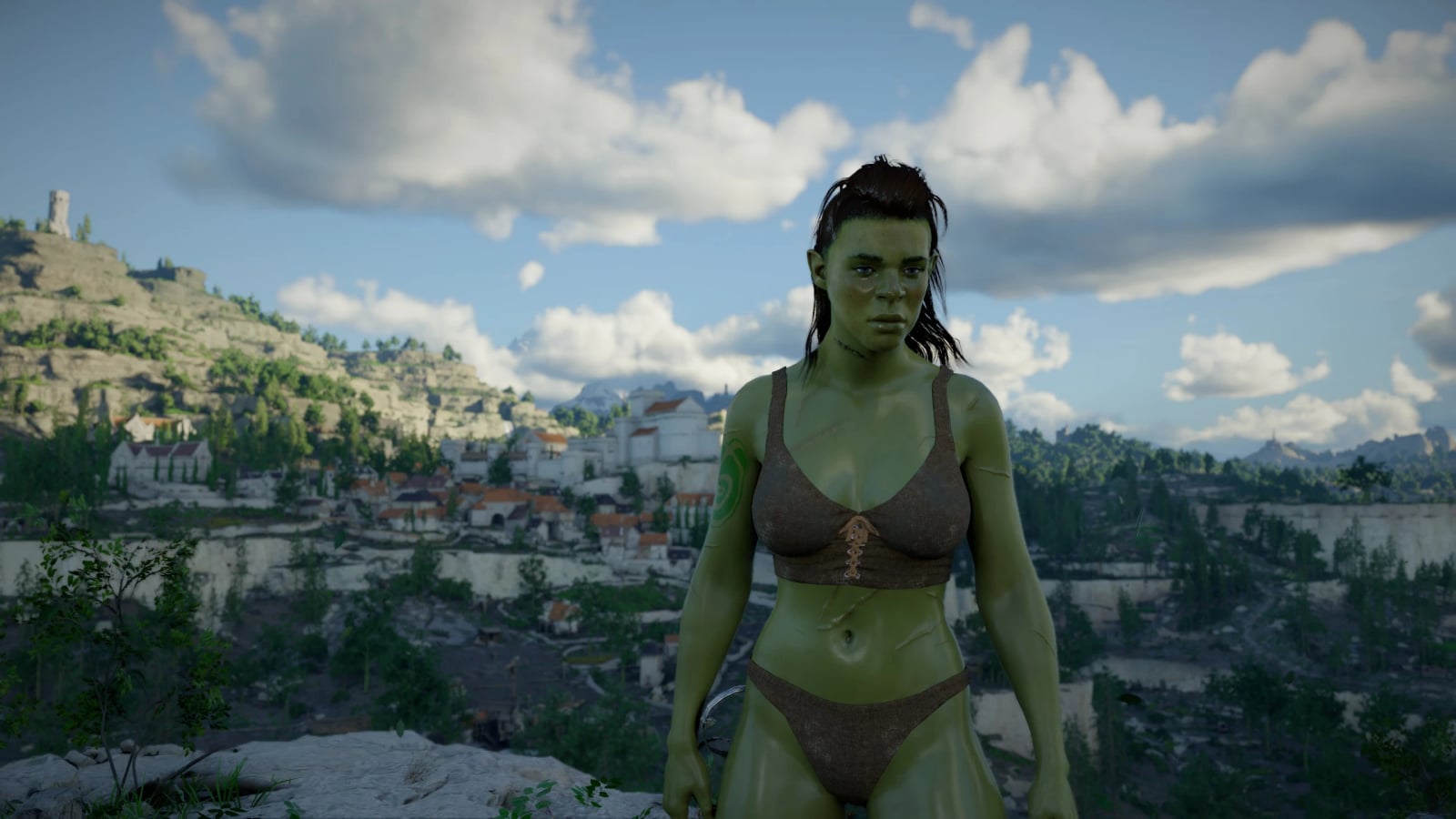
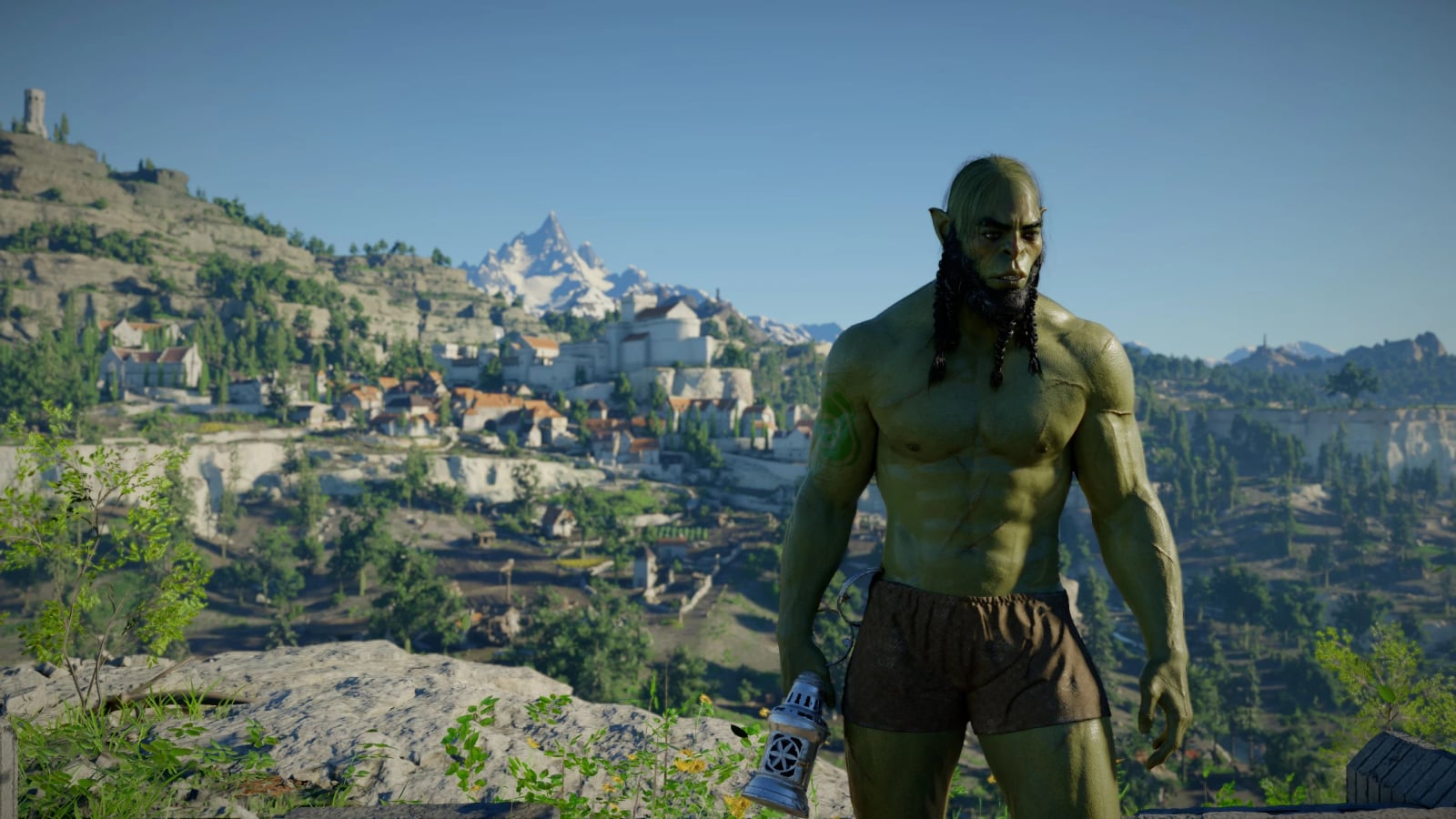
This mod lets you build your own character. It adds the game’s Character Creator options to the barber screen for Kliff, Damiane and Oongka.
Features
- Every option is available in the game’s own barber screen, with the game’s own tabs, lists, sliders and preview.
- Your choices are normal barber changes kept in your save. Visit a barber and choose, with no extra menu to learn.
- Two editions are available, and you should install one:
- Barber, recommended: everything is available at the game’s own barber.
- Anywhere: an editor panel opens anywhere with F6 for Kliff, F7 for Damiane or F8 for Oongka, with no barber needed. Your look is kept per character outside your saves. Its full instructions are in its README.
- Gender and race: male or female, Human, Orc, Dwarf or Goblin, for each of the three characters.
- Head: every head of the character’s gender from all four races.
- Face Details: mix features of a second head into the chosen one for many more faces.
- Body: bodies of the character’s race and gender, skin colour, shine, brightness and subsurface.
- Hair: every hairstyle of every race and gender, colour, length, shine, hair tips and inner hair colours.
- Beard: every beard for men, with colour and length.
- Eyebrows: colour, length and brow makeup.
- Eyes: eye colours and iris and pupil options. Eyelashes have colour and opacity options.
- Makeup: lips, eyeliner, eyeshadow with glitter, blush, highlighter and contour, with the 44 styles the game hides at its own barber.
- Face and body tattoos: all of the game’s tattoos, with colour, opacity, position, rotation and size.
- Scars: face and body options with colour, opacity, position and size.
- Paint and dirt: face and body war paint and grime, with colour, opacity, position and size.
- Underwear can be turned off for each character with no other mod needed.
- Armor can be turned off at the barber. Press G, the barber’s Headgear On/Off, to hide all armor: once for the headgear, again for all armor, and again to restore everything.
- Presets save a whole look in one of 10 slots and load it again on any of the three characters.
- Icons show every hair, beard, head and body with a picture drawn from its own model on one mannequin, in the style of the game’s barber icons. Lists are numbered, and new tabs have icons in the game’s style too.
Specifications
- Face Shape: 24 sliders for face and jaw width, cheekbones, chin, nose, mouth and lips, eyes, brows and ears. Only your character changes, not NPCs.
- Body Shape: 22 sliders made from the game’s own body types for men and women, including weight and muscle for the whole body, chest or bust, shoulders, back, arms, biceps, triceps, forearms, neck, waist, belly, hips, glutes, thighs, quads and calves. The shape is smooth at any value, the pose stays, and clothes and armor follow. Only your character changes, not NPCs.
- Height and Head size: from -20% to +20%, shown live.
- Eyes: 21 eye colours, from natural browns, blues and greens to red, gold, ice and cat eyes, plus iris brightness, tint strength, size and pupil size.
- Face tattoos: 36, including freckles and beauty marks.
- Body tattoos: 66.
- Female Armor Fit, optional download: male armor reshaped for a woman’s body, including bust, waist, shoulders and arms. It is used only when a woman wears it; men keep the original look.
Requirements
- DMM 4.5 or newer, recommended. It installs everything, including the .asi and the ASI loader. Older versions cannot mount mods for the game’s DLC update.
- Alternatively, use another mod manager for the game files plus the
Ultimate ASI Loaderin the game’sbin64folder.
Installation
First remove the previous version: Uninstall the old “Character Creator” package, or the other edition, in your mod manager. Delete Character Creator.asi from <game>bin64 if it is still there, and remove Female Animations.field.json if you use it. The mod switches gender itself.
With DMM, recommended
- Import the downloaded zip in DMM as it is. Do not unzip and re-zip it.
- Make sure all parts are enabled: Character Creator Enhanced – Barber / Character Creator Enhanced and the Equip All Armor module in the mod list, and CharacterCreator in the ASI plugins.
- Click Apply. DMM installs the game files, places
CharacterCreator.asiinbin64and sets up the ASI loader. - Start the game, load a save and visit a barber.
Manual install, another mod manager or no .asi support
- Install the game files with your mod manager as usual. The Character Creator Enhanced folder inside Character Creator Enhanced – Barber holds the 0009, 0010 and 0012 folders.
Equip All Armor.jsonis a DMM mod that lets every character wear each other’s armor. - Install the Ultimate ASI Loader into
<game>bin64if you do not have it yet. Many mods use it, usually aswinmm.dll. - Copy
CharacterCreator.asifrom the Character Creator Enhanced – Barber folder into<game>bin64. - Start the game, load a save and visit a barber.
On its first start the plugin creates <game>bin64CharacterCreator with its data. The log is kept there too.
Changing gender or race
The skeleton is chosen when the game starts, so these changes need a restart.
- Choose at the barber and press Save there.
- Save the game, restart it and load that save.
- Press Save at the barber once more. Until then, the barber and shop previews flash the old look for a moment.
Body, head and beard are changed to ones that fit. A woman has the female animations. A save with no choice stored keeps the last one chosen; a save that has one applies it at the next restart.
Female Armor Fit
Female Armor Fit is a separate download in the Files tab. Most armor in the game only exists for men, and on a woman it looked broad, flat and had wobbly arms. With Female Armor Fit, over 1000 male armor parts, including chest, legs, gloves, boots, helmets, shoulders and cloaks, are reshaped to the female body with a bust, narrower waist and shoulders, and arms and sleeves that fit. Armor that has a version Damiane can wear uses the game’s own women’s version. The game switches only while a woman of any race wears the piece; men and NPCs keep the original.
- Import
Female Armor Fitin DMM next to Character Creator and click Apply. Keep itsDyespart enabled so reshaped armor can be dyed. - Do not use it together with mods that also replace the game’s part table, for example Cloak Remover, or that swap the same armor pieces to other armor for women, for example my Female Armor Module. Use one or the other. Female Armor Module 3.0 needs Character Creator 9.1.25 or newer.
- It is made for the current game version. After a game update, disable it until an updated version is out.
- Update it together with Character Creator. Women’s weapons and shields need matching versions: Character Creator 9.1.25 or newer with Female Armor Fit 1.0.9.
A few pieces with unusual models still keep their male shape.
Settings and configuration
- Underwear has its own tab at the bottom in both editions. Turn it off for each character in the game. Other mods that change underwear are not needed.
- Presets have 10 slots for each race and gender, shared by Kliff, Damiane and Oongka and by both editions. Load shows a slot’s whole look at once. Save to keeps your look in a slot when you press Save at the barber, or Space in the Anywhere editor.
- Height shows at once, including in the preview. Until you restart, arms and shoulders look off while moving. After the restart, the character is built at that height and moves normally.
- In play and at the barber, the camera frames every gender, race and height as it frames default Kliff, and follows the height slider at once. If another mod handles the camera’s height, add
CameraHeight = 0underin<game>bin64CharacterCreator.iniand restart the game. - If another mod handles gliding, set
Glide = 0underin<game>bin64CharacterCreator.ini. DMM’s ASI config can edit it. Restart the game. - For the two-handed sword grip fix, set
TwoHandGrip = 0underto switch the grip fix off.
Controls and keys
- G toggles the barber’s Headgear On/Off function and hides all armor. Press it once for the headgear, again for all armor, and again to restore everything.
- F6 opens the Anywhere editor for Kliff, F7 opens it for Damiane and F8 opens it for Oongka.
- Space saves a preset in the Anywhere editor.
Compatibility
- Female Armor Fit cannot be used with mods that replace the game’s part table, such as Cloak Remover, or mods that swap the same armor pieces to other armor for women, such as Female Armor Module. Female Armor Module 3.0 needs Character Creator 9.1.25 or newer.
- Other mods that replace the game’s decorationparam files, texture palette or
cd_item_icon.xmldo not work together with this edition. - Coming from the Anywhere edition: its look, gender, race and height are not used by this edition. Its files stay in
<game>bin64CharacterCreatorfor when you go back. - New tabs are in English; the game’s own words stay in your language.
Known issues
- A new head can show dark patches on the skin until you press Save and restart. The skin is laid out for the head the character was built with.
- When eye colour changes, the face reloads with the new eyes in about a second. Its makeup and skin colour drop away for a moment and come back. Each character has their own copy of the heads and eyes, so NPCs keep their own eye colour.
- After changing Body Shape, the body can look a little unsteady while moving. Save and load that save again; no restart is needed.
- Face and Body Shape appears a moment after you stop moving a slider. 50 is the head’s or body’s own shape. The slider goes from 0 to 100, not below zero. A few bodies in the list have no shape to change.
- “Others” is greyed while a list is on its first option, as the game does for its own tabs.
- Heads of other races were made for their own race’s body, so some may not sit perfectly at the neck. Goblin and dwarf heads are brought to a human’s size on your character, including when you play as a goblin or dwarf. NPCs keep theirs.
- A character played as the other gender keeps their own mouth movements in dialogue, matching what they say.
- Each character glides their own way whatever their gender: Kliff with the crow wings, Damiane with her glider, and Oongka with his rocket.
- As a woman using two-handed swords, rolls move the whole body. The sword sits in the right hand for Kliff’s attacks and in the left for her own moves.
- As a woman wearing heeled boots, her feet stay on the ground. Her heel offsets are built again a moment after each load.
- After a game update, the new tabs switch off and the barber keeps its own until an updated version is out.
Uninstallation
The game loads a save made with the mod, and its barber opens, without it. Saves remember body, head, hair, beard, tattoos and makeup by their number in the mod’s lists, which are longer than the game’s. To be safe, first set each of them to its first option at the barber; every list in the game has it. Then choose your look again at the game’s own barber.
Troubleshooting
CharacterCreator.asi disappeared or was flagged as a virus? Your antivirus removed it by mistake. A plugin that hooks into the game looks suspicious to them. Restore it in Windows Security > Virus & threat protection > Protection history, and add exclusions for both the game folder, ...steamappscommonCrimson Desert, and your DMM folder. DMM keeps its own copy of the .asi in its mods folder and copies it into the game on every Apply. In Windows, use Windows Security > Virus & threat protection > Manage settings > Exclusions > Add an exclusion > Folder.
Bug reports
Attach <game>bin64CharacterCreatorCharacterCreator.log. If you suspect the new tabs cause a crash, create a text file disable.txt in that folder containing the word barbertabs. It gives you the game’s own barber tabs. Report whether the crash is gone.