
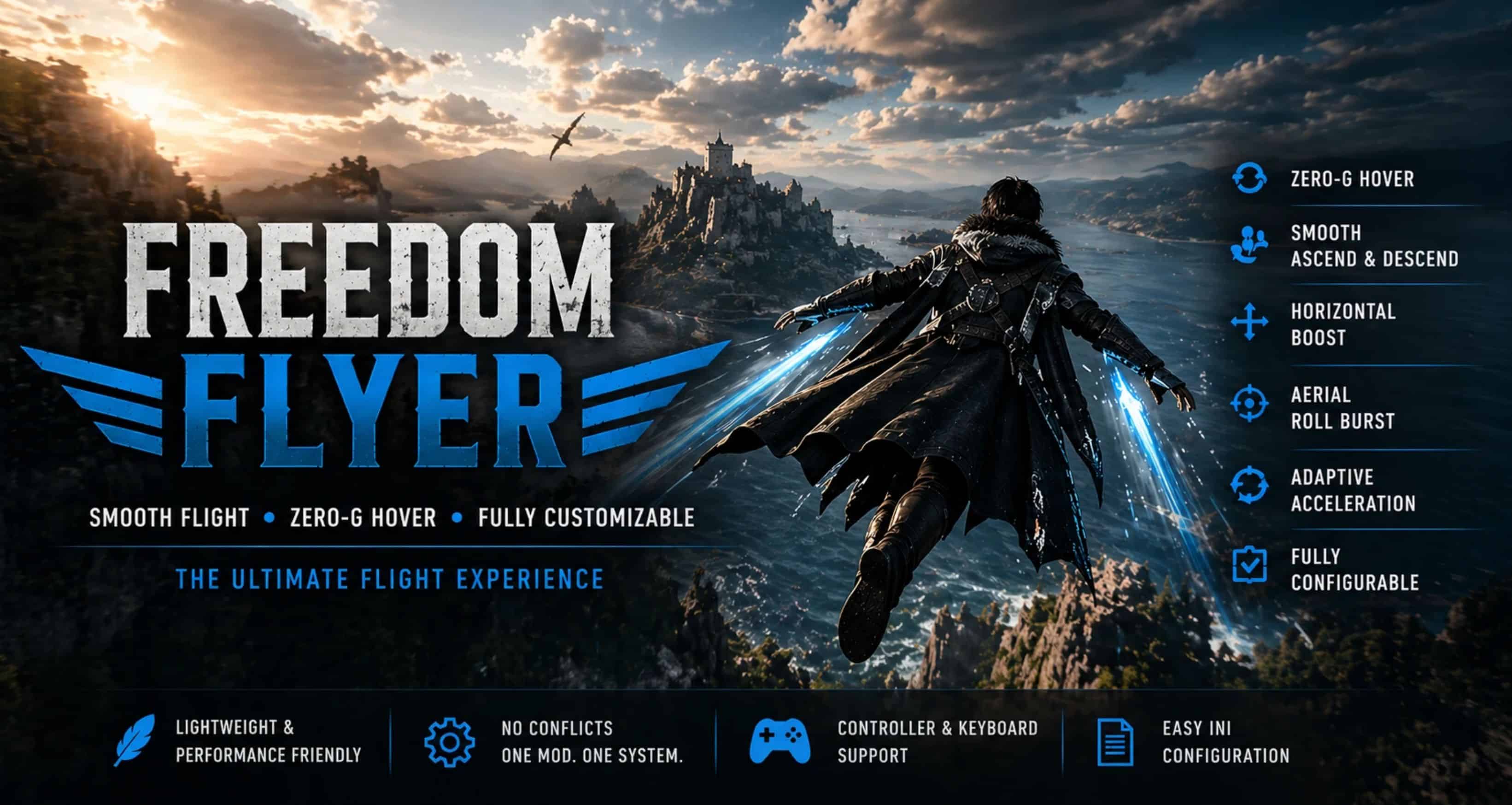
Smooth, responsive flight with full control and zero-G hover. Freedom Flyer focuses on clean movement, intuitive controls, and minimal input conflicts. Freedom Flyer turns Crimson Desert’s glide system into a smooth, controllable flight experience.
FEATURES
• Smooth ascend and descend
• Horizontal flight with momentum
• Aerial roll burst system
• Zero-G hover (tap / hold / cancel system)
• Combo hover support (LB + RB)
• Adaptive acceleration (precision → high speed)
• Reduced ground-triggered boost issues
• Focus persistence (hover no longer cancels on alt-tab / Windows key)
• Master mod toggle (default F11)
• Aim safety system (prevents hover/aim limbo)
• Fully configurable via easy-to-read INI
• Works with Keyboard & Mouse and Controller (XInput)
• Readable key names + PS-style input support (L1, R1, Cross, etc.)
Added:
– Preset system:
– Custom (default, uses INI values)
– Vanilla+
– Balanced
– Fast
HOVER SYSTEM
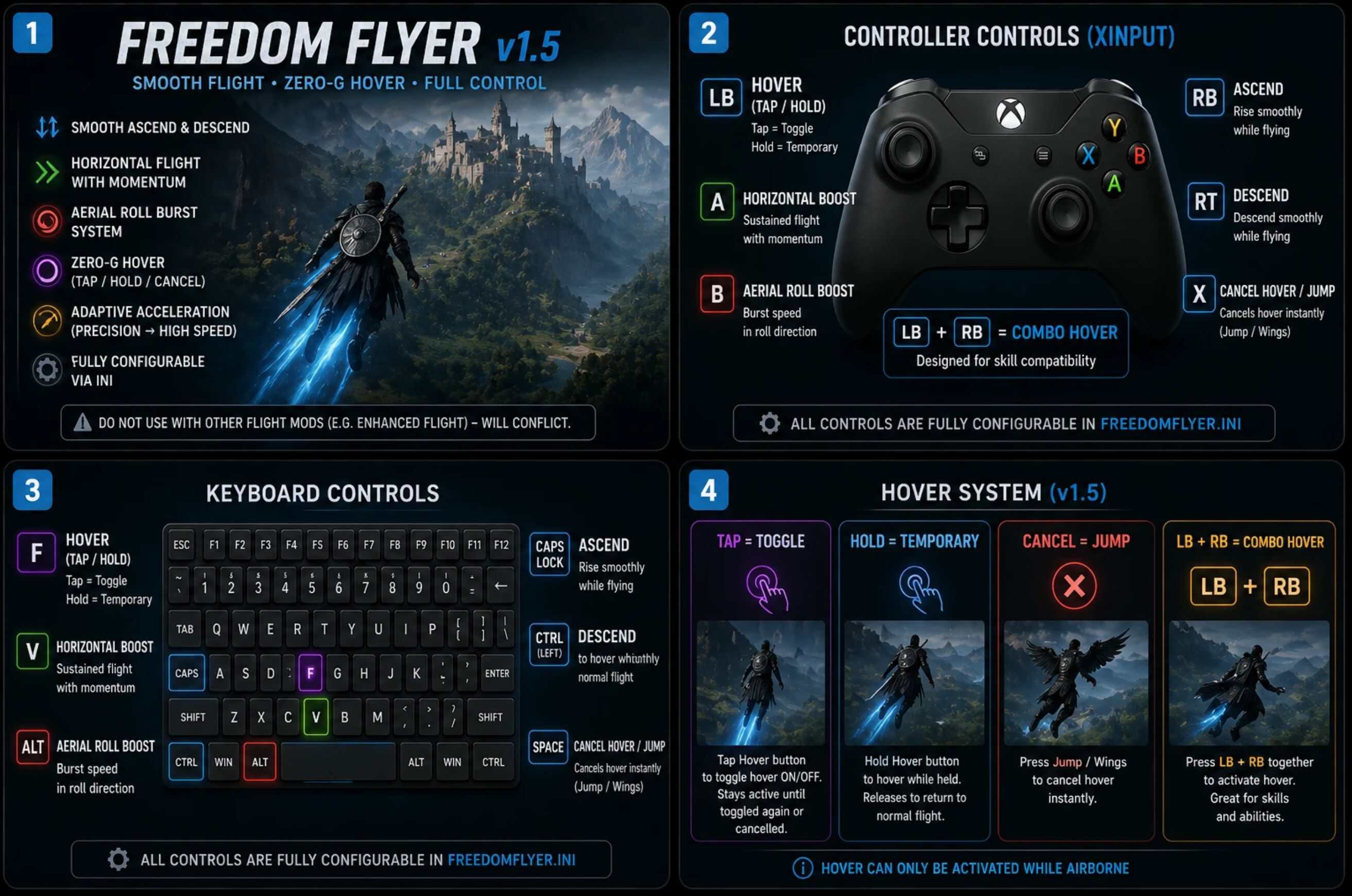
• Tap = toggle hover
• Hold = temporary hover while held
• Jump / wings = cancel hover instantly
• LB + RB = combo hover (for skill compatibility)
Designed to avoid accidental triggers while still feeling responsive.
AIM SAFETY (v1.7)
• Automatically cancels hover when aiming/shooting
• Prevents “limbo” state and respawn issues
• Keeps combat interactions stable
Enabled by default, can be disabled in INI.
IMPORTANT
Do NOT use this alongside other flight mods (e.g. Enhanced Flight).
They hook the same physics instruction and WILL conflict.
INSTALL
Place
– FreedomFlyer.asi
– into your game folder
Place
– FreedomFlyer.ini
– in the same directory
Install
– version.dll
– from Ultimate ASI Loader (by ThirteenAG)
Path: Steam\steamapps\common\Crimson Desert\bin64
– Launch the game
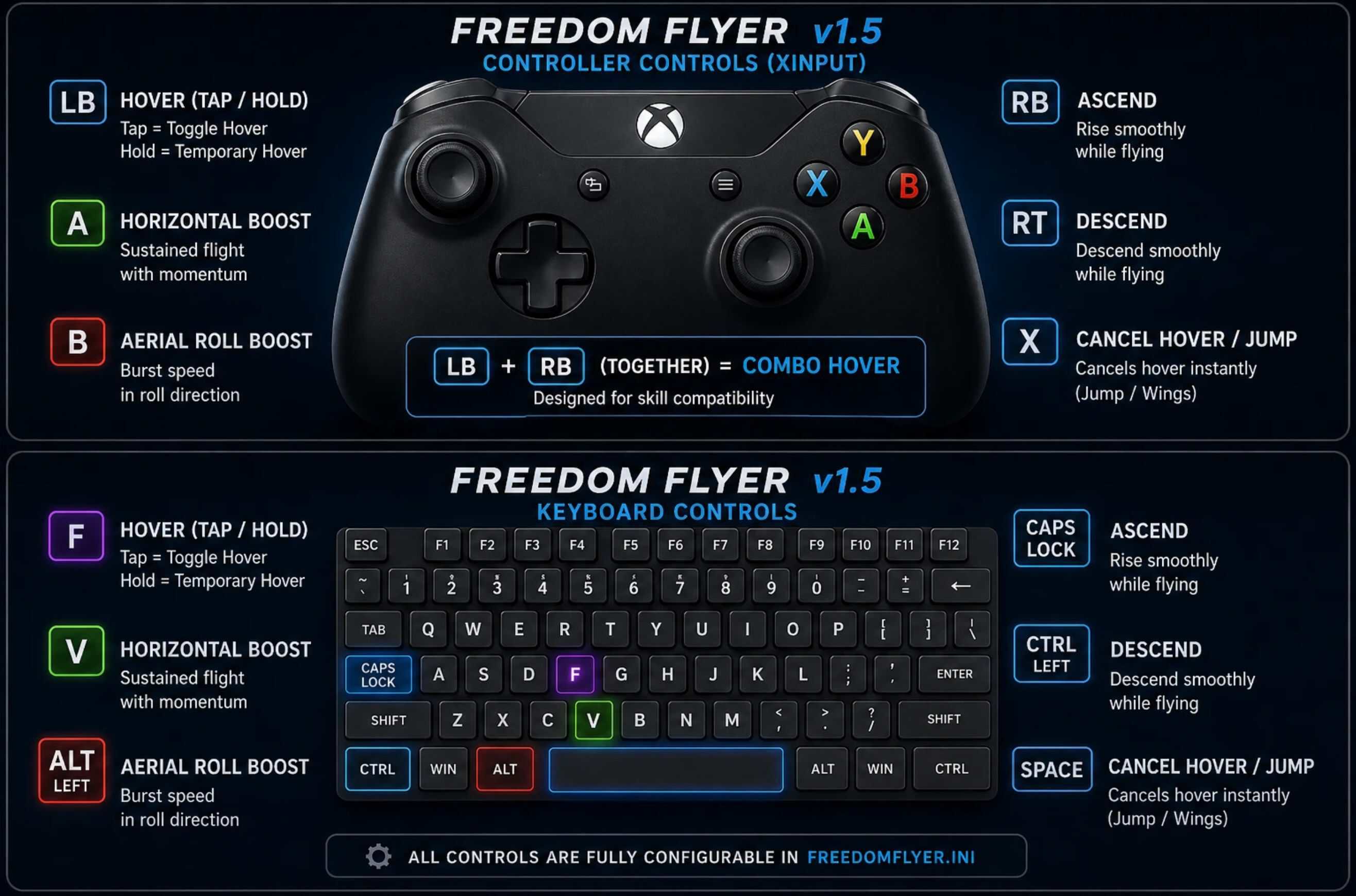
RECOMMENDED CONTROLS
Avoid binding Horizontal Boost to sprint/run.
Controller (Xbox / PlayStation via Steam Input)
• LB / L1 = Hover (tap/hold)
• RB / R1 = Ascend
• RT / R2 = Descend
• A / Cross = Horizontal boost
• B / Circle = Aerial roll
• X / Square = Jump / cancel hover
Keyboard
• F = Hover (tap/hold)
• Caps Lock = Ascend
• Ctrl = Descend
• V = Horizontal boost
• Left Alt = Aerial roll
• Space = Jump / cancel hover
CONTROLS
All controls are configurable in
FreedomFlyer.ini.
Supports:
• Keyboard keys (F, Home, End, etc.)
• XInput buttons (A, LB, RB, etc.)
• PS-style names (Cross, L1, R1, etc.)
TUNING
Everything can be adjusted via INI:
• Vertical strength
• Flight speed
• Acceleration / deceleration
• Adaptive ramping
Friendly input names supported — no hex codes required.
COMPATIBILITY
Tested on:
• v1.04.02
May work on newer versions — feedback welcome.
DualSense / PS5:
• Works via Steam Input (recommended)
• Uses XInput internally
NOTES
• Master toggle (F11) lets you switch between vanilla and flight instantly
• Very high speed values can exceed world streaming limits and cause instability
• Some combat interactions may behave differently while flying