Does the camera feel like it’s “drunk” or lagging behind your mouse? This simple tweak removes the sluggish input smoothing and makes camera movement 1:1 with your mouse.
What this does:
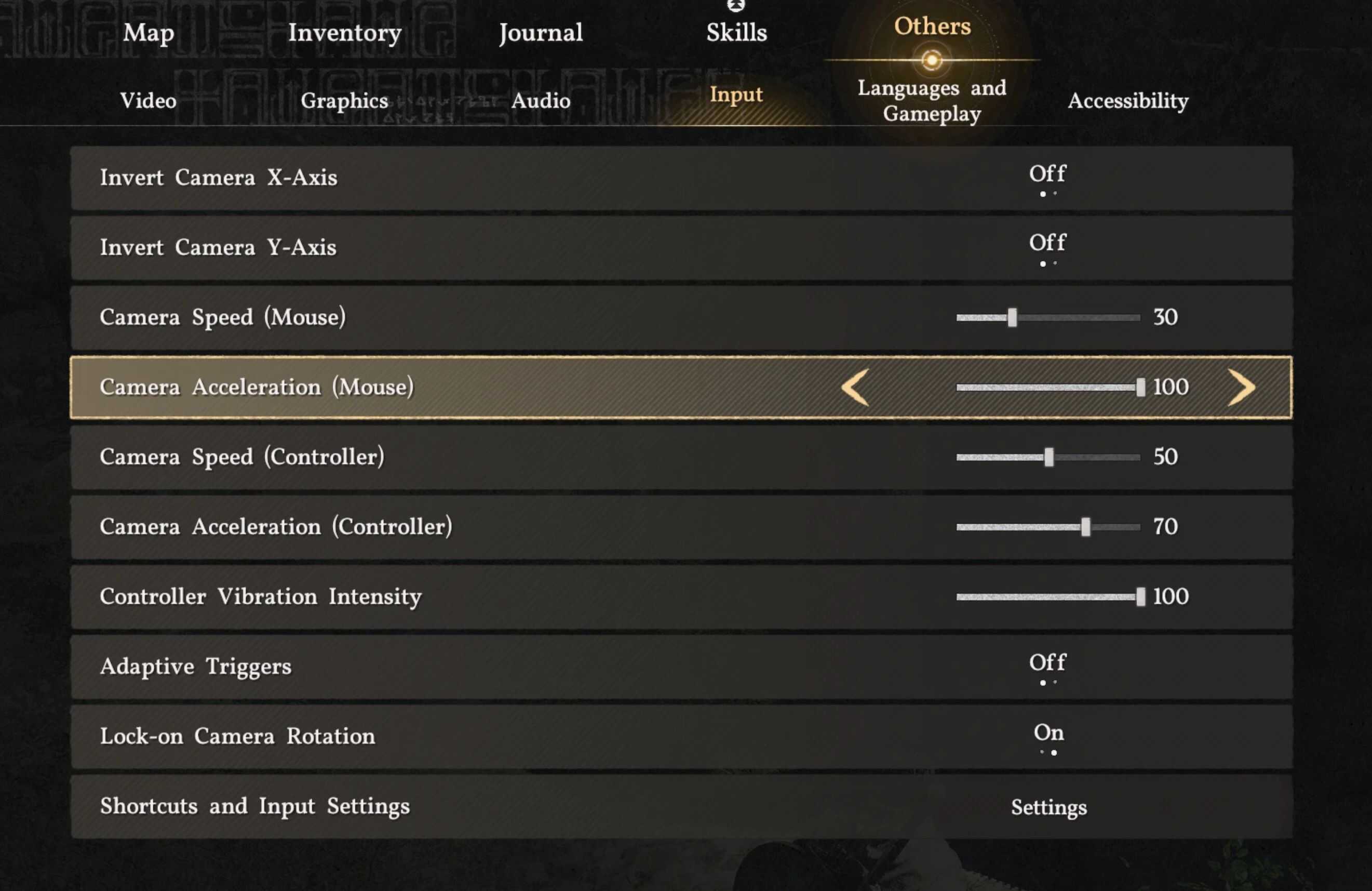
By maximizing the Camera Acceleration setting to 100, the engine’s smoothing curve is bypassed, resulting in zero latency and a much sharper, “snappy” combat experience.
What’s in the file:
A modified user_engine_option_save.xml with: __mouseCameraDamping set to 1.000000 (Maximum Responsiveness)
Installation (Warning Included):
– Download the file and extract user_engine_option_save.xml.
– Navigate to: %AppData%\Local\Pearl Abyss\CD\save
⚠️WARNING⚠️: Back up your original file first! Overwriting this file will reset your other Graphics/Video settings to my presets. (Recommended only if you are too lazy to enter the game and move the slider yourself.)
To avoid resetting your graphics options, manual adjustment is highly recommended:
In-Game: Settings > Others > Input > Camera Acceleration = 100.