- Crimson Desert somehow has no keyboard shortcuts for Inventory, Journal, Skills or other menus.
- This mod fixes that. Press I to open Inventory, J for Journal, K for Skills – just like any other game.
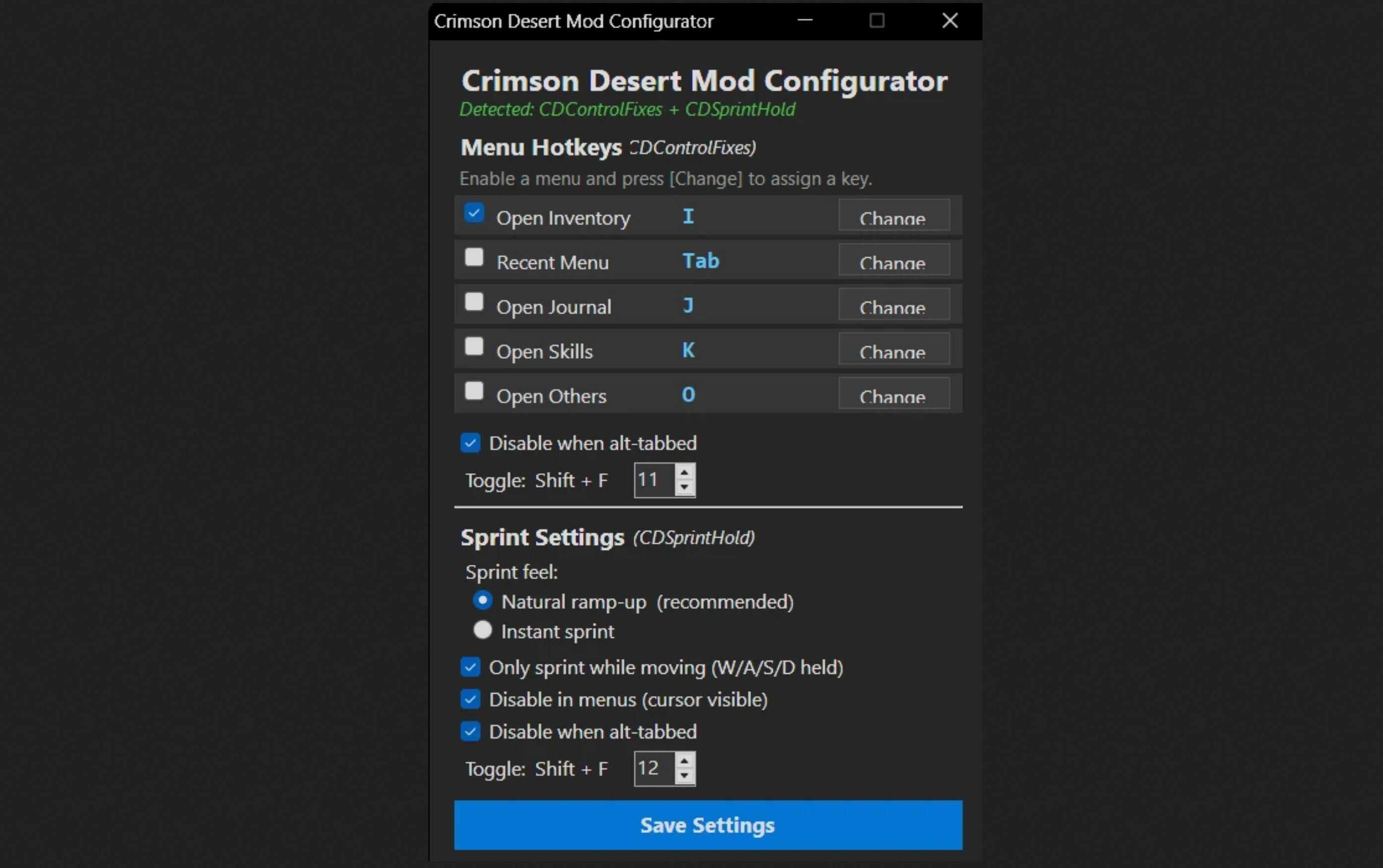
- Fully configurable via the optional configurator or the included .ini Files.
Automatically disables when a menu is open or the game is alt-tabbed, so your keys always behave normally outside of gameplay.
How it works
When you press a hotkey (e.g. I for Inventory), the mod performs the same inputs you would do manually – just instantly:
– Holds ESC (opens the radial menu)
– Scrolls up the correct number of times
– Releases ESC (confirms the selection)
The whole sequence takes a fraction of a second. Fully seamless.
– Auto-pauses in menus – detects when the game cursor is visible and disables itself
– Auto-pauses when alt-tabbed – no stray inputs while browsing the web
– Shift+F11 toggle – enable or disable at runtime (high beep = on, low beep = off)
– Tweakable scroll counts – if the wrong menu opens, add a number to fine-tune
Installation
– Download the ZIP file.
– Extract all files into your bin64 folder: …\Crimson Desert\bin64\
– Files to copy:
– – CDControlFixes.asi
– – CDControlFixes.ini
– – version.dll (ASI Loader – skip if already installed by another mod)
– Launch the game. Press I to open Inventory.
Default Hotkeys
– I – Open Inventory
Optional:
– Tab – Recent Menu (last opened panel)
– M – Open Map (commented out – M already works in-game)
– J – Open Journal (commented out)
– K – Open Skills (commented out)
– O – Open Others (commented out)
Remove the ; in front of a line in the INI to enable it. Change the letter to any key you prefer.
Fine-Tuning
If the wrong menu opens (e.g. Inventory opens Journal instead), you can override the scroll count by adding a number after the key:
Open Inventory = I, 5
This tells the mod to scroll exactly 5 times instead of the built-in default. Increase or decrease the number until the correct menu opens.
INI Settings
[Settings]
Enabled=1 ; Master switch (0 = off)
ToggleFKey=11 ; Shift+F11 toggles on/off at runtime
DisableOnAltTab=1 ; Pause when alt-tabbed
[EscMenu]
Recent Menu = Tab ; Last opened panel
Open Inventory = I ; Add , N to override scroll count
; Open Map = M
; Open Journal = J
; Open Skills = K
; Open Others = O
MenuOpenDelayMs = 50 ; ms to wait for ESC menu to appear
ScrollDelayMs = 20 ; ms between each scroll tick
Uninstallation
– Delete CDControlFixes.asi and CDControlFixes.ini from your bin64 folder.
– If version.dll was placed there by another mod, leave it in place.
Compatibility
– Keyboard only.
– Compatible with CDSprintHold and any other ASI mod using version.dll as the loader.
– No known conflicts.
– Performance impact: effectively zero.