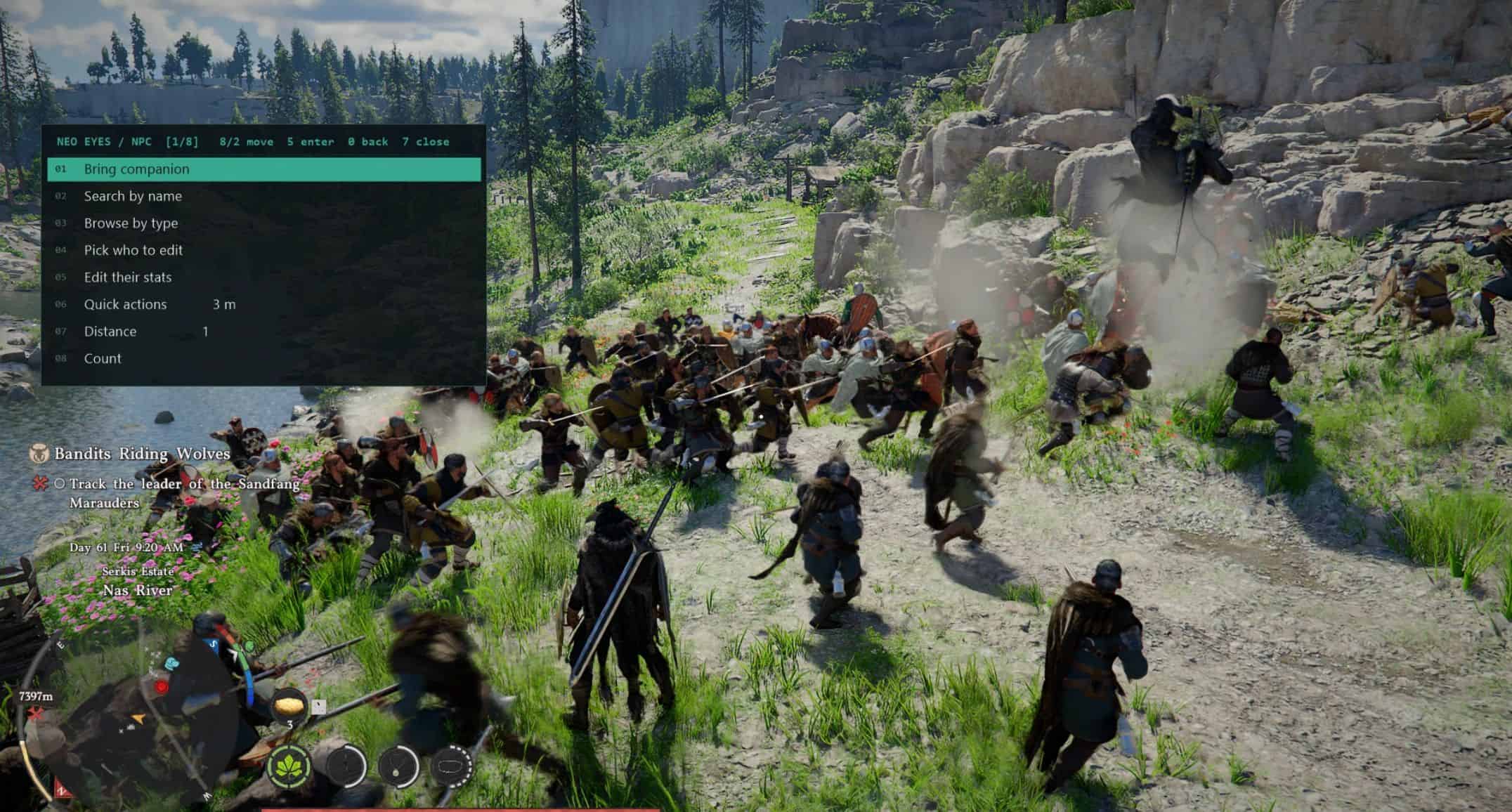
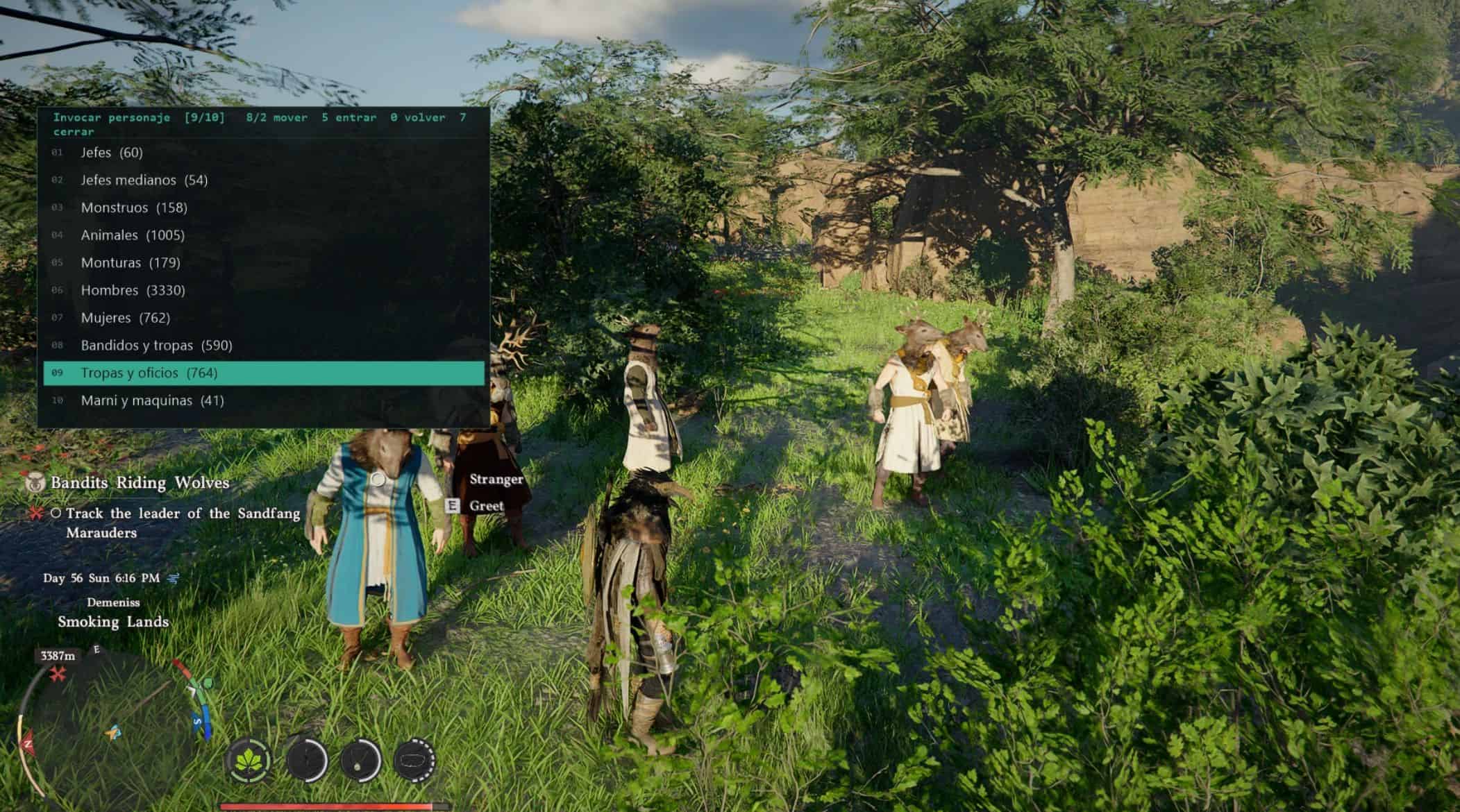
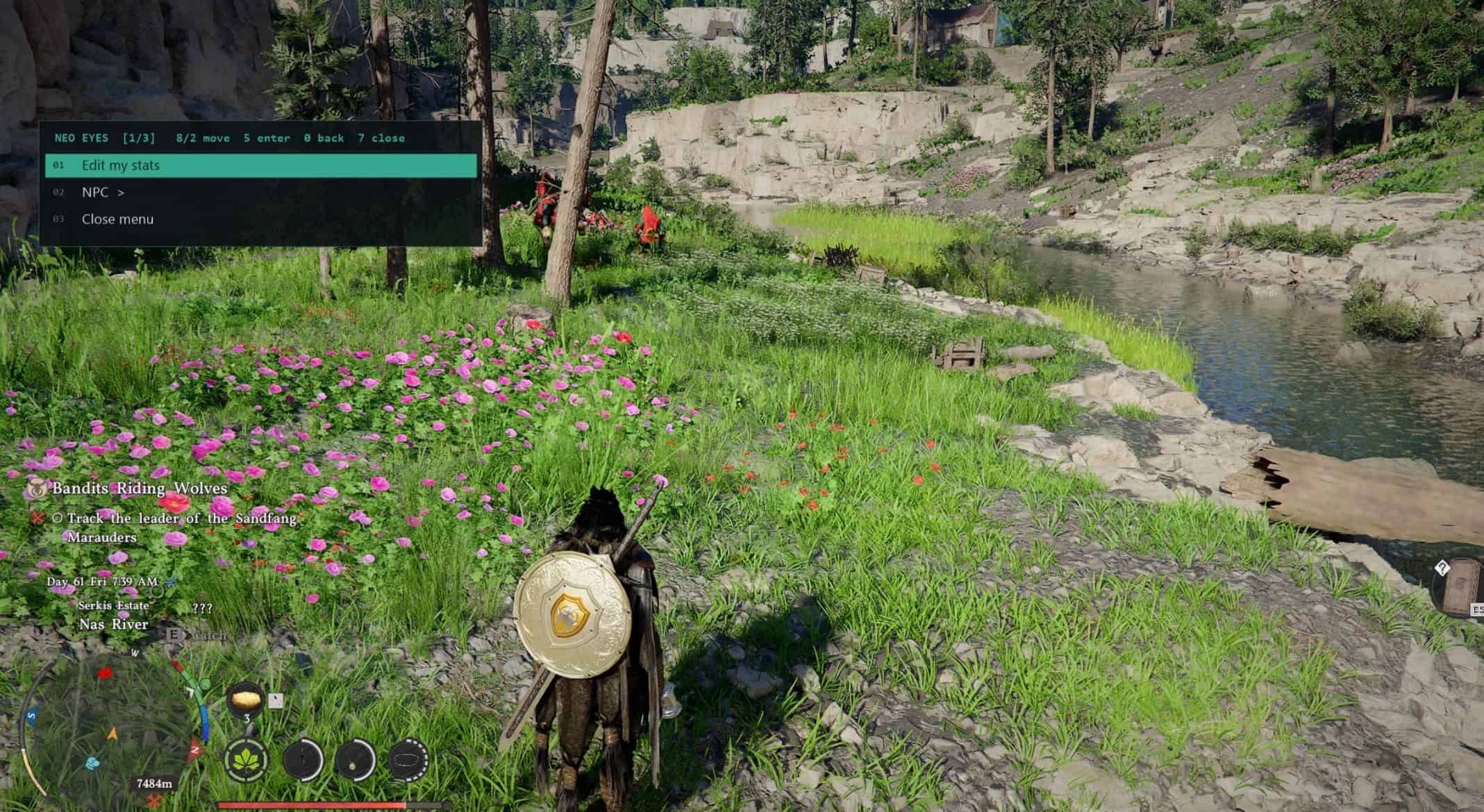
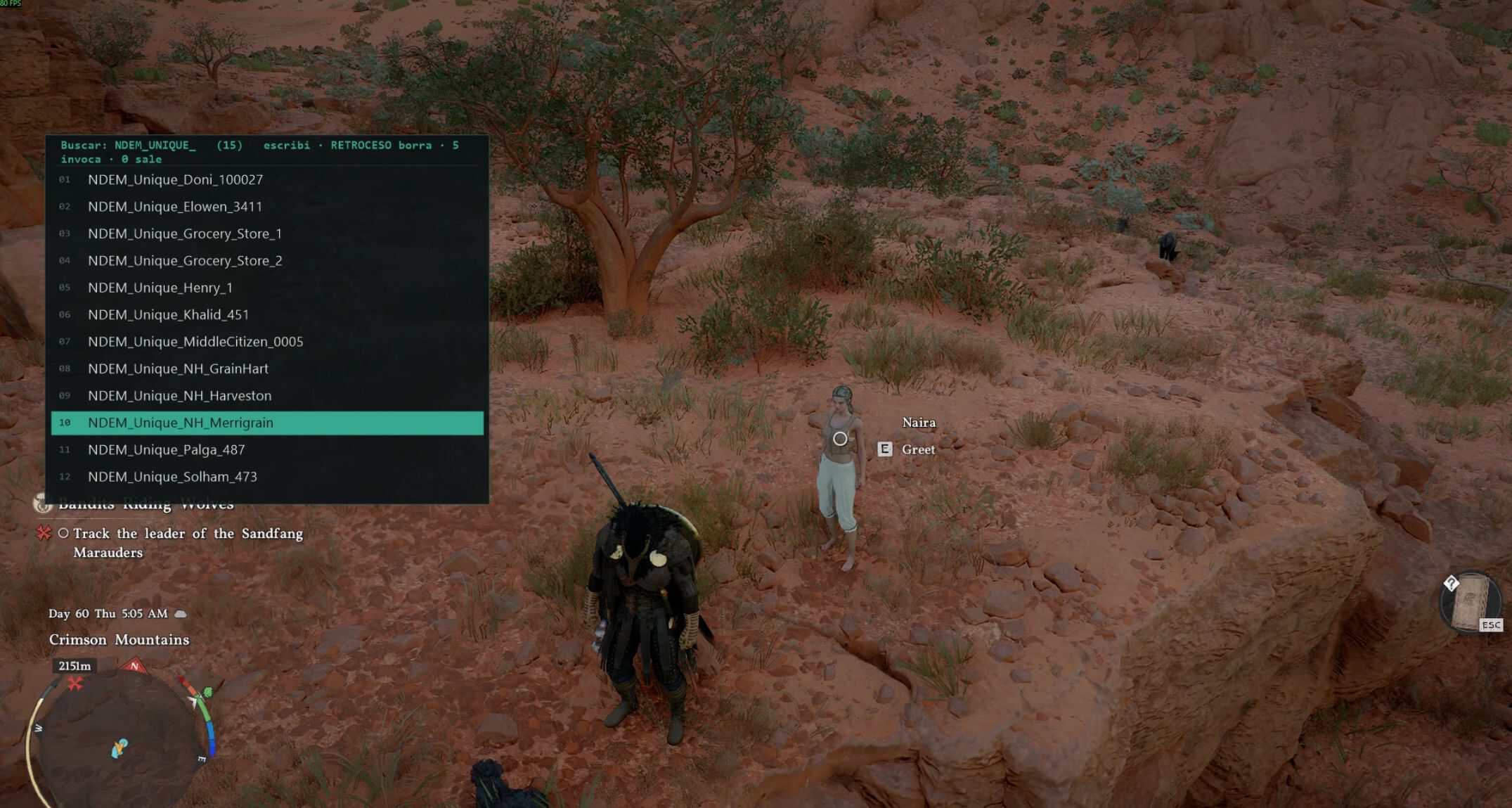
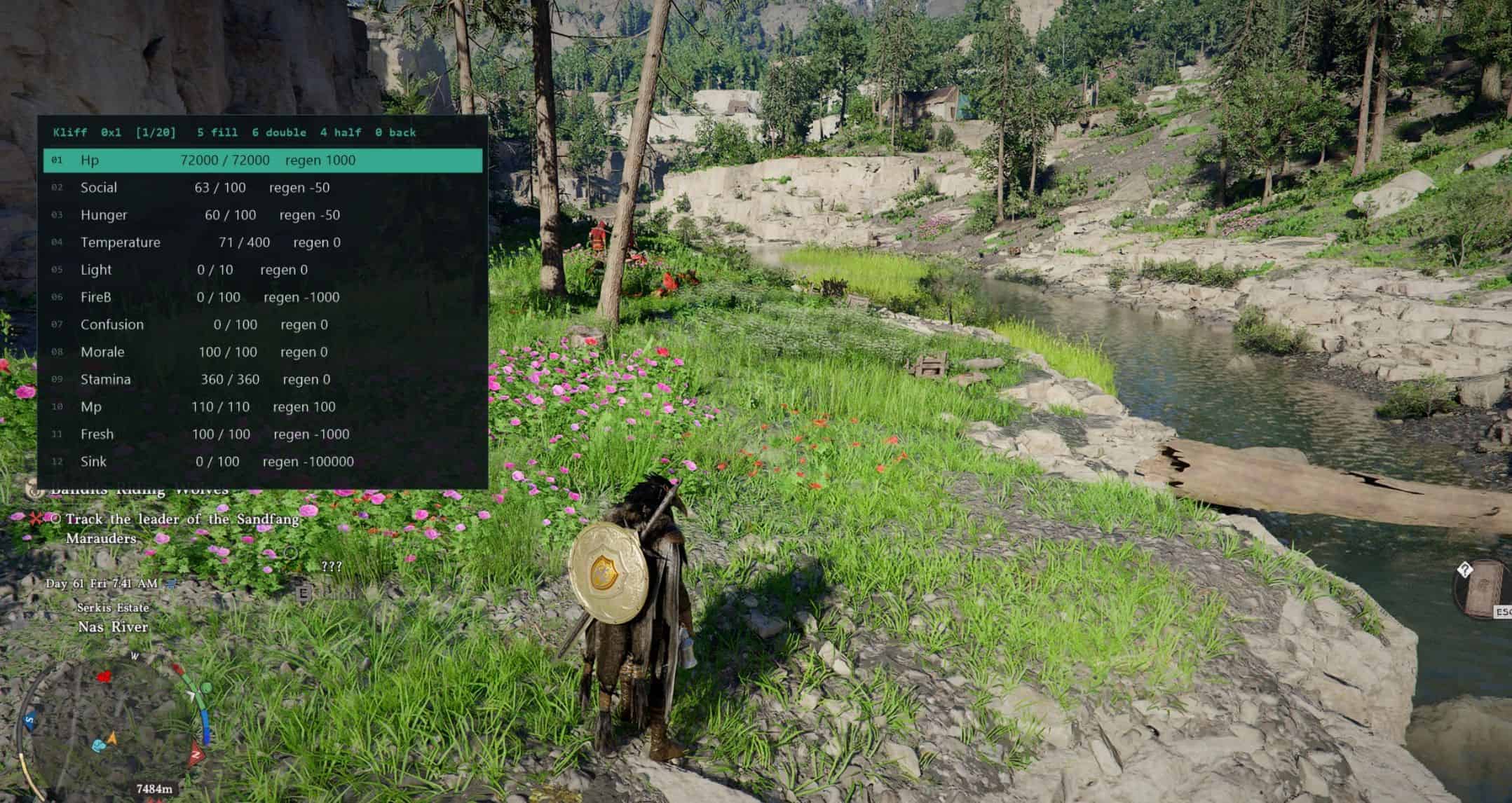
An in-game overlay menu that lets you spawn any character(ENEMIES ALLIES BOSSES ETC) from Crimson Desert’s own catalog, recruit companions, and edit the stats of nearby NPCs.
An in-game overlay menu that lets you spawn any character(ENEMIES ALLIES BOSSES ETC) from Crimson Desert’s
own catalog, recruit companions, and edit the stats of nearby NPCs.
This is a SANDBOX toy. It is not a story mod.
WHY I MADE THIS MOD
I made this mod because I think this game’s engine is perfect for sandbox play.
I plan to keep adding more features to it over time.
Spawn any of the 7105 characters in the catalog
NPCs, animals, mounts, bosses. Search by name, or browse a tree that is built
automatically from the game’s own naming (Men, Women, Bosses, Mounts, Insects,
Tribal, and so on). You choose distance and how many to spawn.
Bring companion
Spawns AND recruits in one step. The list is not a hardcoded list of “cool
characters” – it is filtered live to only the 805 characters the engine itself
allows you to recruit, grouped by the game’s own slot types:
– Pet 230 · Vehicle_Horse 219 · Wagon 76 · Vehicle 69
– Vehicle_Special 63 · Fish 48 · Domestic 33 · Mercenary_Melee 24
– Mercenary_Shop 16 · Mercenary_Range 14 · Mercenary_Main 6
– Vehicle_WarMachine 2 · Vehicle_Dragon 1
Edit stats of any nearby NPC
HP, stamina and the rest, with quick actions (full heal, invincible, kill, set
on fire, petrify, enrage, exhaust) and a restore-original option.
REQUIREMENTS
Crimson Desert TU 1.15 (exe 1.0.0.2145) and the Ultimate ASI Loader (x64).->> important
Install:
– Download version-x64.zip from the Ultimate ASI Loader releases page
– Open it and copy version.dll into the game’s bin64 folder – the same
– folder as CrimsonDesert.exe
– Copy NeoEyesSimpleMenu.asi into that same folder
– Launch the game. You should see “NEO EYES online – press 9 for the menu”
HOW TO GET A COMPANION
9 (open) -> NPC -> Bring companion -> pick a TYPE
(Pet / Vehicle_Horse / Mercenary_Melee / Mercenary_Main / …)
-> type part of the name to filter -> press 5.
The message line tells you either ” IS YOURS” or exactly
why the engine refused it.
IMPORTANT – to make them actually walk with you:
the companion is now registered, but to summon it use the GAME’s
own companion menu, and in this order:
1. switch your character TO the companion
2. switch back to your main character
3. now use Summon
If you hit Summon without doing steps 1 and 2 first, the game can
hang on a loading screen.
This is the part people will misunderstand, so being blunt about it:
Only the ones under Mercenary_Main show up in the character wheel (F1).
Those are the ones you can actually switch to and use as a real companion. There
are only 6 of them in the whole game.
Pets show up under Inventory > Pets. They work as pets.
Everything else gets recruited but does not appear anywhere you can use it.
Mercenary_Melee, Mercenary_Range, Mercenary_Shop, mounts, wagons and the rest
are accepted by the engine, get an owner and a mercenary slot, and persist in
your save – but they do not show up in the F1 wheel or in the pet list. They are
registered, not usable. – >>>>> Mercs go to your faction
TO SUMMON A COMPANION WITHOUT HANGING THE GAME
Once recruited, use the game’s own companion menu, in this order:
USE the mercenary_main table0
1. switch your character TO the companion
2. switch back to your main character
3. now use Summon
If you press Summon without doing steps 1 and 2 first, the game can hang on an
infinite loading screen. This is the single most common way to lose a session –
follow the order.
IMPORTAANT!
1. It can break your savegame.
Recruited companions are written into your save and persist across reloads.
That is the whole point of the feature, but it also means this mod modifies
persistent game state – not just memory for the current session. Spawning
dozens of characters, filling your companion roster with things the game never
intended you to have, or recruiting story NPCs can leave your save in a state
the game’s own logic does not expect.
Use a separate save file. Back it up before you start. Do not use this on a
playthrough you care about.
2. Do not use it during the story.
Spawning characters that belong to quests, or recruiting NPCs the story still
needs, can block or break quest progression. Some of the characters in the
catalog are story-critical. The mod does not know or care which ones – it just
asks the engine to spawn what you picked. Treat this as a free-play / creative
mode tool, after the story or on a throwaway save.
3. It breaks with every game patch.
The mod relies on fixed memory addresses from build TU 1.15 (exe 1.0.0.2145).
Any game update will very likely break it until those addresses are found again.
If the menu stops opening after a patch, that is why.