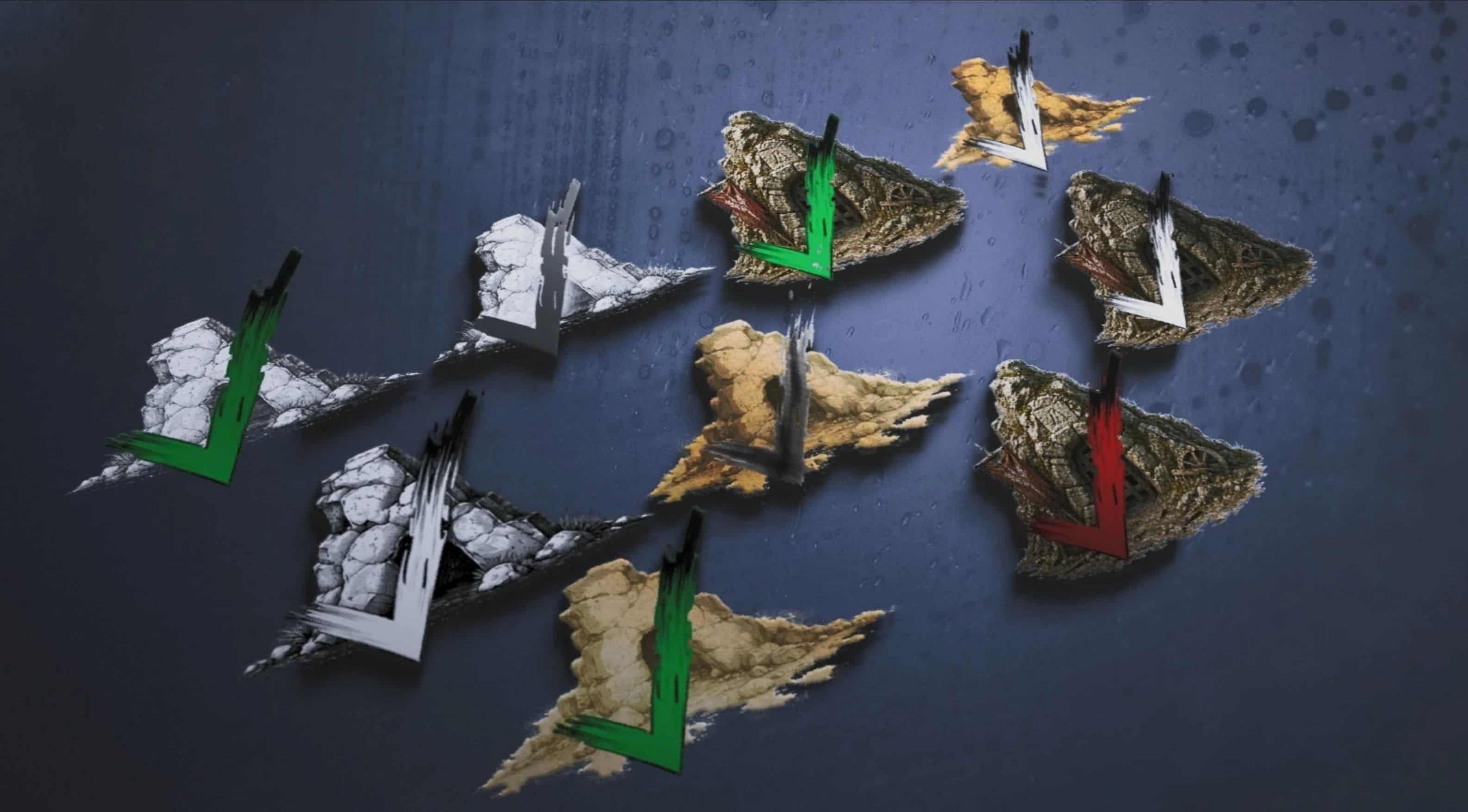
Collection of checkmarks for the amazing map icons created by JerKnuts! with 3 variants for each set!
– Rendered – Red, White, Green
– B&W – White, Green, Grey
– Sumi – Green, Sumi-e(ink), White
While the default options are amazing I just needed something to stand out a little more. and everyone loves a little customization! So with their permission I uploaded these.
Installation instructions
Select only ONE option and replace the file in the orignal download from JerKnuts!
Detailed install instructions:
– Open JerK’s Map Icons .zip file.
– Navigate until you can see all the .dds icon files listed.
– Select only 1 colour option from mine ie the “black and white – green checkmark”.
– Drag and Drop chosen checkmark .dds file (not folder) into the .zip file of JerK’s Map Icons.
– Click to replace.
– Then just install their mod as usual.
Requirements:
– JerK’s Map Icons
– JSON Mod Manager