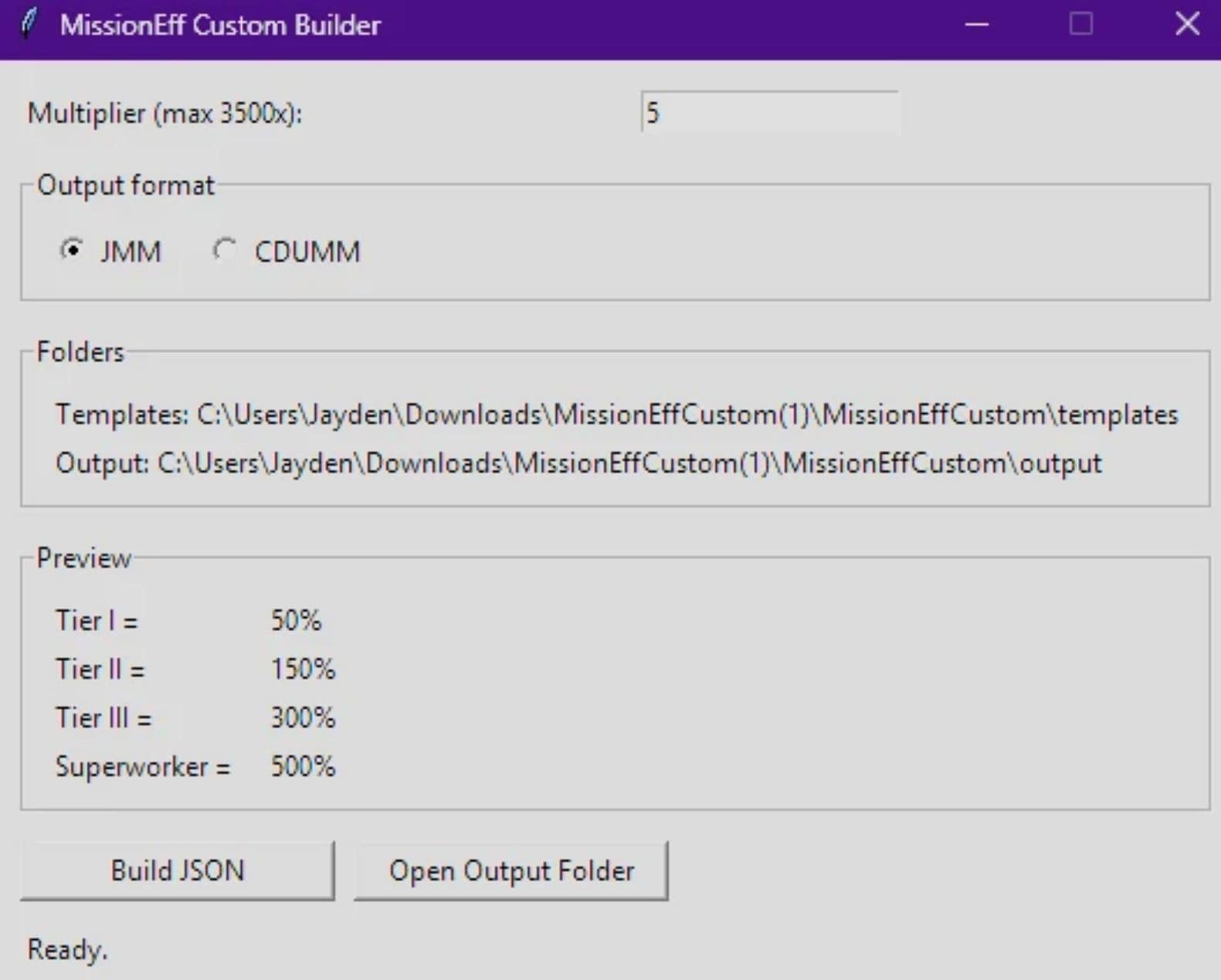
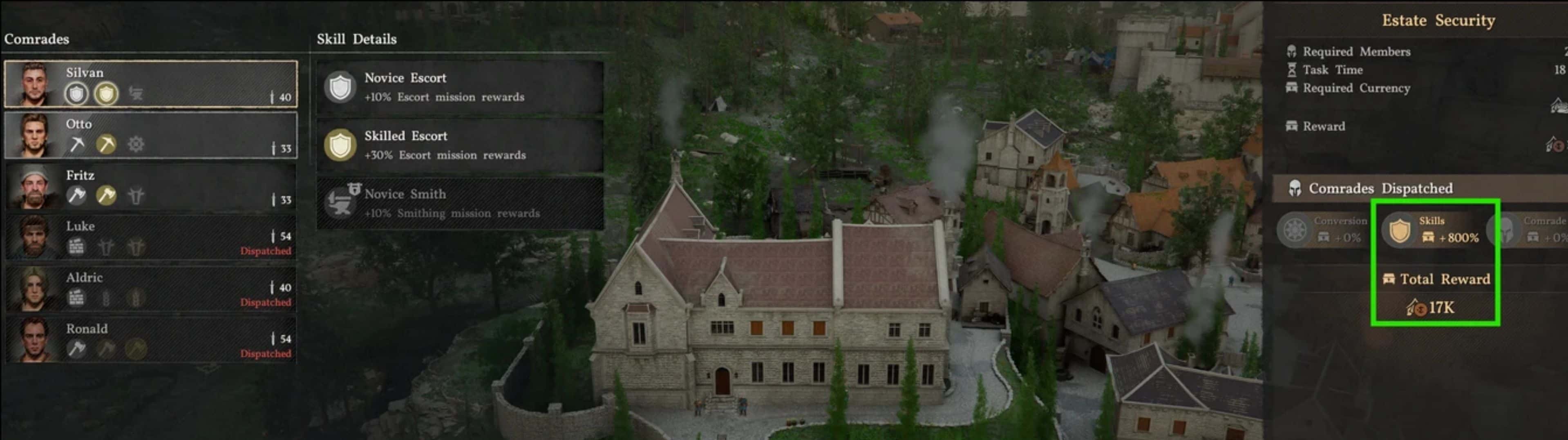
Boosts the skills of camp members when you send them on missions. Gives 5 variations (2x, 3.5x, 5x, 10x, 20x, x50 and x100 mission efficiency) Mod originally by: HexagonCS Now included a standalone executable that lets you set your own custom multiplier to generate a completely new variation.
This mod bundle increases mission efficiency for the worker/profession mission skill lines in Crimson Desert.
If you’d like to shorten mission duration I recommend using: Let Me Sleep
It includes 5 separate variations:
– 2x
– 3.5x
– 5x
– 10x
– 20x
– 50x
– 100x
or
Use “MissionEffCustom” to set your own multiplier
These affect the mission-efficiency skills for:
– Farming
– Handler / Ranching
– Logging
– Mining
– Forging
– Strengthening
– Fishing
– Gathering
– Banking
– SuperWorker
Important: this is for mission efficiency, not manual gathering double-drop chance.
Installation instructions
1. Install and set up CD JSON Mod Manager.
2. Open the JSON Mod Manager archive
3. Go into the included missionefficiencybundle_CD_1.03.01 folder.
4. Choose only ONE variation:
– MissionEff_x2.json
– MissionEff_x3.5.json
– MissionEff_x5.json
– MissionEff_x10.json
– MissionEffX20.json
5. Copy that single .json file into your:
– /CD JSON Mod Manager/mods/
6. Enable it in CD JSON Mod Manager and apply mods.
or
1. Install CDUMM
2. Open the CDUMM archive
3. Go into the included missionefficiencybundle_CD_1.03.01 folder.
4. Choose only ONE variation:
– MissionEff_x2.json
– MissionEff_x3.5.json
– MissionEff_x5.json
– MissionEff_x10.json
– MissionEffX20.json
5. Move your selected variation into the running .exe in the specified location
6. Give it some time this mod will hang for a bit while importing the 28 patches
7. Checkmark it and apply.
Custom Mission Efficiency Instructions
1. Install MissionEffCustom
2. Extract Contents
3. Set a multiplier value
4. Select either JMM or CDUMM depending on what mod manager you use
5. Build JSON
6. Check Output Folder.
7. Follow CDUMM or JMM Installation instructions.
Important:
– For JMM not place the whole mission_efficiency_bundle folder into /mods/
– For JMM the manager expects the individual .json mod file in /mods/
– Use only one variation at a time
– The JMM version will always be updated before CDUMM, in most cases CDUMM will lag about 2-3 days behind.
– If you want something fixed please put it inside of bugs.
Main features
– Scales mission efficiency to 2x , 3.5x. , 5x, 10x, or 20x base values
– Covers all mission-efficiency profession skills
– Cleanly separated into individual variants so you can pick your preferred balance level
Requirements
– CD JSON Mod Manager or CDUMM
– A current game version compatible with the included offsets
– Use only one version of this bundle at once
– May conflict with other mods that edit the same skill.pabgb mission-efficiency entries