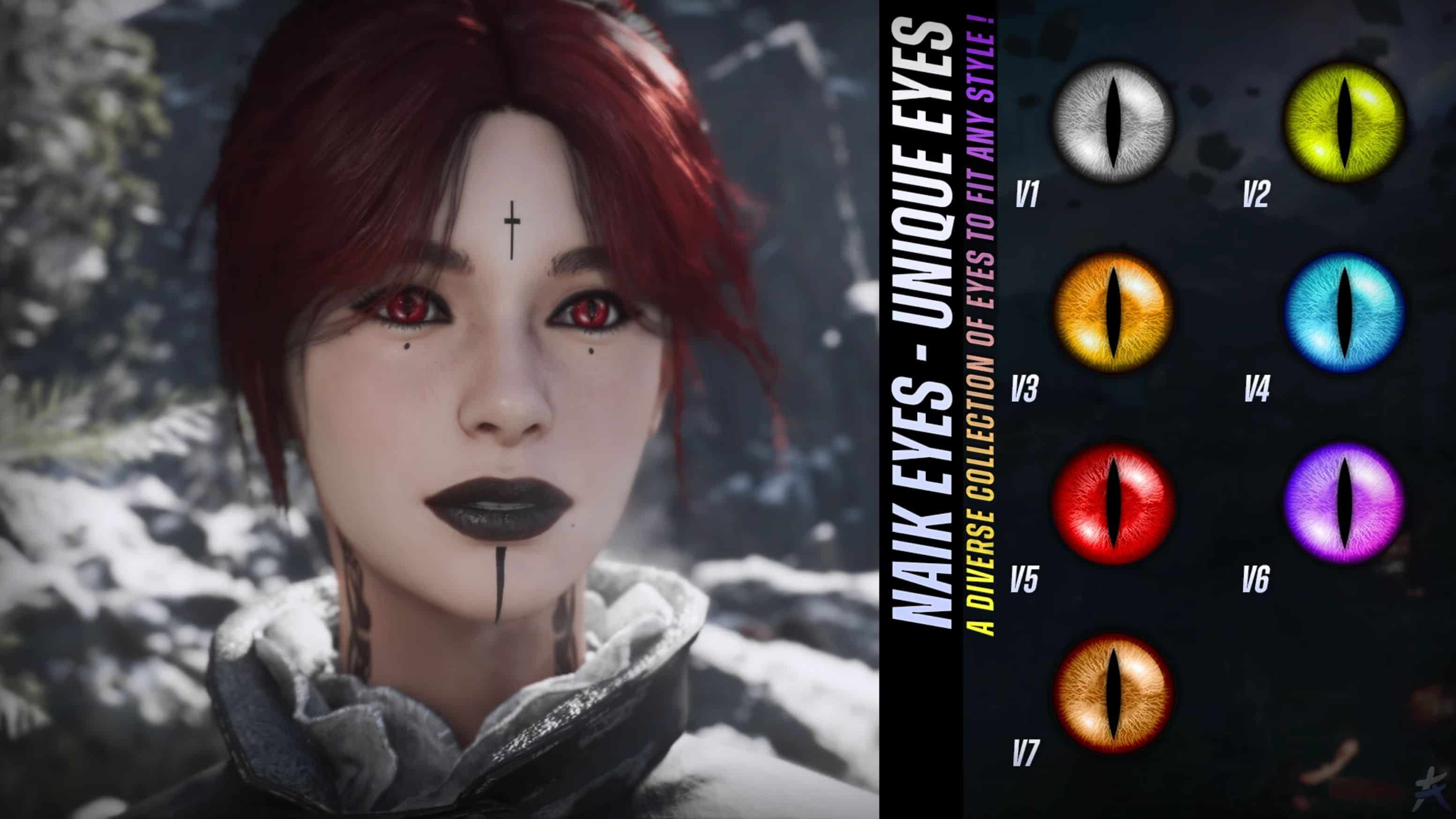
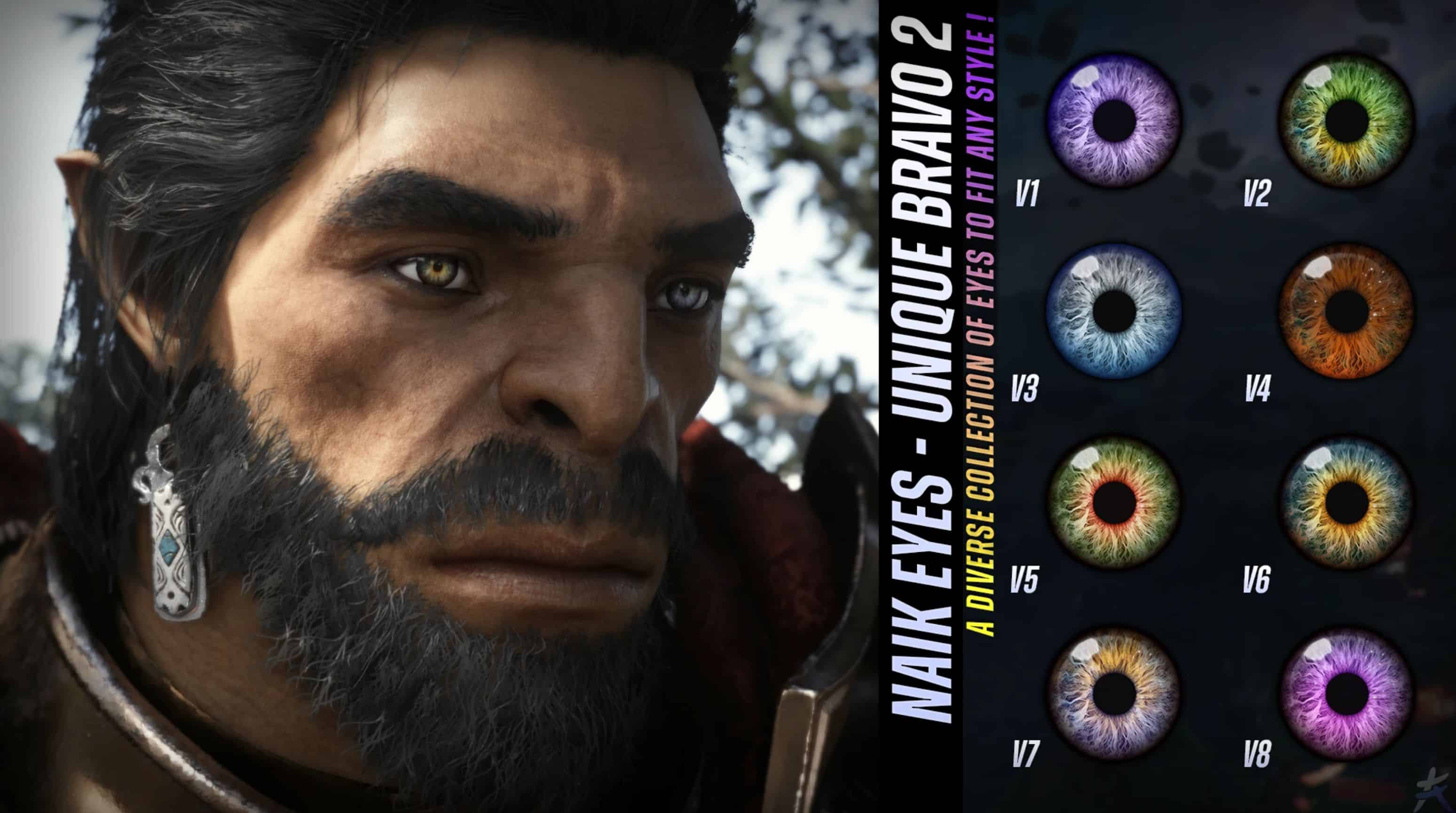
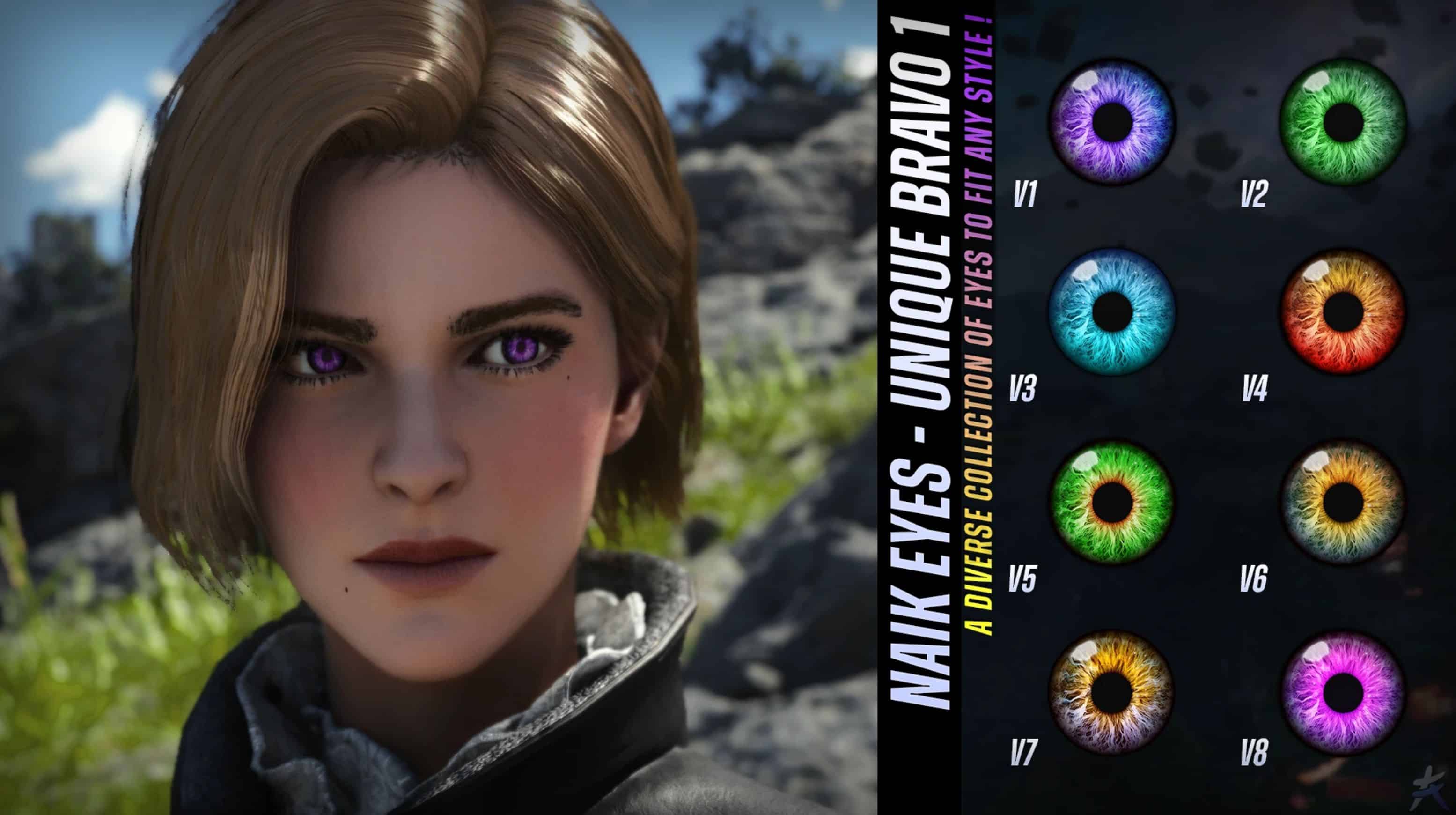
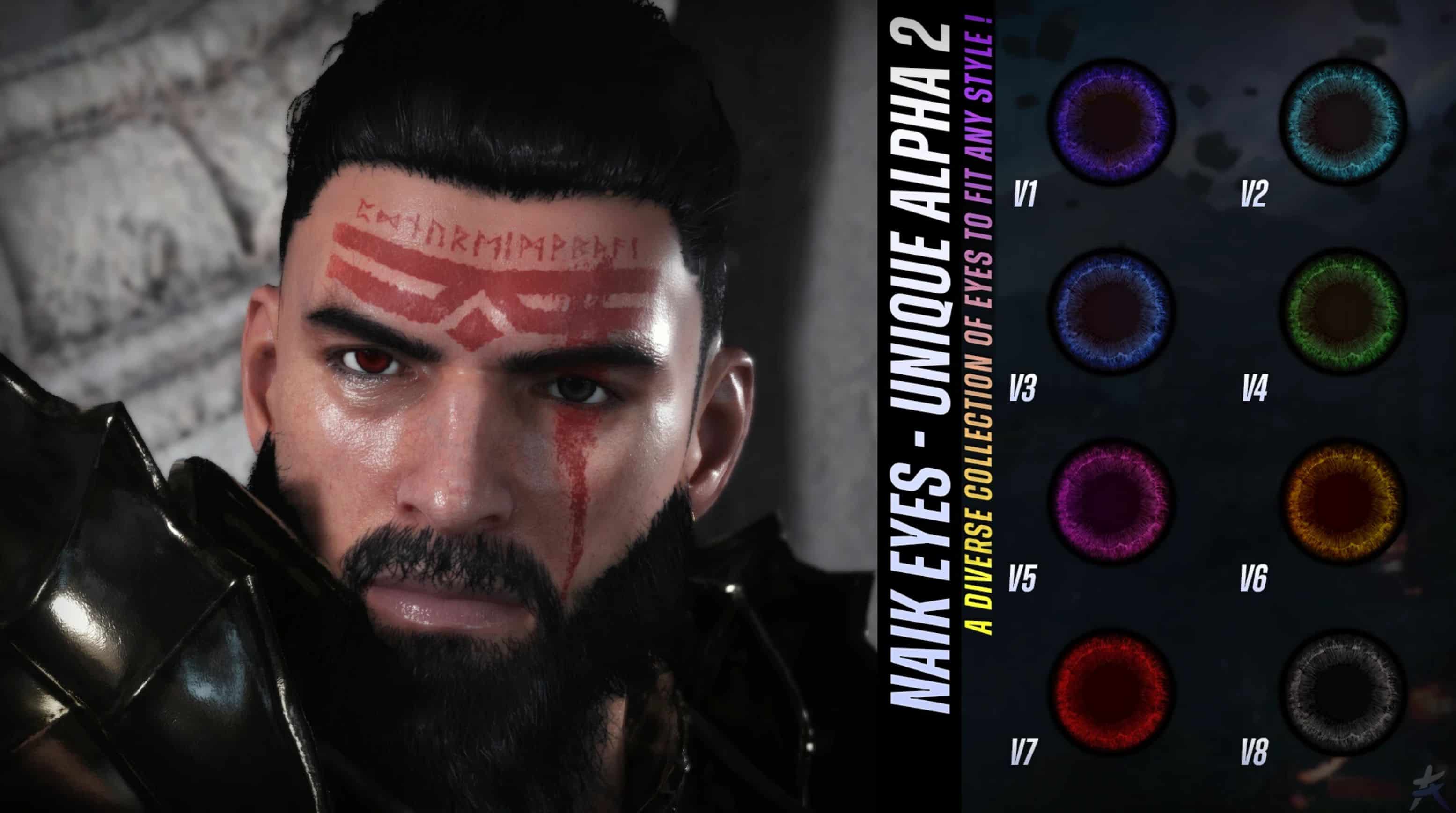
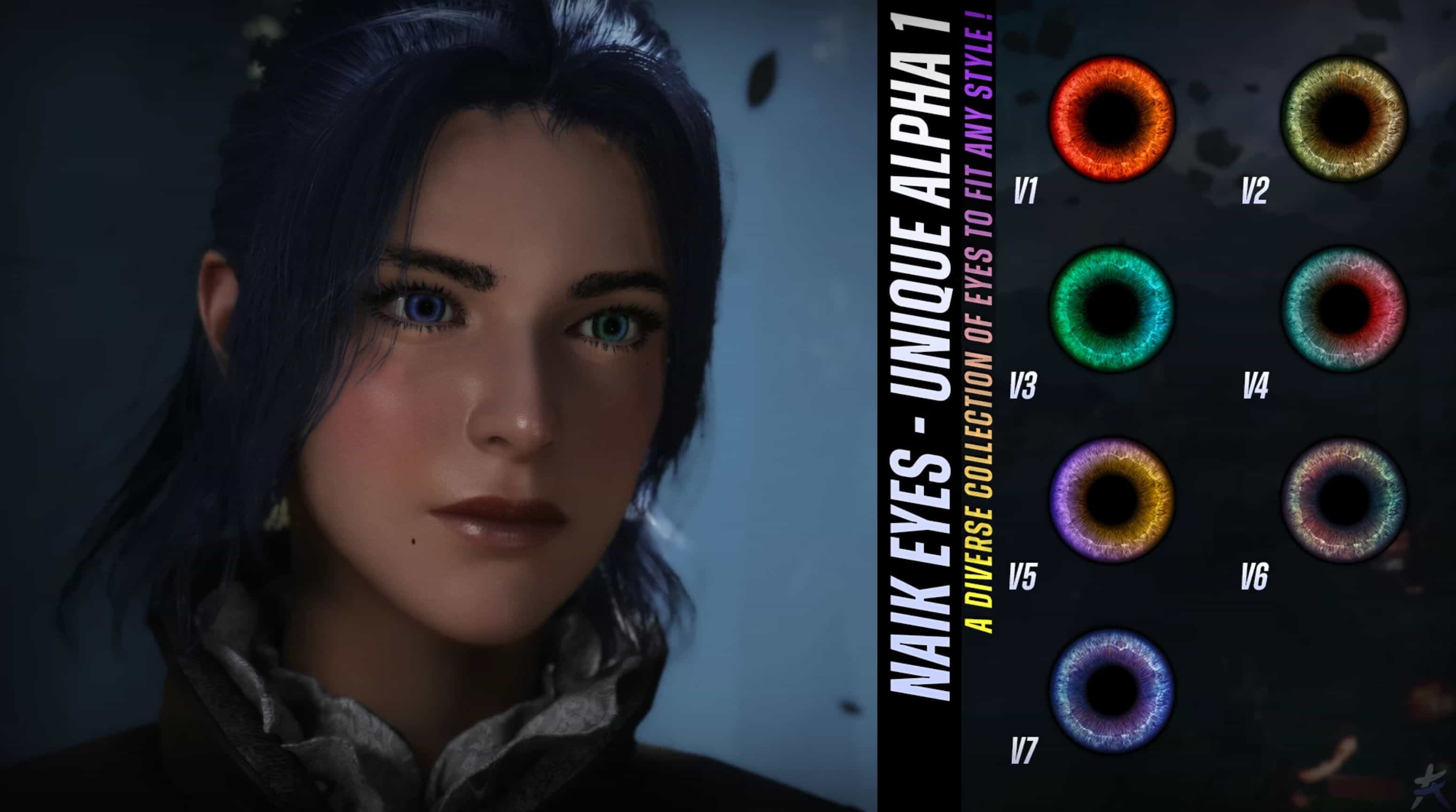
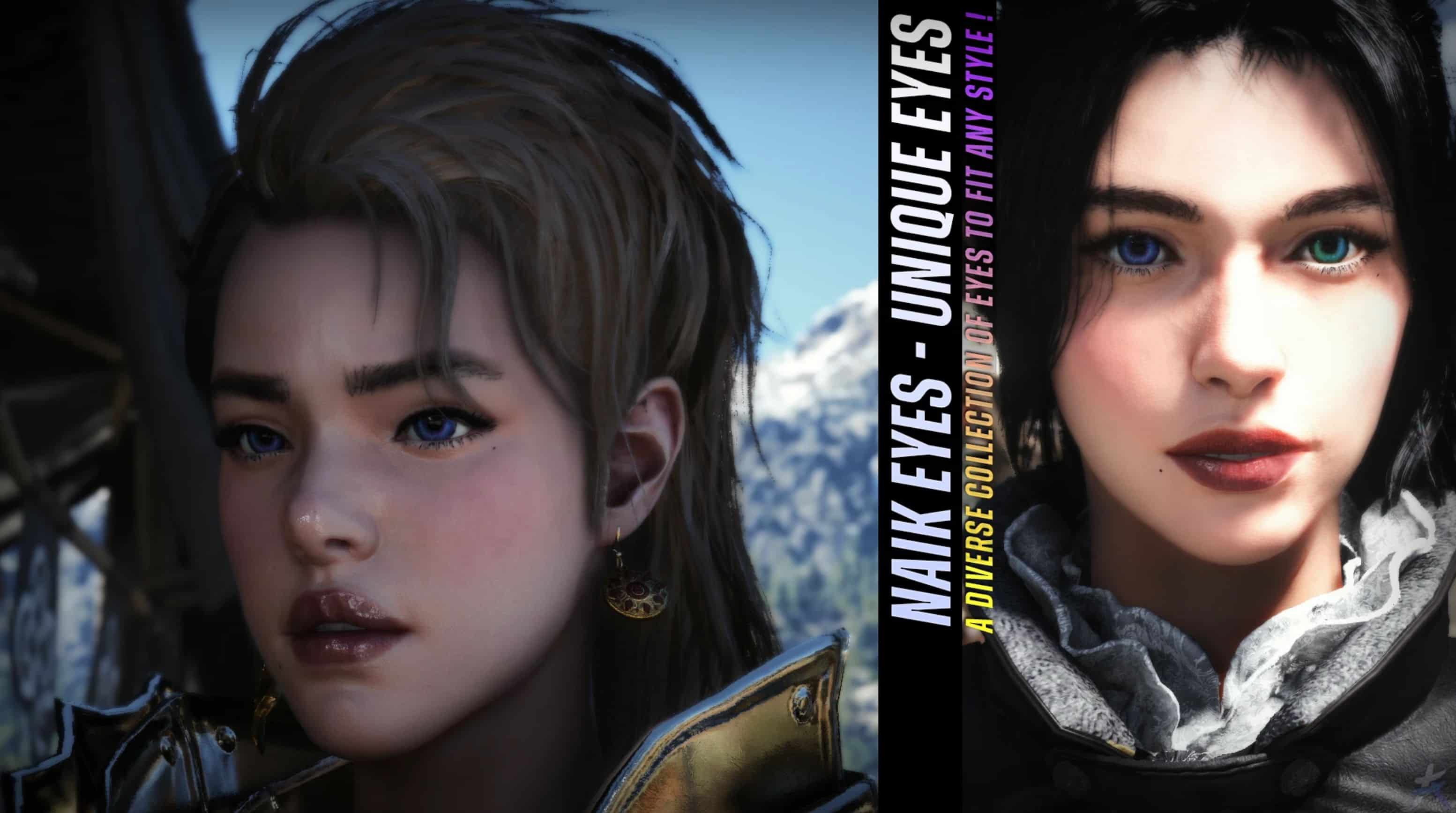
This mod makes each character’s eyes more unique by modifying their textures.
In the base game, if you change Kliff’s eyes, it also changes the eyes of most characters in the camp, i managed to reduce this by assigning him different eye textures, with this mod, instead of effecting the entire camp, only a small group of characters will now share the same eyes as Kliff, i haven’t yet been able to make his eyes completely unique to him alone, and the same applies to other characters : their eyes won’t be 100% exclusive, but close, since only small groups will be affected.
For example, Kliff’s eyes are currently shared with Oongka and the camp blacksmith (those are the only ones I’ve identified so far).
If you use a character replacement mod for Kliff for example, Damiane and change the eyes, those changes will apply to both models. This makes sense, but I still want to clarify it : when you change your character’s eyes while playing as another character through a mod, the original character’s eyes will also be changed at the same time.
I spent a lot of time thinking about the best way to set up this mod so it would be as simple as possible for both users and myself, you’ll need to customize it yourself by choosing the textures you want and replacing the original ones found in the main mandatory file you selected.
This method is the simplest, because it would be impossible for me to create folders for every available eye variant, especially with heterochromia. Keep in mind that I already have more than 60 eye styles ready; the number of mods would be colossal.
I left the original eyes intact so that you can modify them as well if you wish, please note that doing so will change the eyes of a large number of characters in the game.
The appearance of the eyes in-game may vary for each person depending on the graphics settings used as well as the ReShade preset applied.
❯❯ Note
– 1 main file
– NaiK Eyes – Unique Eyes.
The additional files are simply textures used to replace your default eyes & do not require installation through DMM.
Do NOT DELETE any files from the mod, the characters’ original eyes have been preserved, only replace the ones for the characters you want to change.
LIST OF CHARACTERS CURRENTLY SUPPORTED
The order will ALWAYS be : EYE LEFT / EYE RIGHT.
CCS : corresponds to the Character Creator slot number.
MALE
cd_phm_00_eye_iris_0300 / cd_phm_00_eye_iris_0301
Kliff
Oongka
FEMALE
cd_phm_00_eye_iris_0100 / cd_phm_00_eye_iris_0101
Damiane (CCS 42)
Damiane V2 (CCS 43)
Head 0206 (CCS 78)
cd_phm_00_eye_iris_0102 / cd_phm_00_eye_iris_0103
Head 0140 (CCS 69)
Head 0136 (CCS 65)
cd_phm_00_eye_iris_0104 / cd_phm_00_eye_iris_0105
White Crow (CCS 31)
cd_phm_00_eye_iris_0106 / cd_phm_00_eye_iris_0107
Head 0002 (CCS 3)
Head 0129 (CCS 61)
Elowen witch of Wisdom (CCS 70)
Bari witch of Kindness (CCS 72)
Head 0201 (CCS 73)
Head 0207 (CCS 79)
Head 0505 (CCS 94)
Head 4001 (CCS 95)
cd_phm_00_eye_iris_0108 / cd_phm_00_eye_iris_0109
Head 0001 (CCS 1)
Head 0002 (CCS 2)
Head 0003 (CCS 4)
Head 0004 (CCS 5)
Head 0005 (CCS 6)
Head 0005 (CCS 7)
Head 0007 (CCS 9)
Head 0008 (CCS 10)
Head 0011 (CCS 13)
Head 0013 (CCS 15)
Head 0014 (CCS 16)
Head 0016 (CCS 18)
Head 0118 (CCS 50)
Head 0119 (CCS 51)
Head 0120 (CCS 52)
Head 0125 (CCS 57)
Head 0126 (CCS 58)
Areciel witch of Strengh (CCS 68)
Head 0142 (CCS 71)
Head 0202 (CCS 74)
Head 0209 (CCS 80)
Head 0210 (CCS 81)
Head 0213 (CCS 83)
Head 0401 (CCS 85)
Head 0402 (CCS 86)
Head 0403 (CCS 87)
Head 0404 (CCS 88)
Head 0501 (CCS 90)
Head 0502 (CCS 91)
Head 0503 (CCS 92)
Head 0504 (CCS 93)
Head 4004 (CCS 98)
cd_phm_00_eye_iris_0110 / cd_phm_00_eye_iris_0111
Head 0100 (CCS 35)
Head 0130 (CCS 62)
Head 0215 (CCS 84)
Head 4002 (CCS 96)
Head 4003 (CCS 97)
cd_phm_00_eye_iris_0112 / cd_phm_00_eye_iris_0113
Head 0009 (CCS 11)
Head 0010 (CCS 12)
Head 0018 (CCS 20)
Head 0026 (CCS 26)
Head 0043 (CCS 29)
Head 0116 (CCS 48)
Head 0117 (CCS 49)
Head 0121 (CCS 53)
Head 0123 (CCS 55)
Head 0124 (CCS 56)
Head 0127 (CCS 59)
Head 0128 (CCS 60)
Sylvia witch Hermit (CCS 64)
Head 0138 (CCS 67)
Head 0203 (CCS 75)
cd_phm_00_eye_iris_0114 / cd_phm_00_eye_iris_0115
Head 0122 (CCS 54)
cd_phm_00_eye_iris_0116 / cd_phm_00_eye_iris_0117
Head 0028 (CCS 28)
Head 0045 (CCS 30)
Head 0050 (CCS 32)
Head 0051 (CCS 33)
Head 0114 (CCS 46)
Head 0115 (CCS 47)
Head 0133 (CCS 63)
Head 0205 (CCS 77)
cd_phm_00_eye_iris_0118 / cd_phm_00_eye_iris_0119
Lyselia witch Head (CCS 21)
Head 0052 (CCS 34)
Head 0103 (CCS 38)
Head 0104 (CCS 39)
Head 0105 (CCS 40)
Head 0137 (CCS 66)
Head 0212 (CCS 82)
Head 0405 (CCS 89)
cd_phm_00_eye_iris_0120 / cd_phm_00_eye_iris_0121
Head 0006 (CCS 8)
Head 0012 (CCS 14)
Head 0015 (CCS 17)
Head 0017 (CCS 19)
Head 0023 (CCS 23)
Head 0024 (CCS 24)
Head 0027 (CCS 27)
Head 0101 (CCS 36)
Head 0102 (CCS 37)
Head 0107 (CCS 41)
Head 0204 (CCS 76)
cd_phm_00_eye_iris_0122 / cd_phm_00_eye_iris_0123
Head 0022 (CCS 22)
cd_phm_00_eye_iris_0124 / cd_phm_00_eye_iris_0125
Head 0113 (CCS 45)
cd_phm_00_eye_iris_0126 / cd_phm_00_eye_iris_0127
Head 0112 (CCS 44)
Instruction
STEP 1
Download the main file, NaiK Eyes – Unique Eyes then add it to DMM.
Next, go to the mods folder to locate the NaiK Eyes – Unique Eyes file you just installed. It should normally be located in : Definitive Mod Manager/mods.
Once found, open the texture folder here : NaiK Eyes – Unique Eyes\0009\character\texture.
You should now see the eye textures for the various characters supported by the mod.
STEP 2
Now that you know where the eye-changing textures are located, all that’s left is to download the textures you want.
Let’s use the ALPHA textures as an example, download NaiK Eyes – Alpha 1, then extract the ZIP file, once done, open the folder : you should see several textures inside.
For this example, we’ll create heterochromia eyes for Damiane, select two textures of your choice, such as Alpha 1 V1 and Alpha 1 V2, copy them, then paste them into the folder :
NaiK Eyes – Unique Eyes\0009\character\texture, once copied, you just need to rename them :
– For Damiane left eye, copy the original texture name : cd_phm_00_eye_iris_0100
– Delete the original texture
– Rename Alpha V2 to : cd_phm_00_eye_iris_0100
Repeat the same process for the right eye, but this time use : cd_phm_00_eye_iris_0101
STEP 3
Now that your textures have been replaced with the ones you want, all that’s left is to apply the mod through DMM and launch the game.
Important: If you do not want heterochromia eyes, simply use the same texture twice.
If you followed the steps above correctly, Kliff should now have your new eye textures in-game.