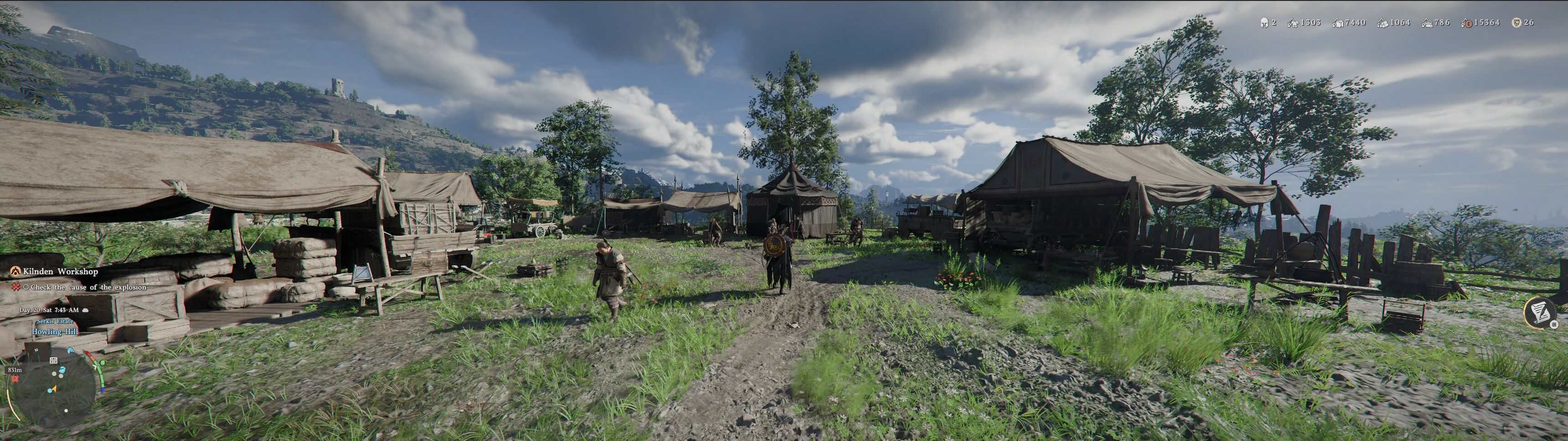
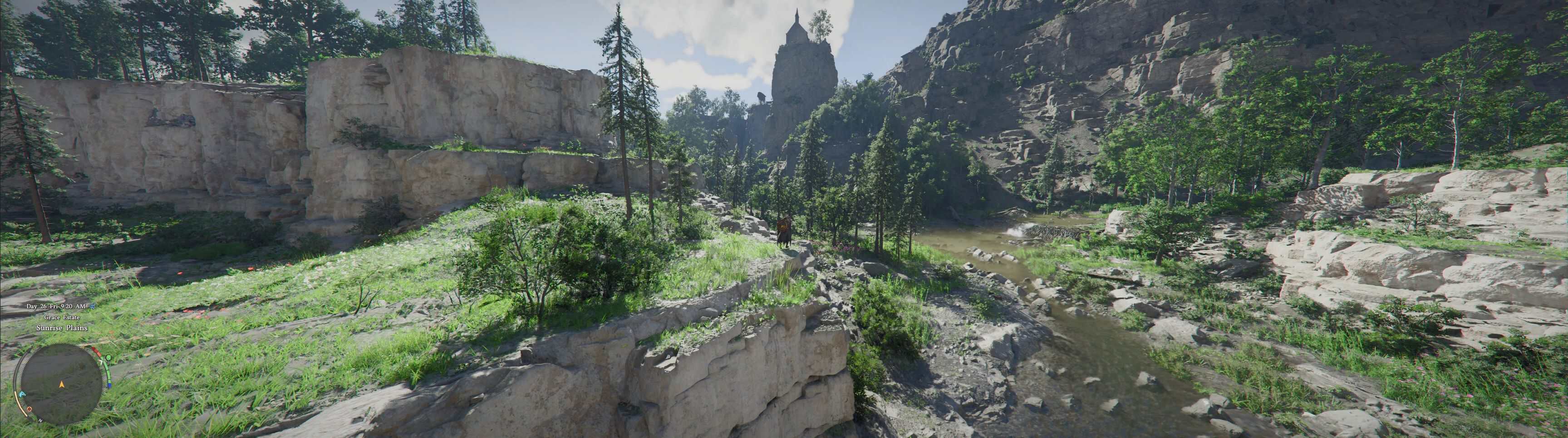
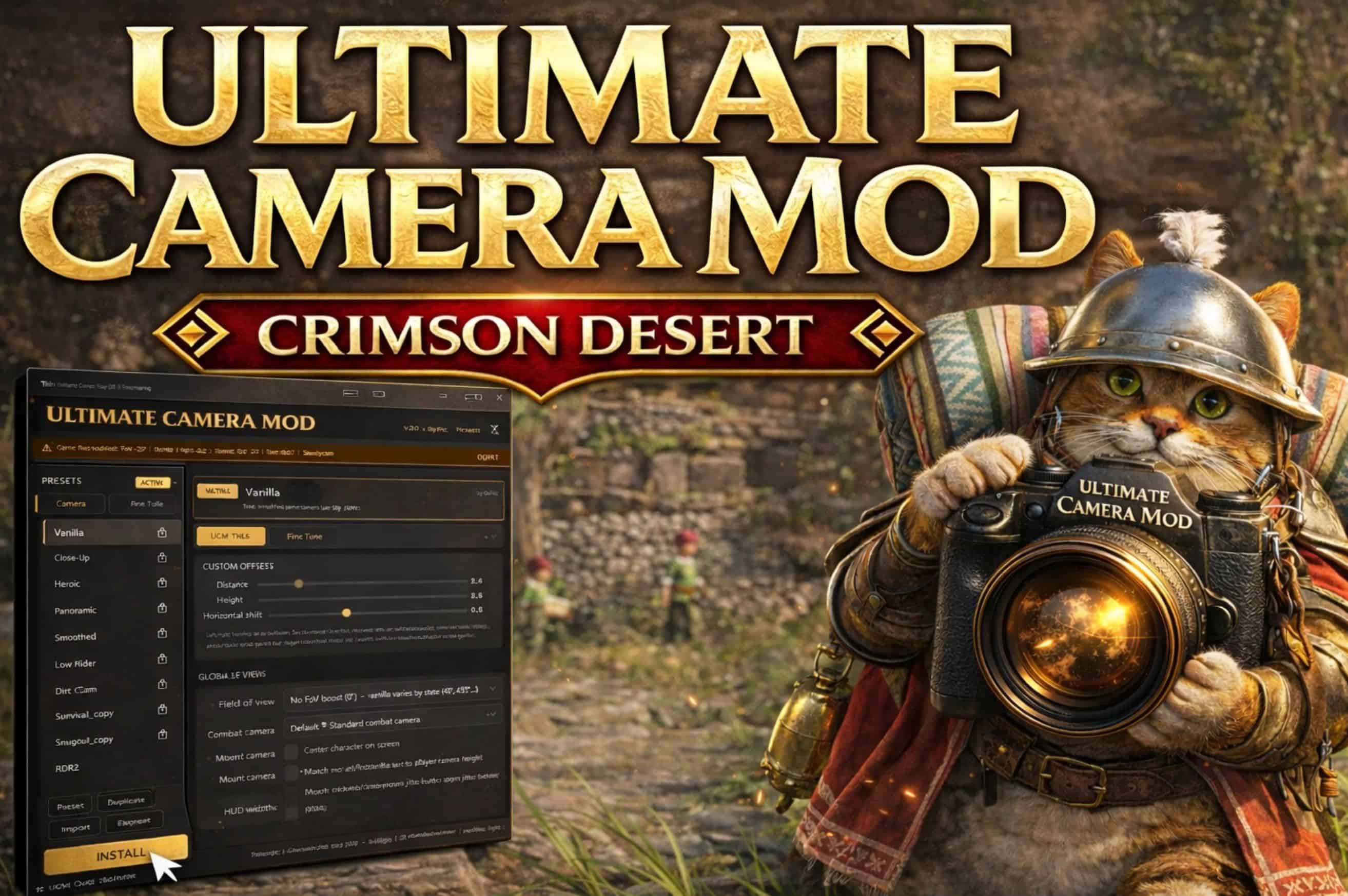
Standalone camera toolkit for Crimson Desert. Three-tier editor (sliders, fine-tune cards, full XML), 7 presets, community preset catalog, custom camera builder, FoV control, steadycam, lock-on zoom, mount sync, centered camera, and mod manager export (JSON/XML/PAZ). One exe, no dependencies.
– If you used v2.x, forget everything you knew.
– UCM v3 is a ground-up redesign. New editor. New preset system. New export pipeline.
– Three tiers of control, a community preset catalog, and a file format built for sharing.
– Same one-click install. Same safety. Way more power.
What is UCM?
Ultimate Camera Mod is a standalone Windows app that gives you full control over Crimson Desert’s third-person camera. Pick from hand-tuned presets, build your own with sliders, or go deep and tweak every single camera parameter in the game.
Why UCM?
– Game-patch proof – UCM builds your camera from your own game files. When Crimson Desert updates, just hit Install and you’re back in action. No waiting on mod authors to release updated files.
– Three levels of control – Quick sliders for casual users, Fine Tune cards for enthusiasts, God Mode raw XML for the deep end. Use whichever level fits you.
– 19 languages – Full UI localization with live switching. English, Korean, Japanese, Chinese (Simplified/Traditional), Thai, Indonesian, Turkish, Polish, Italian, Swedish, Norwegian, Danish, Finnish, German, French, Spanish, Portuguese Brazilian, Russian.
– Community preset catalog – Browse and download camera presets from other players directly in-app. One click to install someone else’s setup.
– Mod manager compatible – Export JSON patches for JSON Mod Manager or CDUMM. UCM fits into your existing mod workflow.
– Shareable presets – Export your camera as a .ucmpreset file and share it with anyone. They import it, done.
– Safe and reversible – No DLL injection, no memory hacking, no internet required. Pure game-file modification with automatic backup. One click to restore vanilla at any time.
– Single exe, zero dependencies – No installer. No runtime to download. Place it anywhere and run.
– Open source under MIT – Every line of code is on GitHub. Build from source if you want.
Three-Tier Editor
Start simple. Go deeper when you want to. UCM v3 replaces the old single-tab layout with three progressive tiers of control. Use whichever level fits your needs.
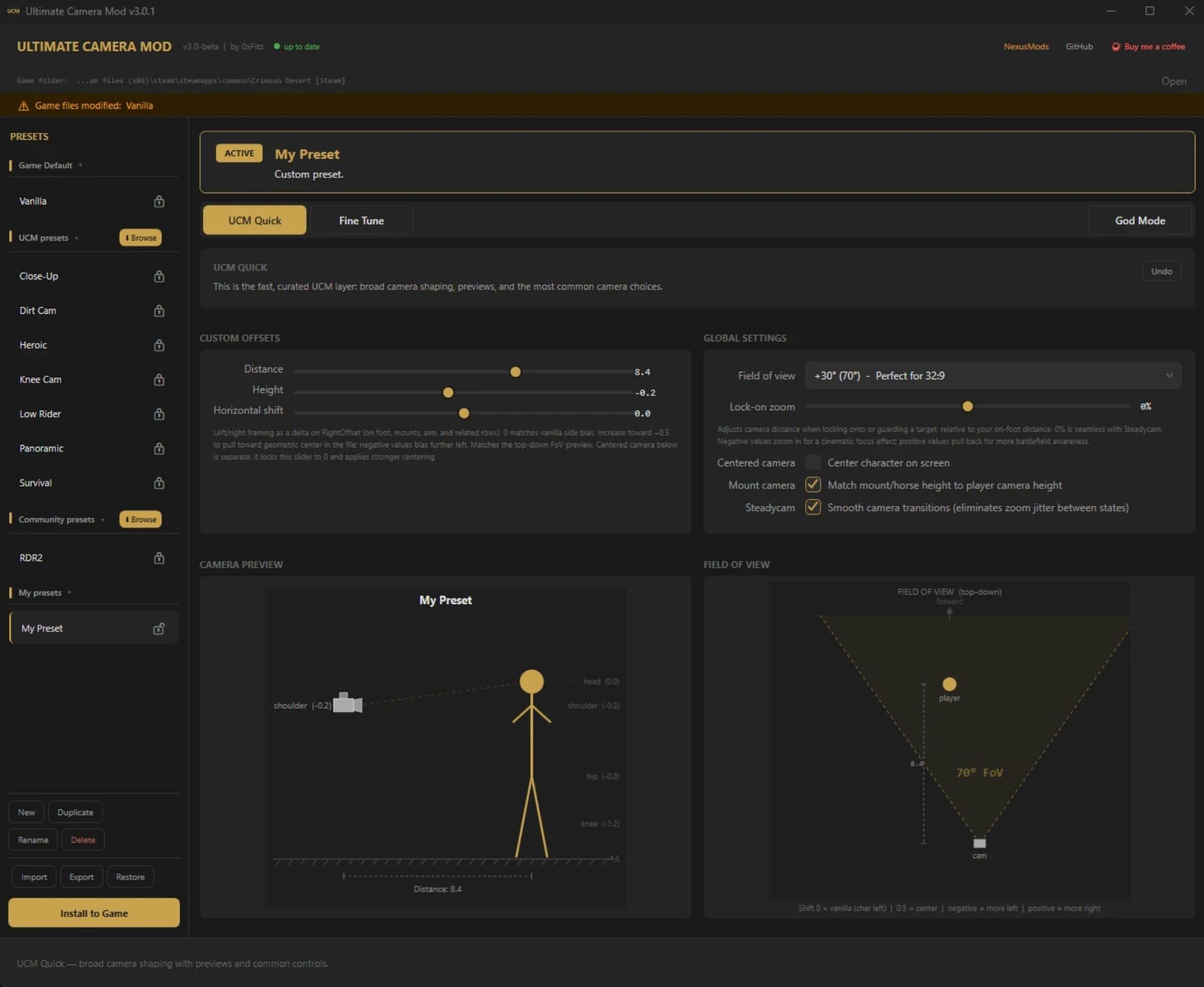
Tier 1: UCM Quick
The fast lane. Sliders for distance, height, and horizontal shift. Dropdown for FoV. Checkboxes for features. A live camera preview updates in real time as you adjust. This is where most people will live.
– Distance (1.5 to 12.0) controls how far the camera sits behind the character
– Height (-1.6 to 1.5) adjusts vertical position
– Horizontal Shift (-3.0 to 3.0) moves the character’s screen position using proportional scaling across all zoom levels
– Field of View from vanilla 40 up to 80, with per-aspect-ratio recommendations
– Centered Camera locks the camera dead-center behind the character across 150+ camera states
– Lock-on Zoom slider from -60% (zoom in on target) to +60% (pull back wide)
– Lock-on Auto-Rotate toggle to disable camera snap-to-target when locking on
– Steadycam smoothing across 30+ camera states, eliminating jolting transitions
– Center HUD (new in v3.2) centers gameplay HUD elements for ultrawide displays. Choose between 16:9 (1920px) or 21:9 (2520px) safe areas. Credits to wsres.
– Mount Camera Sync matches mount camera height to your player camera
– Live Preview shows camera distance, height, shift position, and FoV cone in real time
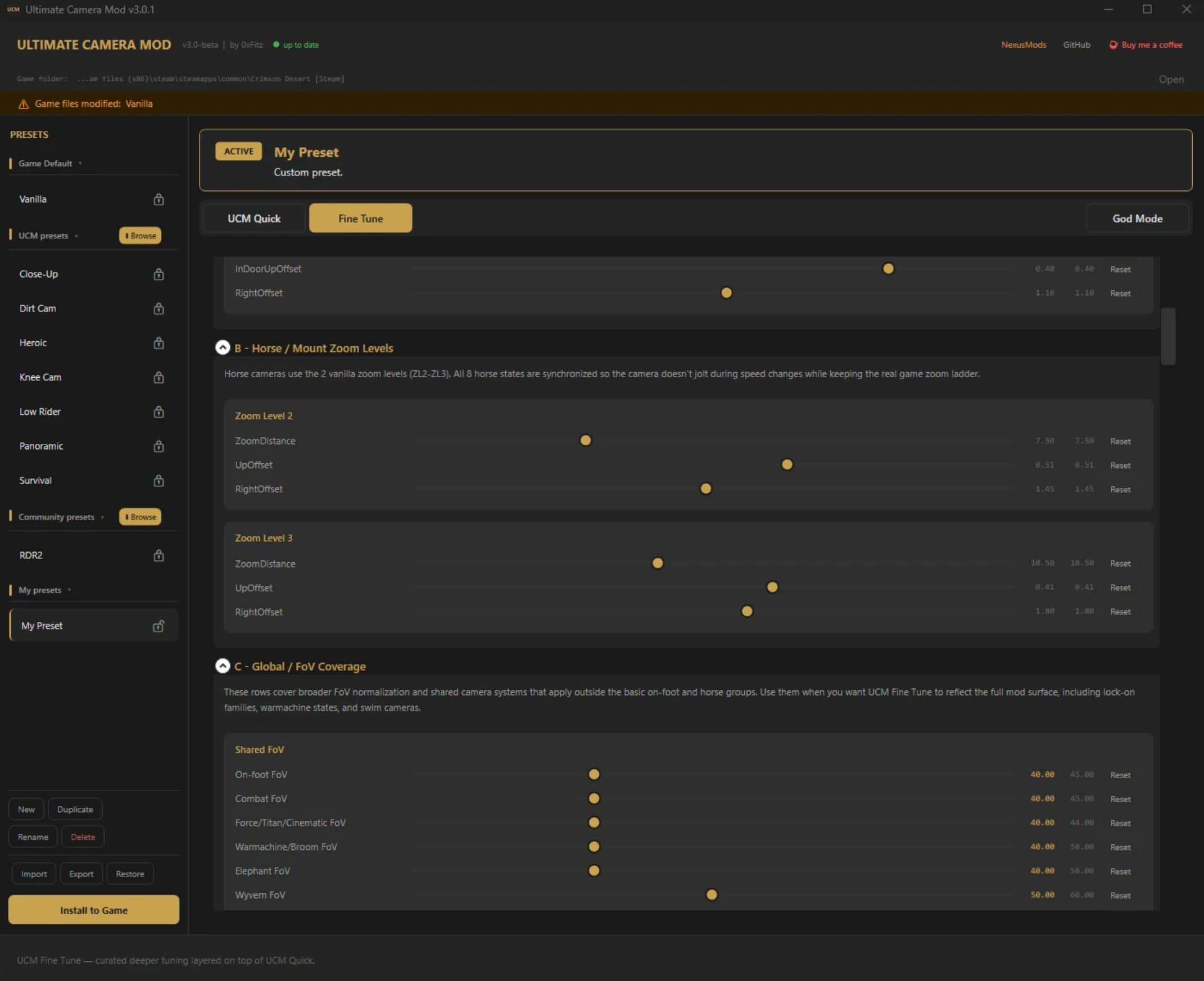
Tier 2: Fine Tune
Curated control cards organized by category. More granular than Quick, without being overwhelming.
– On-foot zoom levels
– Horse and mount zoom levels
– Global FoV overrides
– Special mount cameras (elephant, wyvern, canoe, warmachine, broom)
– Traversal cameras (climbing, gliding, swimming)
– Combat and lock-on behavior
– Camera smoothing parameters
– Aiming and crosshair positioning
Tier 3: God Mode
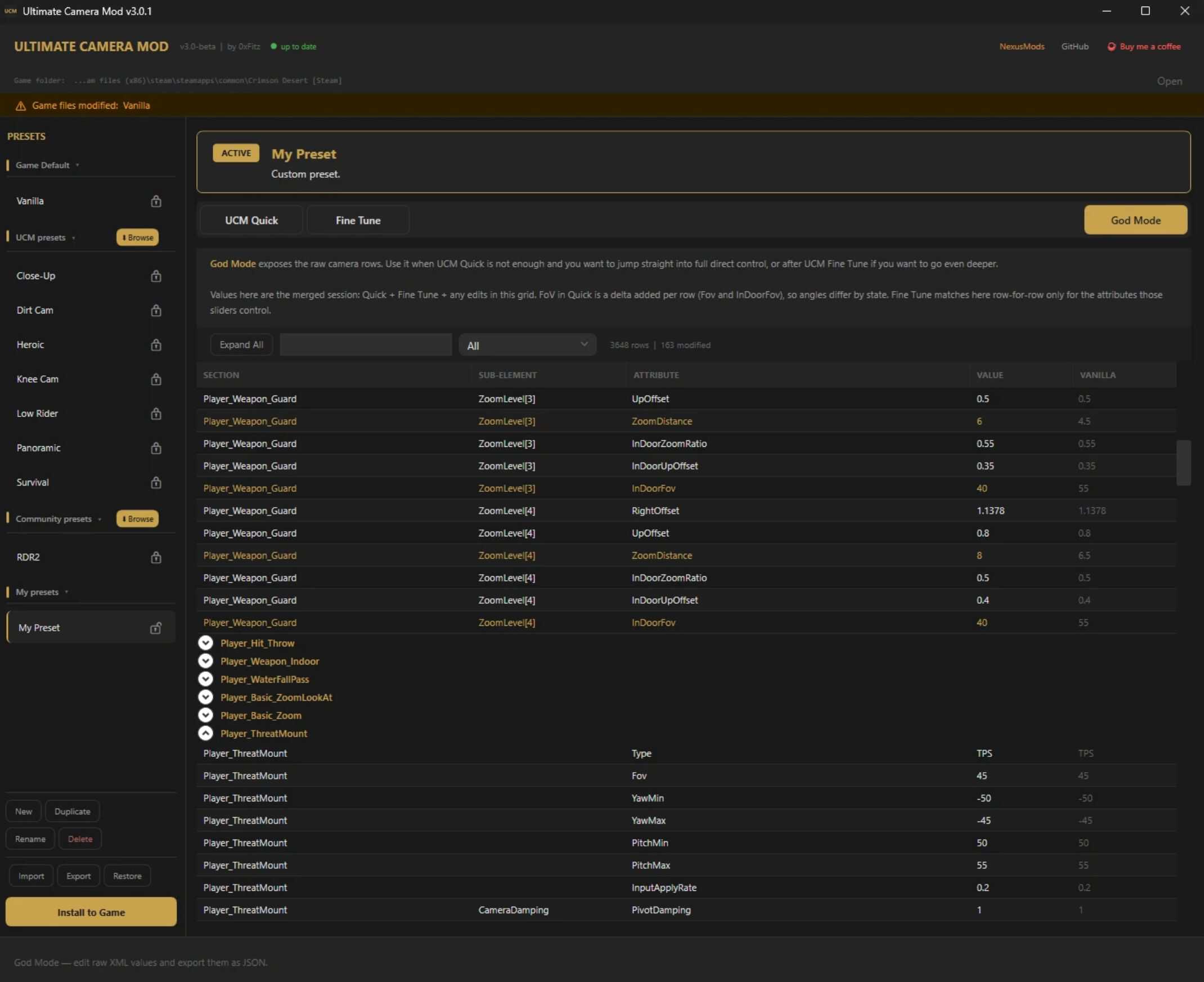
The raw XML. All 570+ camera sections in the game exposed in a searchable, filterable DataGrid. Not just player cameras — gimmicks, mounts, dragons, cutscenes, minigames, world map, and more.
– Every camera state: walking, running, combat, guard, mounted, indoor, gliding, dragons, gimmicks, minigames, and more
– Every attribute: FOV, distance, height, offsets, blend times, damp speeds, target rates, zoom levels
– Vanilla column shows original values alongside your edits
– Sacred overrides (new in v3.1): values you edit in God Mode are permanently protected from Quick/Fine Tune rebuilds, shown with green indicators
– 54 attribute tooltips explaining what each parameter actually does
– Search, filter, group by camera state, expand/collapse all
– Modified values highlighted in gold
Preset System
File-based. Shareable. Organized. v3 introduces a proper preset manager with a collapsible sidebar and the .ucmpreset file format.
Sidebar Groups
– Game Default – True Vanilla decoded from your game backup, zero modifications
– UCM Presets – 7 official hand-tuned styles (downloadable on demand via the catalog)
– Community Presets – Presets shared by other players, browsable in-app
– My Presets – Your custom creations
– Imported – Presets imported from files or other users
UCM Presets
– Heroic – Shoulder-level over-the-shoulder with smoothed transitions. Great framing for exploration and combat.
– Panoramic – Wide filmic pullback at head-height. Cinematic default recommendation.
– Close-Up – Tight shoulder OTS with lock-on pull-back. Similar to a 16:9 feel on ultrawide.
– Low Rider – Hip-level camera showing full body and horizon line.
– Knee Cam – Knee-height dramatic low angle.
– Dirt Cam – Ground-level extreme low camera for cinematic screenshots.
– Survival – Tight OTS with offset, horror-game feel (RE2/Dead Space vibes).
Community Presets
– Proper 3rd Person Camera by orangeees – RDR2-inspired lower, grounded view
– Proper 3rd Person Camera (Wide FoV) by orangeees – Same grounded feel, wider field of view
– Shoulder Camera by latranchedepain – Tight shoulder framing
Want your preset in the catalog? Export your .ucmpreset file and either DM me here on Nexus or submit a pull request to the GitHub repo with your file. If it gets added, it’ll show up in everyone’s in-app community catalog automatically.
Create Your Own
– Create, duplicate, rename, and delete presets freely
– Choose between Managed by UCM (UCM handles camera rules) or Full Manual Control (God Mode only, no UCM rules applied)
– Lock/unlock presets with the padlock icon to prevent accidental edits
– Everything auto-saves as you work
Multi-Format Export & Mod Manager Support
v3 is export-first. Get your camera setup out of the app however you need it. Prefer using a mod manager? UCM has you covered.
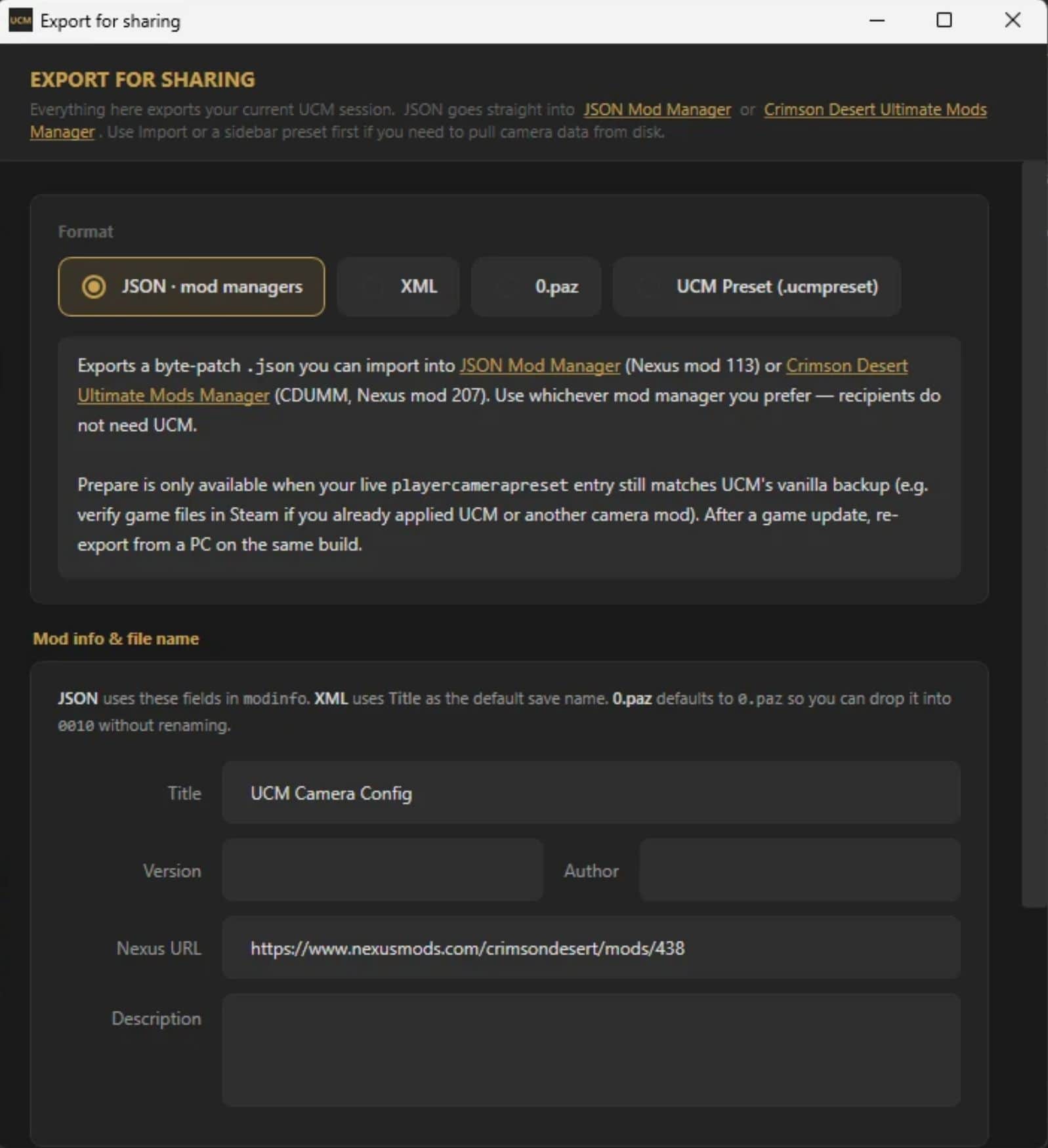
UCM v3 natively exports JSON patches that are fully compatible with the community’s mod managers. Tune your camera in UCM, hit Export, and load the output straight into your mod manager of choice. No need to use UCM’s built-in Install if you’d rather manage everything through one tool.
Supported mod managers:
– JSON Mod Manager by PhorgeForge – UCM exports JSON byte patches with modinfo metadata, ready to load directly
– CDUMM (Crimson Desert Unified Mod Manager) by kindiboy – Same JSON export format, fully compatible
All export formats:
– JSON – Byte-level patches + modinfo metadata for mod managers
– XML – Raw playercamerapreset.xml for manual editing or other tools
– 0.paz – Fully patched archive file, drop it in the game’s 0010 folder
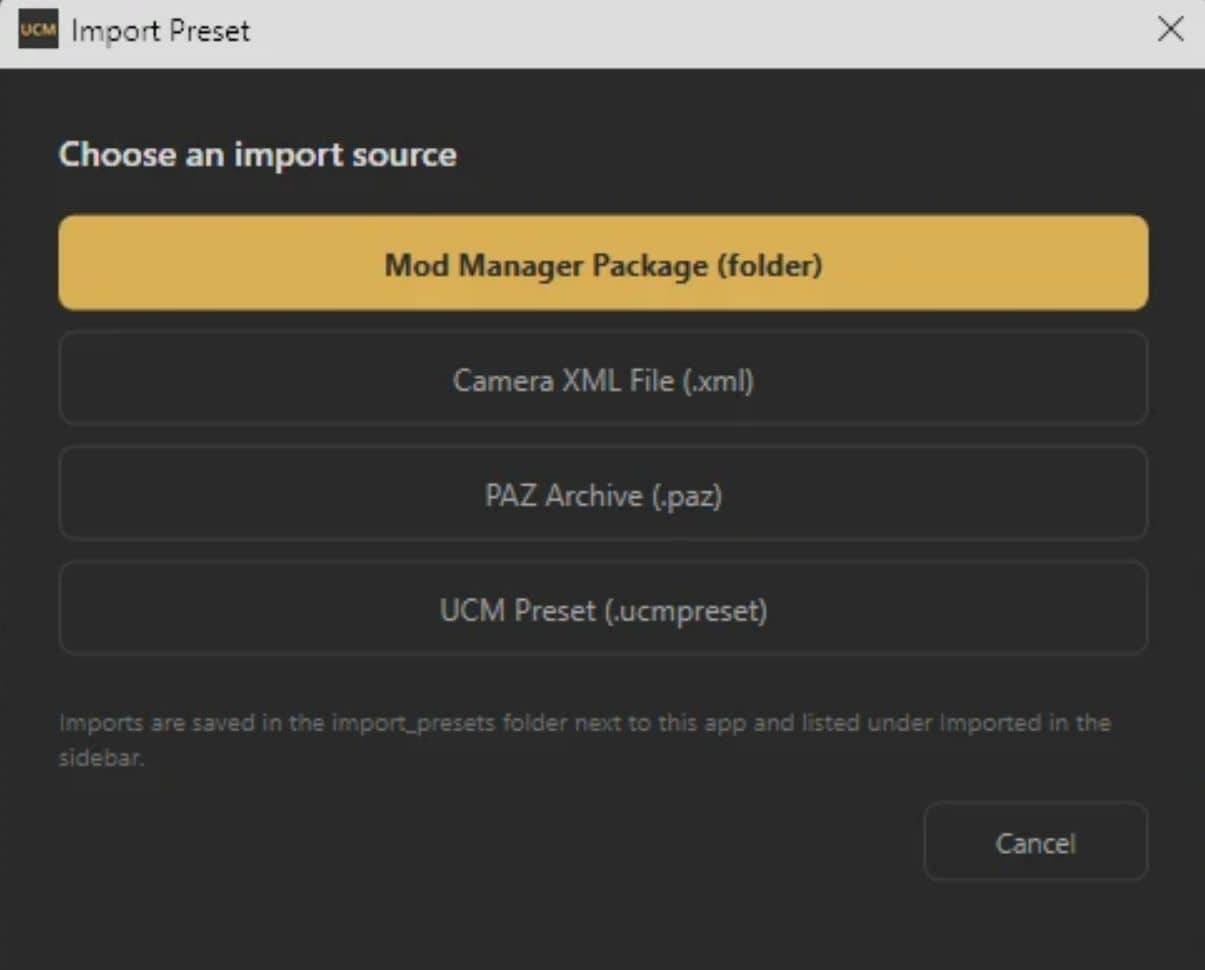
– .ucmpreset – Full UCM preset file for sharing with other UCM users
You can still one-click Install directly from UCM if you prefer to keep things simple. The export system just means UCM now fits into however you like to manage your mods.
Feature Highlights – Field of View
7 FoV options from vanilla 40 up to 80, with recommendations for different aspect ratios:
– No change (40) – Vanilla
– +10 (50) – Minimal increase, good for 16:9
– +15 (55) – Subtle improvement
– +20 (60) – Sweet spot for 21:9 ultrawide
– +25 (65) – Great for 21:9 and 32:9
– +30 (70) – Perfect for 32:9 super-ultrawide
– +40 (80) – Extreme wide, slight fisheye
FoV is applied universally across all camera states (guard, aim, mount, glide, cinematic) so there are no jarring transitions when the game switches states.
Steadycam Smoothing
Completely revamped camera smoothing system covering 30+ camera states. Drastically reduces the jolting and jarring transitions between movement states that plague the vanilla camera. The community can fine-tune individual states through God Mode.
Lock-on System
Two new controls for lock-on combat:
– Lock-on Zoom – A slider from -60% to +60% that lets you zoom in tight on your target or pull back for battlefield awareness. Independent of Steadycam.
– Lock-on Auto-Rotate – Toggle off the camera snap that whips around to face your target. Keep camera control in your hands during combat.
Horizontal Shift Everywhere
Your horizontal shift setting is respected across the entire game:
– All on-foot states
– All mounts: horse, elephant, wyvern, canoe, warmachine, broom
– All aim/skill abilities: lantern, bow, blinding flash, and more
– Proportional scaling keeps the character at the same screen position across all zoom levels
Sacred God Mode (v3.1)
The biggest addition since v3 launched. When you edit a value in God Mode, it becomes sacred – permanently protected from UCM’s automatic rebuilds when you change Quick or Fine Tune settings. Your hand-tuned values are never overwritten. Locked sliders show tooltips explaining which sacred value is protecting them.
This means you can use UCM Quick for the broad strokes, then drop into God Mode to perfect specific values, and those values stay exactly where you put them.
Quality of Life
– Live Language Switching – Pick your language from the title bar dropdown and the entire UI updates instantly, including sidebar headings and status messages
– Auto Game Detection – Finds your Crimson Desert across Steam, Epic Games, and Xbox/Game Pass
– Automatic Backup – Creates a vanilla backup before any modification. One-click restore at any time
– Game Patch Awareness – Detects when the game has been updated and warns you
– Install Config Banner – Shows your full active config so you always know what’s installed
– In-App Overlays – All dialogs are themed dark cards with gold borders, no more Windows popups
– Update Notifications – Checks GitHub releases on launch and shows a banner when new versions drop
– Version Upgrade Overlay – Shows “What’s New” on first launch after upgrading
– Preset Catalog Browser – Browse and download official and community presets in-app
– Settings Persistence – Everything remembered between sessions
– Resizable Window – Drag edges to resize, size persists
– Portable – Single .exe. No installer. No dependencies. Place it anywhere and run.
Installation
First Time:
– Download and extract the zip
– Run UltimateCameraMod.V3.exe
– The app will auto-detect your game installation
– Choose a preset or build your own
– Click Install
– Launch the game
Restoring Vanilla:
Click Restore Vanilla. Your original game files are restored from the automatic backup. Done.
After Game Updates:
Important: Game updates overwrite modded files. After each update, re-open UCM and click Install again. Your settings are saved automatically.
Coming from v2.x?:
v3 will auto-migrate your legacy JSON presets to the new .ucmpreset format on first launch. Your old settings carry over.
Compatibility
– Platforms: Steam, Epic Games, Xbox/Game Pass
– OS: Windows 10/11 (x64)
– Display: Any aspect ratio – 16:9, 21:9, 32:9, and everything in between
– Mod Managers: Export JSON patches compatible with JSON Mod Manager and CDUMM
How It Works
– UCM locates the game’s PAZ archive containing playercamerapreset.xml
– Creates a backup of the original file (only once, never overwrites a clean backup)
– Decrypts the archive entry using ChaCha20 + Jenkins hash key derivation
– Decompresses via LZ4
– Applies your camera values as pure value-edits (no structural XML injection)
– Re-compresses, re-encrypts, and writes the modified entry back into the archive
No external dependencies at runtime. Single self-contained executable. No memory injection, no DLLs, no hooks.
FAQ
Q: Will this get me banned?
A: UCM modifies offline data files only. It does not touch game memory, inject code, or interact with running processes. No mod author can guarantee compatibility with anti-cheat systems, so use your own discretion in any online/multiplayer modes.
Q: Can I use this with other mods?
A: Yes, as long as they don’t modify the same PAZ archive entry (playercamerapreset.xml). UCM will detect if your game files have already been modified. The JSON export format is designed to work alongside other mods through mod managers.
Q: The game updated and my camera reset.
A: Normal. Game updates overwrite modded files. Re-open UCM and click Install. Your settings are saved automatically.
Q: My antivirus flagged the exe.
A: Known false positive with self-contained .NET applications. The exe is built from fully open-source code under MIT license. You can review every line on GitHub, verify with VirusTotal, or build from source yourself.
Q: What’s the difference between Managed and Full Manual Control presets?
A: Managed presets let UCM handle camera rules (FoV consistency, mount sync, steadycam, etc.) based on your Quick/Fine Tune settings. Full Manual Control presets give you a raw XML canvas in God Mode with no UCM rules applied.
Q: How do I share my camera setup?
A: Export as a .ucmpreset file and share it directly. Or export as JSON for mod managers. Other UCM users can import your .ucmpreset through the Import dialog.
Q: What does horizontal shift 0 mean?
A: 0 is the vanilla camera position (character slightly left of center). 0.5 centers the character on screen. The shift uses proportional scaling so the character holds position across all zoom levels.